Range Slider
Configure dual-thumb range slider annotation in Potato for selecting a numeric range with customizable bounds, step size, and endpoint labels.
The range slider annotation schema provides a dual-thumb slider that lets annotators select a range of values rather than a single point. Use it for tasks whose answer is an interval, such as an estimated age range, a time window, or a confidence interval.
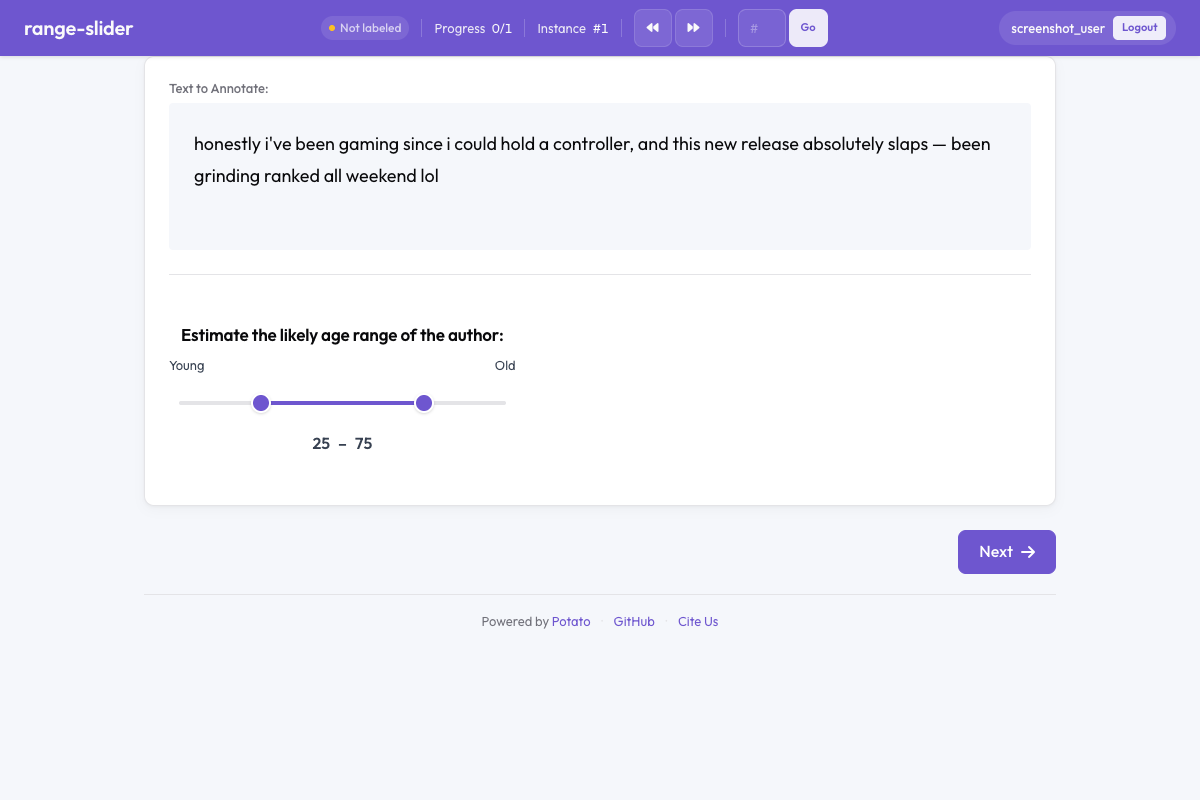 Range slider in Potato
Overview
A standard slider captures one value; the range slider has two draggable thumbs for the low and high ends of an interval. Annotators drag either thumb to set the range, and the current values are displayed alongside the slider so the selection can be read precisely. Both thumbs start unset, and the annotation stays empty until the annotator moves one.
Quick Start
The bounds decide what the annotator can express, so set min_value and max_value to the range the task actually spans. A step of 1 keeps the recorded values as whole years:
annotation_schemes:
  - annotation_type: range_slider
    name: age_range
    description: Estimate the age range of the author.
    min_value: 0
    max_value: 100
    step: 1
    left_label: "Young"
    right_label: "Old"
Configuration Options
| Field | Type | Default | Description |
|---|---|---|---|
annotation_type | string | Required | Must be "range_slider" |
name | string | Required | Unique identifier for this schema |
description | string | Required | Instructions displayed to annotators |
min_value | number | 0 | Minimum value of the slider scale |
max_value | number | 100 | Maximum value of the slider scale |
step | number | 1 | Increment between selectable values |
left_label | string | "" | Label displayed at the left (minimum) end of the slider |
right_label | string | "" | Label displayed at the right (maximum) end of the slider |
show_values | boolean | true | Display the currently selected low and high values |
label_requirement.required | boolean | false | Whether the annotation must be completed before moving on |
Examples
Age Range Estimation
Bounding the scale at the range the data can contain stops annotators recording impossible values and spreads the usable range across the full width of the slider:
annotation_schemes:
  - annotation_type: range_slider
    name: age_estimate
    description: What age range do you think the author falls in?
    min_value: 13
    max_value: 90
    step: 1
    left_label: "Younger"
    right_label: "Older"
Confidence Interval
A step of 5 tells the annotator that finer distinctions are not wanted, which speeds the judgment and keeps the recorded intervals comparable:
annotation_schemes:
  - annotation_type: range_slider
    name: confidence_interval
    description: Select the range within which you believe the true value falls.
    min_value: 0
    max_value: 100
    step: 5
    left_label: "0%"
    right_label: "100%"
    show_values: true
Time Window
Half-hour steps over a 24-hour scale match how people describe times of day, and the endpoint labels name what the numbers mean:
annotation_schemes:
  - annotation_type: range_slider
    name: time_window
    description: When during the day is this activity most likely? (hours)
    min_value: 0
    max_value: 24
    step: 0.5
    left_label: "Midnight"
    right_label: "Midnight"
Temperature Comfort Range
Numeric readouts matter most when the unit is unfamiliar or the scale is wide, so this task leaves show_values on:
annotation_schemes:
  - annotation_type: range_slider
    name: comfort_range
    description: What temperature range (°F) do you find comfortable?
    min_value: 40
    max_value: 110
    step: 1
    left_label: "Cold"
    right_label: "Hot"
    show_values: true
Output Format
{
  "age_estimate": {
    "labels": {
      "range_low": 28,
      "range_high": 42
    }
  }
}
The two thumbs are recorded as range_low and range_high, each within the configured min_value to max_value range.
Best Practices
- Bound the scale to the task -
min_valueandmax_valueshould span what the data can contain, so the usable range fills the slider - Choose an appropriate step size - fine-grained steps (0.1) for precise tasks, coarse steps (5, 10) for rough estimates
- Add endpoint labels -
left_labelandright_labelprovide semantic context beyond raw numbers - Keep show_values enabled - numeric readouts help annotators make precise selections
- Use for genuine range tasks - if only a single value is needed, use the standard Slider instead
Further Reading
- Slider - Single-value continuous annotation
- Likert Scales - Ordinal rating scales
- Soft Label - Probability distribution allocation
For implementation details, see the source documentation.