Text & Number Input
Collect free-text responses and numeric values in Potato. Configure text boxes, number fields, validation rules, placeholder text, and character limits.
Text and number inputs allow annotators to provide free-form responses, useful for corrections, explanations, counts, and measurements.
 Free-text and number input fields for open-ended annotation in Potato
Text Input
Basic Text Field
Single-line text input:
annotation_schemes:
  - annotation_type: text
    name: correction
    description: "Provide a corrected version of the text"
Multi-line Input
For longer responses, use multiline: true. You can also set rows and cols to control the text area dimensions, and allow_paste to control clipboard pasting:
- annotation_type: text
  name: explanation
  description: "Explain your reasoning"
  multiline: true
  rows: 4
  cols: 60
  allow_paste: false
Placeholder Text
Guide annotators with example input:
- annotation_type: text
  name: summary
  description: "Write a one-sentence summary"
  placeholder: "Enter your summary here..."
Character Limits
Set a floor on response length with min_chars, and show a live counter with show_char_count:
- annotation_type: text
  name: title
  description: "Suggest a title"
  min_chars: 15
  show_char_count: true
There is no maximum-length key. When responses have to stay short, say so in the instructions and check it in the export.
Required Text
Make the field mandatory:
- annotation_type: text
  name: justification
  description: "Why did you choose this label?"
  label_requirement:
    required: true
Number Input
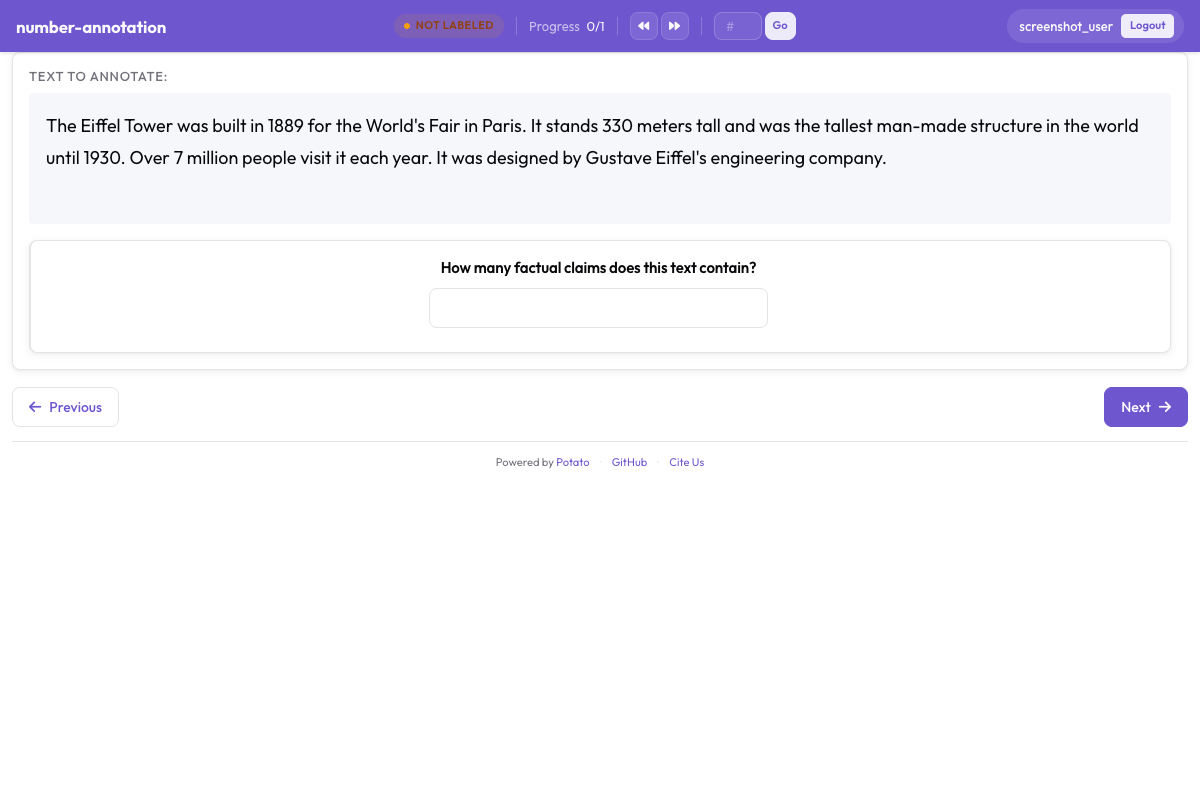 A numeric input field with minimum and maximum constraints
Basic Number Field
annotation_schemes:
  - annotation_type: number
    name: count
    description: "How many entities are mentioned?"
Range Constraints
Set minimum and maximum values:
- annotation_type: number
  name: rating
  description: "Rate from 1 to 10"
  min: 1
  max: 10
Step Size
Control increment precision:
- annotation_type: number
  name: percentage
  description: "What percentage is relevant?"
  min: 0
  max: 100
  step: 5  # Increments of 5
Decimal Numbers
Allow floating-point values:
- annotation_type: number
  name: score
  description: "Confidence score"
  min: 0.0
  max: 1.0
  step: 0.1
Tooltips
Explain what the number counts without crowding the description:
- annotation_type: number
  name: count
  description: "Number of errors"
  min: 0
  tooltip: "Count each distinct error once, even where it repeats."
A number field has no pre-filled default and starts empty. Where a starting position matters, use a slider, which requires one.
Slider Input
Visual alternative to number input:
- annotation_type: slider
  name: confidence
  description: "How confident are you?"
  min_value: 0
  max_value: 100
  starting_value: 50
  step: 1
Slider End Captions
The ends of the track show min_value and max_value, and show_labels: false hides them. A slider takes no labels list. Adding one switches the question to a radio layout and the slider disappears, so put the wording for the ends in description:
- annotation_type: slider
  name: agreement
  description: "How much do you agree? (0 = strongly disagree, 100 = strongly agree)"
  min_value: 0
  max_value: 100
  starting_value: 50
  show_labels: true
Slider Tick Marks
maxTick caps how many tick marks are drawn, which keeps a wide range readable:
- annotation_type: slider
  name: rating
  description: "Rate the overall quality"
  min_value: 0
  max_value: 100
  starting_value: 50
  step: 5
  maxTick: 10
Every slider needs min_value, max_value, and starting_value. The starting value is the one people leave out, and it fails validation rather than falling back to the midpoint.
Common Use Cases
Text Correction Task
annotation_schemes:
  - annotation_type: radio
    name: has_error
    description: "Does this text contain errors?"
    labels:
      - "Yes"
      - "No"

  - annotation_type: text
    name: corrected_text
    description: "Provide the corrected version"
    rows: 4
Translation Quality
annotation_schemes:
  - annotation_type: slider
    name: adequacy
    description: "How much meaning is preserved?"
    min_value: 0
    max_value: 100
    starting_value: 50

  - annotation_type: slider
    name: fluency
    description: "How natural does it sound?"
    min_value: 0
    max_value: 100
    starting_value: 50

  - annotation_type: text
    name: improved_translation
    description: "Suggest a better translation (optional)"
    rows: 4
    label_requirement:
      required: false
Entity Counting
annotation_schemes:
  - annotation_type: number
    name: person_count
    description: "How many people are mentioned?"
    min: 0
    max: 50

  - annotation_type: number
    name: org_count
    description: "How many organizations are mentioned?"
    min: 0
    max: 50

  - annotation_type: number
    name: location_count
    description: "How many locations are mentioned?"
    min: 0
    max: 50
Feedback Collection
annotation_schemes:
  - annotation_type: likert
    name: difficulty
    description: "How difficult was this task?"
    size: 5
    min_label: "Very Easy"
    max_label: "Very Hard"

  - annotation_type: text
    name: feedback
    description: "Any additional feedback?"
    rows: 4
    label_requirement:
      required: false
    placeholder: "Share your thoughts..."
Quality Assessment with Justification
annotation_schemes:
  - annotation_type: radio
    name: quality
    description: "Rate the quality"
    labels:
      - Excellent
      - Good
      - Fair
      - Poor

  - annotation_type: text
    name: justification
    description: "Explain your rating"
    rows: 4
    label_requirement:
      required: true
Validation
Text Validation
- annotation_type: text
  name: email
  description: "Enter contact email"
Number Validation
Numbers are automatically validated against min/max:
- annotation_type: number
  name: year
  description: "Enter the year"
  min: 1900
  max: 2024
Keyboard Navigation
Text and number fields support standard keyboard navigation:
Tabto move between fieldsEnterto submit (for single-line text)- Arrow keys for number increment/decrement
Output Format
Text and number annotations are saved directly:
{
  "id": "doc1",
  "correction": "The corrected text goes here.",
  "count": 5,
  "confidence": 85
}
Full Example: Document Review
annotation_task_name: "Document Review"

annotation_schemes:
  # Quality rating
  - annotation_type: likert
    name: quality
    description: "Overall document quality"
    size: 5
    min_label: "Poor"
    max_label: "Excellent"

  # Error count
  - annotation_type: number
    name: error_count
    description: "Number of errors found"
    min: 0
    max: 100

  # Confidence slider
  - annotation_type: slider
    name: confidence
    description: "How confident are you in this assessment?"
    min_value: 0
    max_value: 100
    starting_value: 50

  # Detailed feedback
  - annotation_type: text
    name: errors_found
    description: "List the errors you found"
    rows: 4
    placeholder: "Describe each error..."

  # Summary
  - annotation_type: text
    name: summary
    description: "Brief summary of the document"
    placeholder: "Summarize in one sentence..."
Best Practices
- Use appropriate input types - sliders for continuous values, numbers for precise counts
- Set reasonable constraints - min/max values prevent invalid data
- Provide placeholders - guide annotators on expected format
- Make optional fields clear - use
required: falseand indicate in description - Use conditional display - show text fields only when needed
- Consider validation - use patterns for structured input like emails or IDs