Radio & Multiselect
Configure radio buttons for single-choice and checkboxes for multi-label annotation in Potato, with keyboard shortcuts, tooltips, colors, and required answers.
Radio buttons and multiselect checkboxes are the most common annotation types for classification tasks. Both take the same three required fields, annotation_type, name, and description, plus the labels they offer.
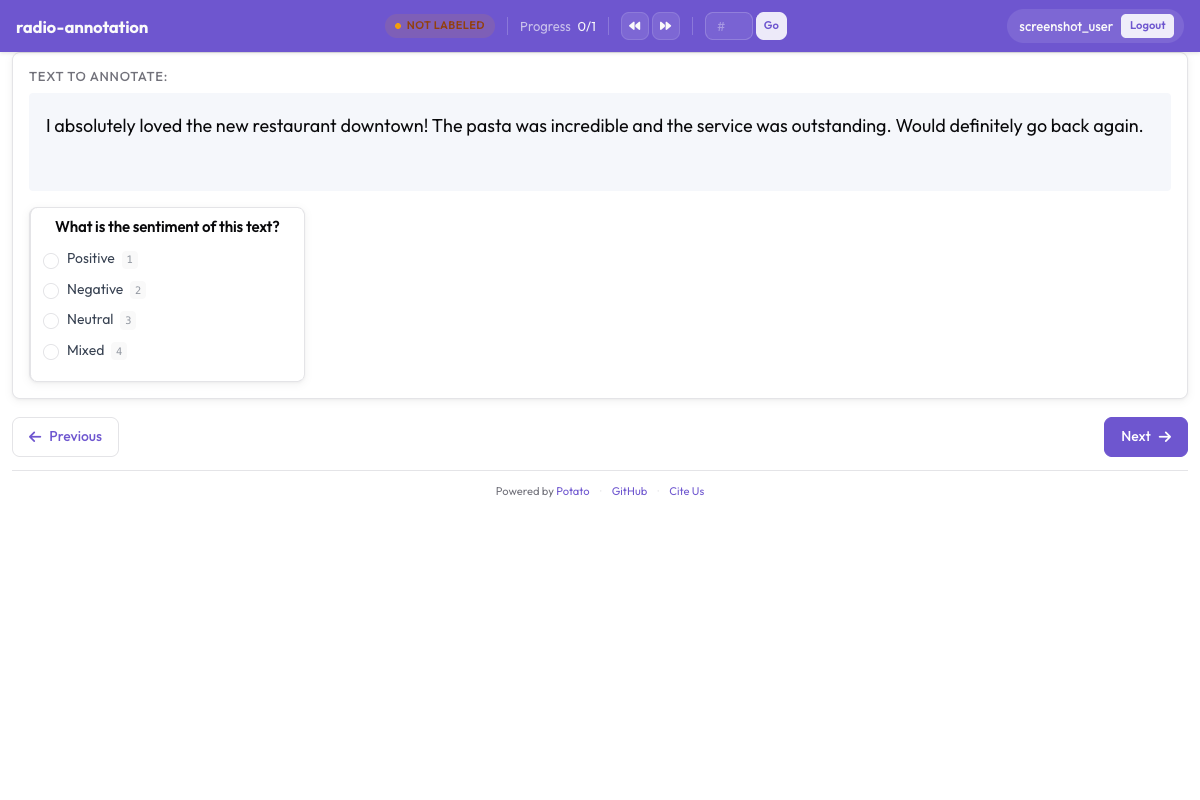 Radio buttons and checkboxes for categorical annotation in Potato
Radio Buttons
Use radio buttons when annotators should select exactly one option.
Basic Configuration
annotation_schemes:
  - annotation_type: radio
    name: sentiment
    description: "Select the sentiment of this text"
    labels:
      - Positive
      - Negative
      - Neutral
Keyboard Shortcuts
sequential_key_binding is a flag, not a mapping. Setting it to true assigns the digits 1, 2, 3 and so on in the order the labels are listed:
annotation_schemes:
  - annotation_type: radio
    name: sentiment
    description: "Select the sentiment"
    labels:
      - Positive
      - Negative
      - Neutral
    sequential_key_binding: true
Because the keys follow list order, reordering the labels reassigns them. To pin a key to a label so it survives a reordering, write the labels as objects and give each one a key_value:
annotation_schemes:
  - annotation_type: radio
    name: sentiment
    description: "Select the sentiment"
    labels:
      - name: Positive
        key_value: "p"
      - name: Negative
        key_value: "n"
      - name: Neutral
        key_value: "u"
Tooltips
A tooltip belongs to the label rather than to the scheme, so it goes inside labels. This is where the boundary cases belong, since an annotator can check them without leaving the task:
annotation_schemes:
  - annotation_type: radio
    name: sentiment
    description: "Select the sentiment"
    labels:
      - name: Positive
        tooltip: "Expresses satisfaction, praise, or approval"
      - name: Negative
        tooltip: "Expresses dissatisfaction, criticism, or complaint"
      - name: Neutral
        tooltip: "Factual or mixed, with no clear evaluation"
For guidance that needs examples or formatting, point tooltip_file at an HTML file instead:
    labels:
      - name: Positive
        tooltip_file: "config/tooltips/positive.html"
Multiselect
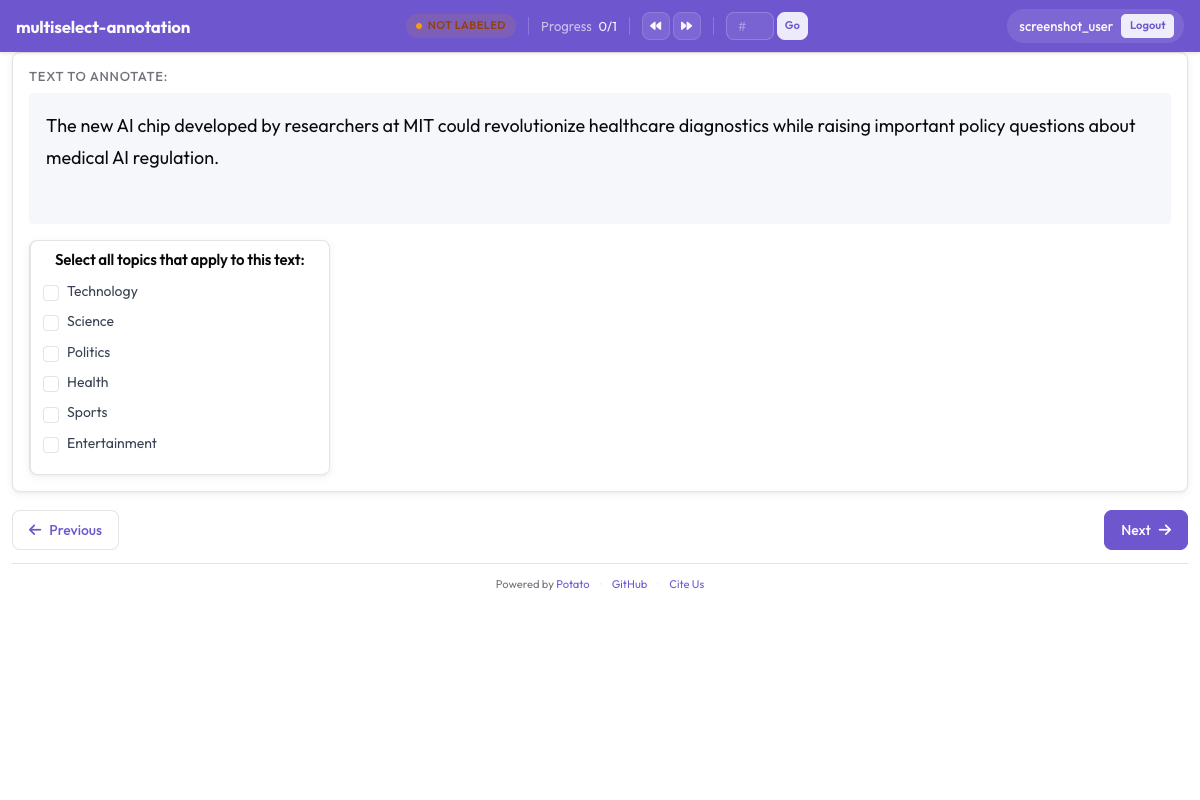 Checkboxes let annotators pick all applicable labels at once
Use multiselect when annotators can choose more than one option.
Basic Configuration
annotation_schemes:
  - annotation_type: multiselect
    name: topics
    description: "Select all topics that apply"
    labels:
      - Politics
      - Sports
      - Technology
      - Entertainment
      - Science
Requiring an Answer
There is no key that sets a minimum or maximum number of checkboxes. What you can require is that the annotator answers at all:
annotation_schemes:
  - annotation_type: multiselect
    name: topics
    description: "Select all topics that apply"
    labels:
      - Politics
      - Sports
      - Technology
    label_requirement:
      required: true
Where a count genuinely matters, say so in the description and check it in the export. A scheme that silently accepts six selections when you wanted three is better caught in analysis than left to an annotator to guess.
Free Response
has_free_response adds an "other" box. It is worth enabling while the label set is still being revised, because what annotators type into it names the categories you are missing:
annotation_schemes:
  - annotation_type: multiselect
    name: topics
    description: "Select all topics that apply"
    labels:
      - Politics
      - Sports
      - Technology
    has_free_response: true
Display Options
Horizontal Layout
horizontal: true lays the options across the row instead of down the page, which suits short label sets such as a rating:
annotation_schemes:
  - annotation_type: radio
    name: rating
    description: "Rate this item from 1 to 5"
    labels:
      - "1"
      - "2"
      - "3"
      - "4"
      - "5"
    horizontal: true
Label Colors
A color can sit on the label:
annotation_schemes:
  - annotation_type: radio
    name: sentiment
    description: "Select the sentiment"
    labels:
      - name: Positive
        color: "#22C55E"
      - name: Negative
        color: "#EF4444"
      - name: Neutral
        color: "#9CA3AF"
Or in one place for the whole project, keyed by scheme name and then by label:
ui:
  label_colors:
    sentiment:
      Positive: "#22C55E"
      Negative: "#EF4444"
      Neutral: "#9CA3AF"
ui.label_colors wins where both are set. See UI Configuration for the full resolution order.
Varying the Option Order
randomize_order shuffles the options between annotators, which spreads any order effect across the label set instead of concentrating it on whichever option happens to be listed first:
annotation_schemes:
  - annotation_type: radio
    name: preference
    description: "Which option do you prefer?"
    labels:
      - Option A
      - Option B
      - Option C
    randomize_order: true
Leave it off for ordinal scales, where the order carries the meaning.
Best Practices
- Keep labels short - they are read on every item
- Turn on keyboard shortcuts - an annotator who never reaches for the mouse works considerably faster
- Put boundary cases in tooltips - the distinctions annotators actually get wrong belong where they will see them
- Limit the options - a radio list beyond about seven slows every judgment
- Order them logically - most common first, or by intensity, and keep it stable once collection starts
Further Reading
- Annotation Schemes - all the scheme types and shared options
- Likert Scales - ordinal rating scales
- UI Configuration - colors and interface options