质量控制
注意力检查、金标准和标注者间一致性指标。
Potato 提供全面的质量控制功能以确保高质量标注。包括注意力检查、金标准、预标注支持和实时一致性指标。
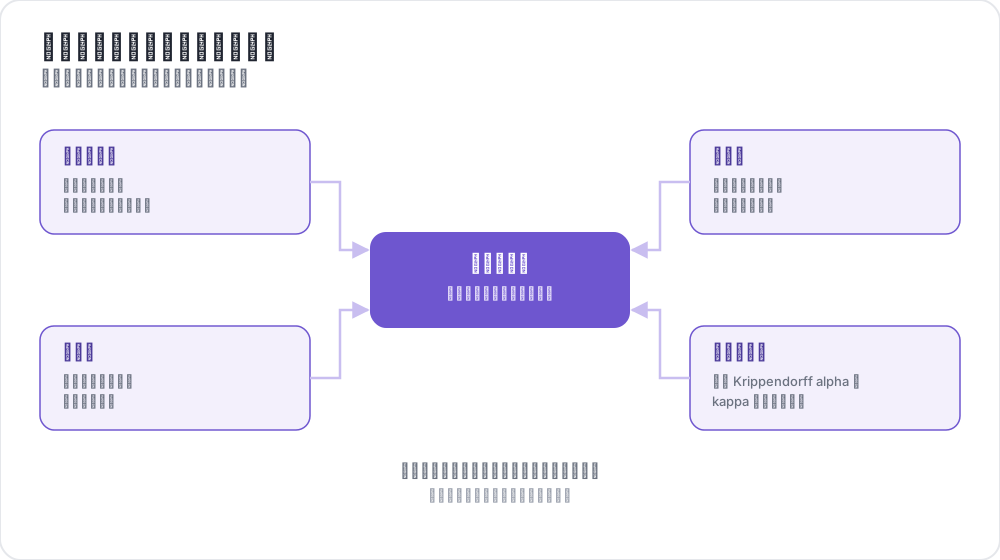 四种质量控制,一个可靠数据集
概述
Potato 中的质量控制由四个关键功能组成:
- 注意力检查 - 使用已知答案的项目验证标注者的参与度
- 金标准 - 根据专家标注的项目追踪准确率
- 预标注支持 - 使用模型预测预填充表单
- 一致性指标 - 实时计算标注者间一致性
注意力检查
注意力检查是具有已知正确答案的项目,用于验证标注者是否在认真工作而非随机点击。
配置
attention_checks:
  enabled: true
  items_file: "attention_checks.json"

  # How often to inject attention checks
  frequency: 10              # Insert one every 10 items
  # OR
  probability: 0.1           # 10% chance per item

  # Optional: flag suspiciously fast responses
  min_response_time: 3.0     # Flag if answered in < 3 seconds

  # Failure handling
  failure_handling:
    warn_threshold: 2        # Show warning after 2 failures
    warn_message: "Please read items carefully before answering."
    block_threshold: 5       # Block user after 5 failures
    block_message: "You have been blocked due to too many incorrect responses."
注意力检查项目文件
[
  {
    "id": "attn_001",
    "text": "Please select 'Positive' for this item to verify you are reading carefully.",
    "expected_answer": {
      "sentiment": "positive"
    }
  }
]
金标准
金标准是专家标注的项目,用于衡量标注者准确率。默认情况下,金标准是静默的——结果记录供管理员审查,但标注者不会看到反馈。
配置
gold_standards:
  enabled: true
  items_file: "gold_standards.json"

  # How to use gold standards
  mode: "mixed"              # Options: training, mixed, separate
  frequency: 20              # Insert one every 20 items

  # Accuracy requirements
  accuracy:
    min_threshold: 0.7       # Minimum required accuracy (70%)
    evaluation_count: 10     # Evaluate after this many gold items

  # Feedback settings (disabled by default)
  feedback:
    show_correct_answer: false
    show_explanation: false

  # Auto-promotion from high-agreement items
  auto_promote:
    enabled: true
    min_annotators: 3
    agreement_threshold: 1.0   # 1.0 = unanimous
金标准项目文件
[
  {
    "id": "gold_001",
    "text": "The service was absolutely terrible and I will never return.",
    "gold_label": {
      "sentiment": "negative"
    },
    "explanation": "Strong negative language clearly indicates negative sentiment.",
    "difficulty": "easy"
  }
]
自动提升
当多个标注者一致时,项目可以自动成为金标准:
gold_standards:
  auto_promote:
    enabled: true
    min_annotators: 3          # Wait for at least 3 annotators
    agreement_threshold: 1.0   # 100% must agree (unanimous)
预标注支持
预标注允许你使用模型预测预填充标注表单,适用于主动学习和校正工作流。
配置
pre_annotation:
  enabled: true
  field: "predictions"        # Field in data containing predictions
  allow_modification: true    # Can annotators change pre-filled values?
  show_confidence: true
  highlight_low_confidence: 0.7
数据格式
在数据项中包含预测:
{
  "id": "item_001",
  "text": "I love this product!",
  "predictions": {
    "sentiment": "positive",
    "confidence": 0.92
  }
}
一致性指标
管理员仪表板中提供使用 Krippendorff's alpha 的实时标注者间一致性指标。
配置
agreement_metrics:
  enabled: true
  min_overlap: 2             # Minimum annotators per item
  refresh_interval: 60       # Seconds between updates
解读 Krippendorff's Alpha
| Alpha 值 | 解释 |
|---|---|
| α ≥ 0.8 | 良好一致性 - 对大多数目的可靠 |
| 0.67 ≤ α ≤ 0.8 | 初步一致性 - 可以得出初步结论 |
| 0.33 ≤ α ≤ 0.67 | 低一致性 - 需审查指南 |
| α ≤ 0.33 | 差一致性 - 存在重大问题 |
管理员仪表板集成
在 /admin 的管理员仪表板中查看质量控制指标:
- 注意力检查:总体通过/失败率,按标注者统计
- 金标准:按标注者准确率,按项目难度分析
- 一致性:按模式的 Krippendorff's alpha 及解释
- 自动提升项目:从高一致性提升的项目列表
API 端点
质量控制指标
GET /admin/api/quality_control返回注意力检查和金标准统计数据。
一致性指标
GET /admin/api/agreement返回按模式分类的 Krippendorff's alpha 及解释。
完整示例
annotation_task_name: "Sentiment Analysis with Quality Control"
task_dir: .
output_annotation_dir: annotation_output/
data_files:
  - data/reviews.json

item_properties:
  id_key: id
  text_key: text

annotation_schemes:
  - name: sentiment
    annotation_type: radio
    labels: [positive, negative, neutral]
    description: "Select the sentiment of the text"

attention_checks:
  enabled: true
  items_file: "data/attention_checks.json"
  frequency: 15
  failure_handling:
    warn_threshold: 2        # Warn the annotator after two failures
    block_threshold: 5       # Block them after five

gold_standards:
  enabled: true
  items_file: "data/gold_standards.json"
  mode: mixed
  frequency: 25
  accuracy:
    min_threshold: 0.7       # Flag annotators scoring below 70%
    evaluation_count: 5      # Score them after five gold items

agreement_metrics:
  enabled: true
  min_overlap: 2
  refresh_interval: 60
故障排除
注意力检查未出现
- 验证
items_file路径正确(相对于任务目录) - 检查项目是否有必需字段(
id、expected_answer) - 确保设置了
frequency或probability
一致性指标显示"没有 N+ 个标注者的项目"
- 确保项目已被多个用户标注
- 如需要可降低
min_overlap - 检查标注是否正确保存
常见问题
以下问题介绍如何搭建质量控制(QA)流程,以及金标准如何在整个会话中追踪标注者的准确率。
如何为标注任务搭建质量控制流程?
在队列中混入答案已知的项目,并在多名标注者共同标注的项目上测量一致性。在 Potato 中,注意力检查会标记没有认真阅读的标注者,金标准根据专家标签衡量每位标注者的准确率,一致性指标则显示标注者在哪些问题上存在分歧。每一项都是任务 YAML 配置中的一个独立块。
金标准如何发现标注者准确率随时间下降?
金标准项目会按固定频率持续出现,例如每 20 个项目出现一个,因此只要标注者还在工作,对照专家标签的准确率就一直在测量,而不是只在培训阶段测一次。默认情况下,Potato 会静默记录答案,当标注者在至少 evaluation_count 个金标准项目上的准确率低于 accuracy.min_threshold 时,就在管理员仪表板上列出该标注者。这一准确率是对标注者全部金标准答案的累计值,所以长会话后期出现的下滑只会让它缓慢变化。注意力检查的失败则是计数而不是取平均,所以突然连续出现的失败会达到警告阈值,无论标注者此前通过了多少次检查。
延伸阅读
有关实现细节,请参阅源代码文档。