Radio & Multiselect
単一選択と複数選択のアノテーションタイプ。
ラジオボタンとマルチセレクトチェックボックスは、分類タスクで最も一般的なアノテーションタイプです。
ラジオボタン
アノテーターが正確に1つのオプションを選択する必要がある場合にラジオボタンを使用します。
基本設定
yaml
annotation_schemes:
  - annotation_type: radio
    name: sentiment
    description: "Select the sentiment of this text"
    labels:
      - Positive
      - Negative
      - Neutral
キーボードショートカット付き
より高速なアノテーションのためにキーボードショートカットを追加:
yaml
annotation_schemes:
  - annotation_type: radio
    name: sentiment
    description: "Select the sentiment"
    labels:
      - Positive
      - Negative
      - Neutral
    sequential_key_binding:
      Positive: "1"
      Negative: "2"
      Neutral: "3"
ツールチップ付き
各オプションに追加のコンテキストを提供:
yaml
annotation_schemes:
  - annotation_type: radio
    name: sentiment
    description: "Select the sentiment"
    labels:
      - Positive
      - Negative
      - Neutral
マルチセレクト
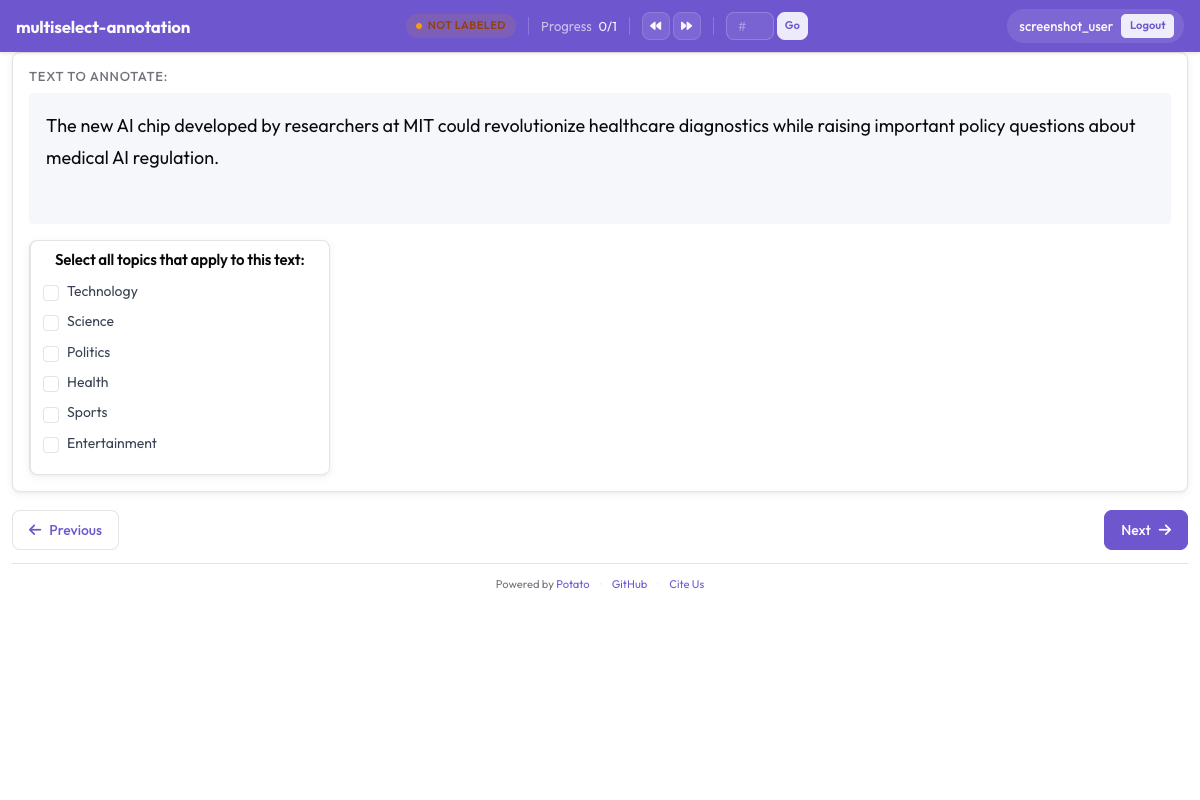 チェックボックスで該当ラベルをまとめて選択できる
アノテーターが複数のオプションを選択できる場合にマルチセレクトを使用します。
基本設定
yaml
annotation_schemes:
  - annotation_type: multiselect
    name: topics
    description: "Select all topics that apply"
    labels:
      - Politics
      - Sports
      - Technology
      - Entertainment
      - Science
最小/最大選択数
選択数を制限:
yaml
annotation_schemes:
  - annotation_type: multiselect
    name: topics
    description: "Select 1-3 topics"
    labels:
      - Politics
      - Sports
      - Technology
スタイルオプション
横並びレイアウト
オプションを縦ではなく横に表示:
yaml
annotation_schemes:
  - annotation_type: radio
    name: rating
    labels:
      - "1"
      - "2"
      - "3"
      - "4"
      - "5"
カスタムカラー
ラベルにカラーを割り当て:
yaml
annotation_schemes:
  - annotation_type: radio
    name: sentiment
    labels:
      - Positive
      - Negative
      - Neutral
ベストプラクティス
- ラベルは簡潔に - 短く明確なラベル名を使用
- キーボードショートカットを使用 - アノテーション速度を大幅に向上
- 曖昧なラベルにはツールチップを追加 - 一貫性の確保に役立つ
- オプションを制限 - 選択肢が多すぎるとアノテーターが遅くなる
- 論理的に順序付け - 最も一般的なオプションを最初に、またはアルファベット順に