單選與多選
在 Potato 中配置單選按鈕做單選標註、核取方塊做多標籤標註,並設定鍵盤快捷鍵、工具提示、顏色和必答要求。
單選按鈕和多選核取方塊是分類任務中最常用的標註類型。兩者都需要同樣的三個必填欄位 annotation_type、name 和 description,再加上它們提供的 labels。
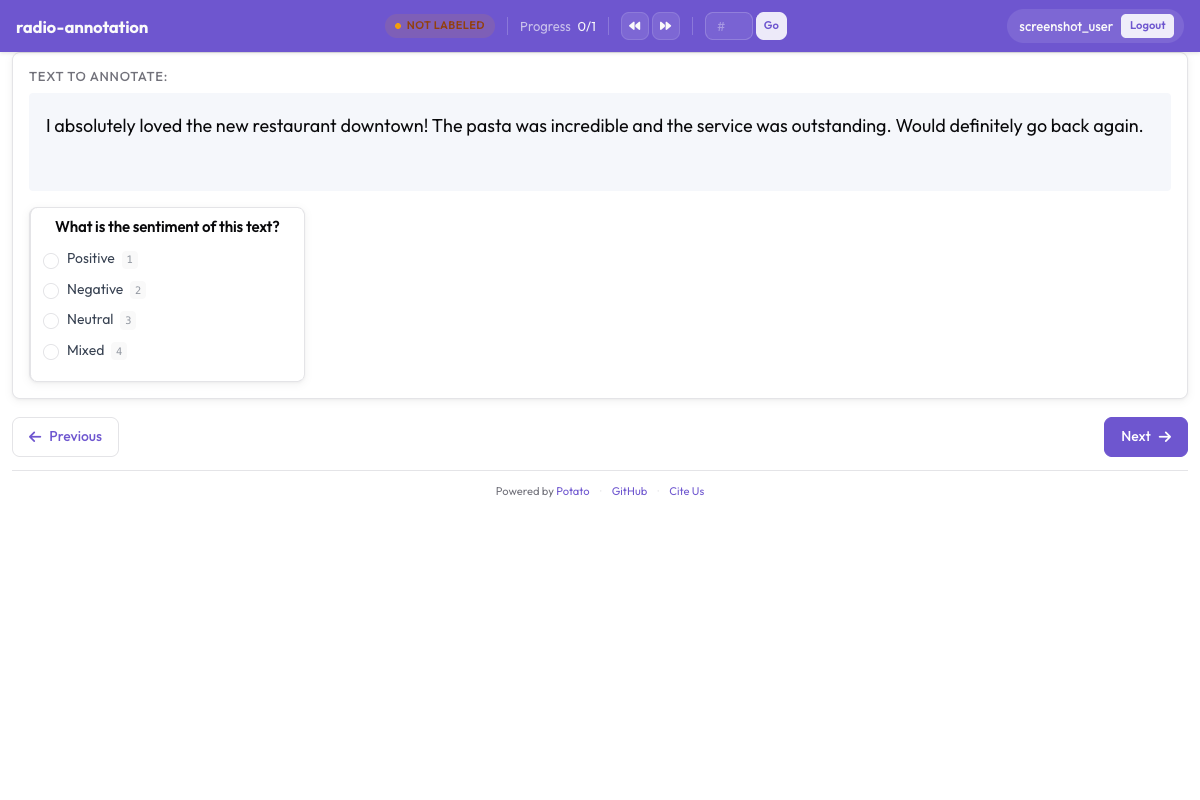 Potato 中用於類別標註的單選按鈕和核取方塊
單選按鈕
當標註者應當恰好選擇一個選項時,使用單選按鈕。
基本配置
annotation_schemes:
  - annotation_type: radio
    name: sentiment
    description: "Select the sentiment of this text"
    labels:
      - Positive
      - Negative
      - Neutral
鍵盤快捷鍵
sequential_key_binding 是一個開關,不是對映表。把它設為 true 會按標籤列出的順序依次分配數字 1、2、3 等:
annotation_schemes:
  - annotation_type: radio
    name: sentiment
    description: "Select the sentiment"
    labels:
      - Positive
      - Negative
      - Neutral
    sequential_key_binding: true
因為按鍵跟隨列表順序,重新排列標籤就會重新分配按鍵。要把某個按鍵固定在某個標籤上,使它不受排序影響,就把標籤寫成物件,並各給一個 key_value:
annotation_schemes:
  - annotation_type: radio
    name: sentiment
    description: "Select the sentiment"
    labels:
      - name: Positive
        key_value: "p"
      - name: Negative
        key_value: "n"
      - name: Neutral
        key_value: "u"
工具提示
工具提示屬於標籤而不是方案,所以寫在 labels 裡面。邊界情況就該放在這裡,標註者不用離開任務就能檢視:
annotation_schemes:
  - annotation_type: radio
    name: sentiment
    description: "Select the sentiment"
    labels:
      - name: Positive
        tooltip: "Expresses satisfaction, praise, or approval"
      - name: Negative
        tooltip: "Expresses dissatisfaction, criticism, or complaint"
      - name: Neutral
        tooltip: "Factual or mixed, with no clear evaluation"
如果說明需要舉例或排版,就改用 tooltip_file 指向一個 HTML 檔案:
    labels:
      - name: Positive
        tooltip_file: "config/tooltips/positive.html"
多選
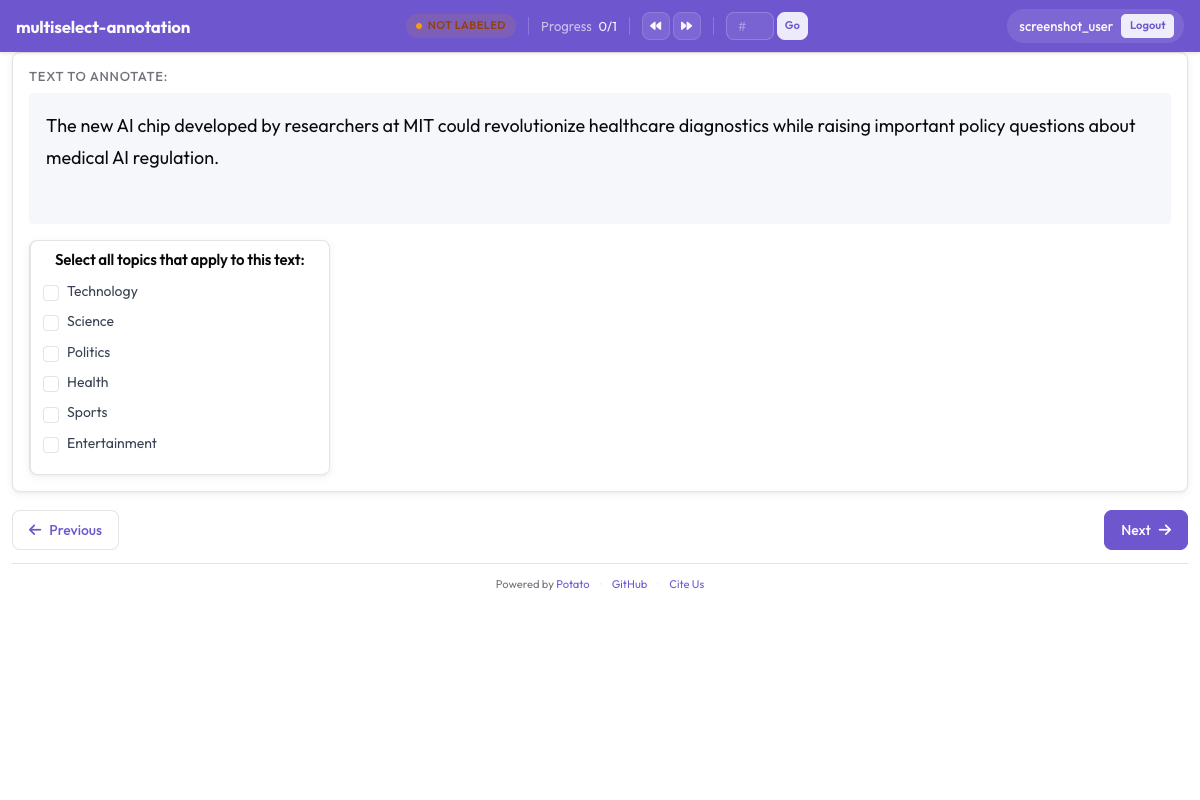 核取方塊讓標註者一次選中所有適用的標籤
當標註者可以選擇多個選項時,使用多選。
基本配置
annotation_schemes:
  - annotation_type: multiselect
    name: topics
    description: "Select all topics that apply"
    labels:
      - Politics
      - Sports
      - Technology
      - Entertainment
      - Science
要求作答
沒有哪個鍵可以設定核取方塊的最少或最多勾選數量。能要求的是標註者必須作答:
annotation_schemes:
  - annotation_type: multiselect
    name: topics
    description: "Select all topics that apply"
    labels:
      - Politics
      - Sports
      - Technology
    label_requirement:
      required: true
如果數量確實重要,就寫在 description 裡,並在匯出的資料中檢查。你想要三個而方案默默接受了六個,這種情況在分析階段發現,好過讓標註者去猜。
自由文本回答
has_free_response 會加上一個“其他”輸入框。標籤集還在修訂時值得開啟,因為標註者填進去的內容會指出你缺少的類別:
annotation_schemes:
  - annotation_type: multiselect
    name: topics
    description: "Select all topics that apply"
    labels:
      - Politics
      - Sports
      - Technology
    has_free_response: true
顯示選項
水平佈局
horizontal: true 把選項橫向排成一行,而不是縱向排在頁面上,適合評分這類很短的標籤集:
annotation_schemes:
  - annotation_type: radio
    name: rating
    description: "Rate this item from 1 to 5"
    labels:
      - "1"
      - "2"
      - "3"
      - "4"
      - "5"
    horizontal: true
標籤顏色
顏色可以寫在標籤上:
annotation_schemes:
  - annotation_type: radio
    name: sentiment
    description: "Select the sentiment"
    labels:
      - name: Positive
        color: "#22C55E"
      - name: Negative
        color: "#EF4444"
      - name: Neutral
        color: "#9CA3AF"
也可以為整個項目集中設定,先按方案名再按標籤名作為鍵:
ui:
  label_colors:
    sentiment:
      Positive: "#22C55E"
      Negative: "#EF4444"
      Neutral: "#9CA3AF"
兩處都設定時以 ui.label_colors 為準。完整的取值順序見 UI 配置。
改變選項順序
randomize_order 會在不同標註者之間打亂選項順序,把順序效應分攤到整個標籤集上,而不是集中在碰巧排在最前面的那個選項上:
annotation_schemes:
  - annotation_type: radio
    name: preference
    description: "Which option do you prefer?"
    labels:
      - Option A
      - Option B
      - Option C
    randomize_order: true
有序量表不要開啟,因為那裡的順序本身就帶有含義。
最佳實踐
- 標籤要短 - 每一條條目上都要讀一遍
- 開啟鍵盤快捷鍵 - 完全不用碰滑鼠的標註者速度要快得多
- 把邊界情況寫進工具提示 - 標註者真正會弄錯的區分,應該放在他們看得到的地方
- 限制選項數量 - 單選列表超過七項左右,每一次判斷都會變慢
- 按邏輯排序 - 最常見的放前面,或者按強度排,並在開始收集資料後保持不變