슬라이더
세분화된 평가 및 점수 매기기 작업을 위해 사용자 지정 최솟값, 최댓값, 스텝 크기, 기본값 및 선택적 레이블 표시가 가능한 Potato의 연속형 숫자 슬라이더를 구성합니다.
슬라이더 유형은 범위 내에서 숫자 값을 선택할 수 있는 드래그 가능한 슬라이더를 제공합니다. 신뢰도 평가, 강도 점수 또는 모든 연속형 숫자 입력에 이상적입니다.
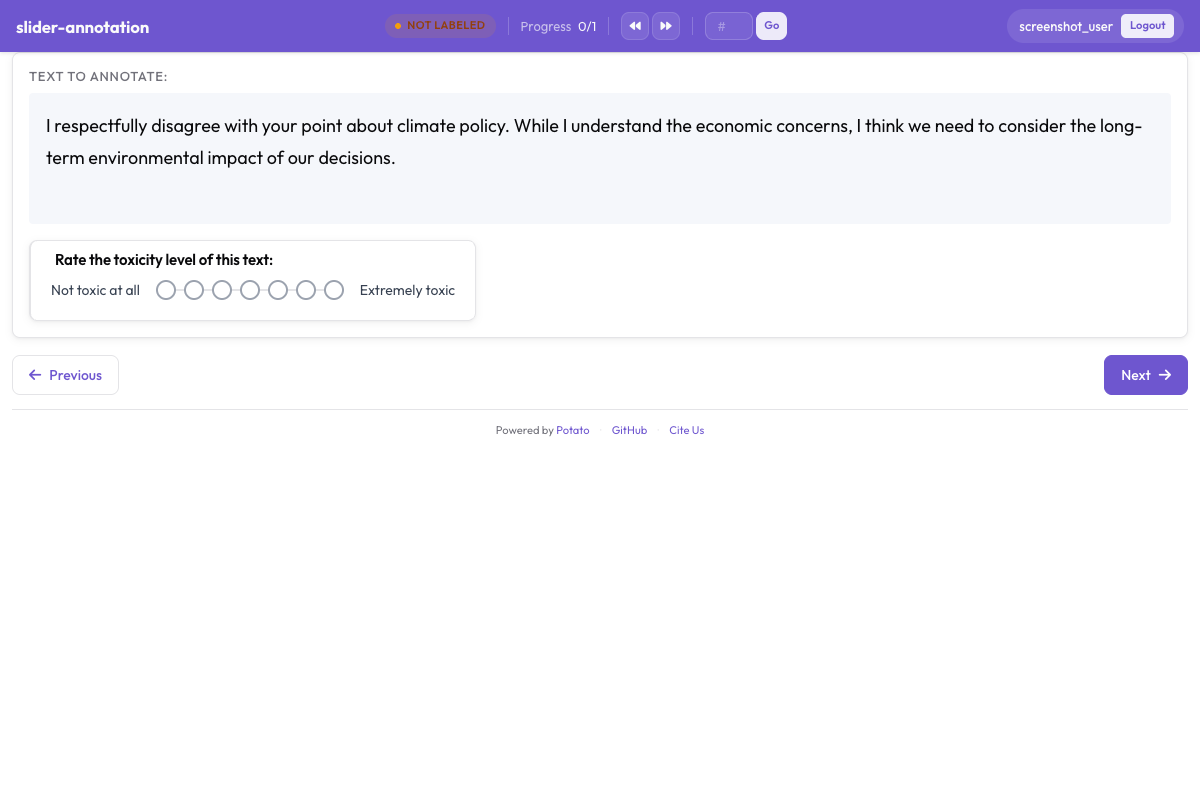 Potato의 연속형 숫자 주석을 위한 드래그 가능한 슬라이더
기본 구성
yaml
annotation_schemes:
  - name: "confidence"
구성 옵션
| 필드 | 유형 | 필수 | 설명 |
|---|---|---|---|
name | string | 예 | 주석의 고유 식별자 |
description | string | 예 | 주석자에게 표시되는 안내문 |
annotation_type | string | 예 | "slider"이어야 합니다 |
min | number | 예 | 슬라이더 최솟값 |
max | number | 예 | 슬라이더 최댓값 |
step | number | 아니요 | 증분 값(기본값: 1) |
default | number | 아니요 | 슬라이더 초기 위치 |
min_label | string | 아니요 | 최솟값 끝의 레이블 |
max_label | string | 아니요 | 최댓값 끝의 레이블 |
show_value | boolean | 아니요 | 현재 값 표시(기본값: true) |
예시
신뢰도 평가
yaml
- name: "confidence"강도 척도
yaml
- name: "intensity"백분율 입력
yaml
- name: "agreement"출력 형식
슬라이더 주석은 단일 숫자 값을 출력합니다:
json
{
  "id": "item_1",
  "annotations": {
    "confidence": 75
  }
}
슬라이더 vs. 숫자 입력 사용 시점
- 슬라이더 사용: 주석자가 연속 척도에서 빠르고 직관적인 선택을 하기를 원할 때
- 숫자 입력 사용: 정밀한 값이 필요하거나 범위가 매우 클 때
모범 사례
- 합리적인 기본값을 설정하십시오 - 기본값을 의미 있는 위치(종종 중간점)에 두십시오
- 끝점 레이블을 사용하십시오 - 주석자가 척도가 무엇을 나타내는지 이해하도록 도와주십시오
- 적절한 스텝 크기를 선택하십시오 - 세밀한 구분에는 작은 스텝을, 대략적인 평가에는 큰 스텝을 사용하십시오
- 범위를 직관적으로 유지하십시오 - 0-100 또는 1-10은 대부분의 주석자에게 익숙합니다