라디오 및 다중 선택
Potato에서 단일 선택을 위한 라디오 버튼과 다중 레이블 어노테이션을 위한 체크박스를 구성합니다. 레이블, 키보드 단축키, 필수 필드, 표시 옵션을 다룹니다.
라디오 버튼과 다중 선택 체크박스는 분류 작업에서 가장 흔히 쓰이는 어노테이션 유형입니다.
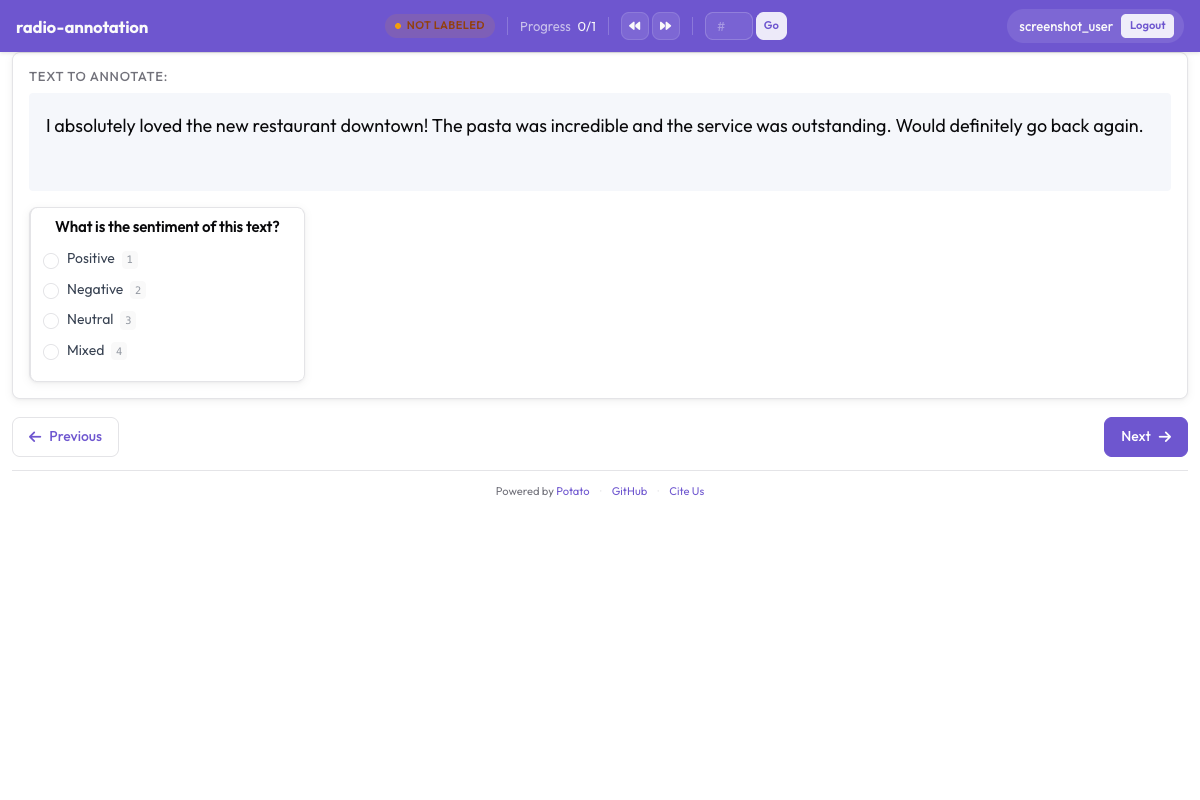 Potato에서 범주형 어노테이션을 위한 라디오 버튼과 체크박스
라디오 버튼
어노테이터가 정확히 한 가지 옵션을 선택해야 할 때 라디오 버튼을 사용하세요.
기본 구성
yaml
annotation_schemes:
  - annotation_type: radio
    name: sentiment
    description: "Select the sentiment of this text"
    labels:
      - Positive
      - Negative
      - Neutral
키보드 단축키와 함께
더 빠른 어노테이션을 위해 키보드 단축키를 추가하세요.
yaml
annotation_schemes:
  - annotation_type: radio
    name: sentiment
    description: "Select the sentiment"
    labels:
      - Positive
      - Negative
      - Neutral
    sequential_key_binding:
      Positive: "1"
      Negative: "2"
      Neutral: "3"
툴팁과 함께
각 옵션에 추가 맥락을 제공하세요.
yaml
annotation_schemes:
  - annotation_type: radio
    name: sentiment
    description: "Select the sentiment"
    labels:
      - Positive
      - Negative
      - Neutral
다중 선택
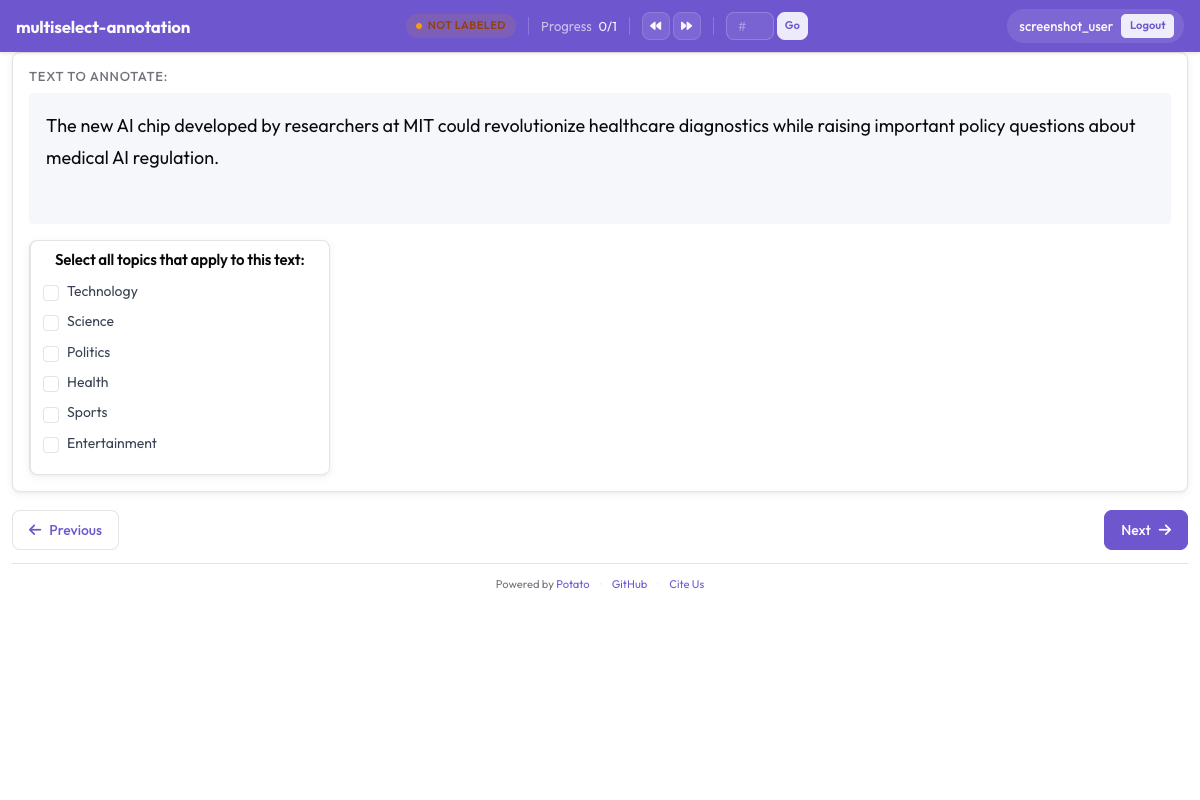 체크박스로 해당하는 모든 라벨을 한 번에 선택
어노테이터가 여러 옵션을 선택할 수 있을 때 다중 선택을 사용하세요.
기본 구성
yaml
annotation_schemes:
  - annotation_type: multiselect
    name: topics
    description: "Select all topics that apply"
    labels:
      - Politics
      - Sports
      - Technology
      - Entertainment
      - Science
최소/최대 선택 수와 함께
선택 수를 제한하세요.
yaml
annotation_schemes:
  - annotation_type: multiselect
    name: topics
    description: "Select 1-3 topics"
    labels:
      - Politics
      - Sports
      - Technology
스타일 옵션
가로 배치
옵션을 세로 대신 가로로 표시하세요.
yaml
annotation_schemes:
  - annotation_type: radio
    name: rating
    labels:
      - "1"
      - "2"
      - "3"
      - "4"
      - "5"
사용자 지정 색상
레이블에 색상을 지정하세요.
yaml
annotation_schemes:
  - annotation_type: radio
    name: sentiment
    labels:
      - Positive
      - Negative
      - Neutral
모범 사례
- 레이블을 간결하게 유지하세요 - 짧고 명확한 레이블 이름을 사용하세요
- 키보드 단축키를 사용하세요 - 어노테이션 속도를 크게 높여 줍니다
- 모호한 레이블에는 툴팁을 추가하세요 - 일관성을 확보하는 데 도움이 됩니다
- 옵션을 제한하세요 - 선택지가 너무 많으면 어노테이터의 속도가 느려집니다
- 논리적으로 정렬하세요 - 가장 흔한 옵션을 먼저 두거나 알파벳순으로 배치하세요