建立情感分析任務
構建一個完整的情感分類任務,用單選按鈕、工具提示和鍵盤快捷鍵實現高效標註。
情感分析是最常見的 NLP 任務之一,在 Potato 裡為它收集乾淨的標籤並不費事。本教程構建的情感標註介面可以直接交到標註者手裡,帶上讓標註更快的鍵盤快捷鍵和品質檢查。
項目概述
我們要標註的是社交媒體帖子。這個介面包含:
- 三分類情感標註(正面、負面、中性)
- 每條標註的置信度評分
- 可選的文字說明
- 提速用的鍵盤快捷鍵
- 品質控制措施
完整配置
以下是完整的 config.yaml:
annotation_task_name: "Social Media Sentiment Analysis"

# Data configuration
data_files:
  - "data/tweets.json"

item_properties:
  id_key: id
  text_key: text

# Annotation interface
annotation_schemes:
  # Primary sentiment label
  - annotation_type: radio
    name: sentiment
    description: "What is the overall sentiment of this post?"
    labels:
      - name: Positive
        tooltip: "Expresses happiness, satisfaction, or approval"
        key_value: "1"
      - name: Negative
        tooltip: "Expresses sadness, frustration, or disapproval"
        key_value: "2"
      - name: Neutral
        tooltip: "Factual, objective, or lacks emotional content"
        key_value: "3"
    label_requirement:
      required: true

  # Confidence rating
  - annotation_type: likert
    name: confidence
    description: "How confident are you in your sentiment label?"
    size: 5
    min_label: "Not confident"
    max_label: "Very confident"
    label_requirement:
      required: true

  # Optional explanation
  - annotation_type: text
    name: explanation
    description: "Why did you choose this label? (Optional)"
    rows: 4
    label_requirement:
      required: false
    placeholder: "Explain your reasoning..."

# Guidelines
annotation_instructions: |
  ## Sentiment Annotation Guidelines

  ### Your Task
  Classify the sentiment expressed in each social media post.

  ### Labels

  **Positive**: The author expresses positive emotions or opinions
  - Happiness, excitement, gratitude
  - Praise, recommendations, approval
  - Examples: "Love this!", "Best day ever!", "Highly recommend"

  **Negative**: The author expresses negative emotions or opinions
  - Anger, frustration, sadness
  - Complaints, criticism, disapproval
  - Examples: "Terrible service", "So disappointed", "Worst experience"

  **Neutral**: Factual or lacking clear sentiment
  - News, announcements, questions
  - Mixed or balanced opinions
  - Examples: "The store opens at 9am", "Has anyone tried this?"

  ### Tips
  - Focus on the author's sentiment, not the topic
  - Sarcasm should be labeled based on intended meaning
  - When unsure, lower your confidence rating

# User management
automatic_assignment:
  on: true
  sampling_strategy: random
  labels_per_instance: 1
  instance_per_annotator: 100
示例資料格式
建立 data/tweets.json:
{"id": "t001", "text": "Just got my new laptop and I'm absolutely loving it! Best purchase of the year! #happy"}
{"id": "t002", "text": "Waited 2 hours for customer service and they still couldn't help me. Never shopping here again."}
{"id": "t003", "text": "The new coffee shop on Main Street opens tomorrow at 7am."}
{"id": "t004", "text": "This movie was okay I guess. Some good parts, some boring parts."}
{"id": "t005", "text": "Can't believe how beautiful the sunset was tonight! Nature is amazing."}
執行任務
啟動標註伺服器:
potato start config.yaml開啟 http://localhost:8000 並登入,就可以開始標註了。
伺服器起來之後,標註者看到的是這樣的介面:
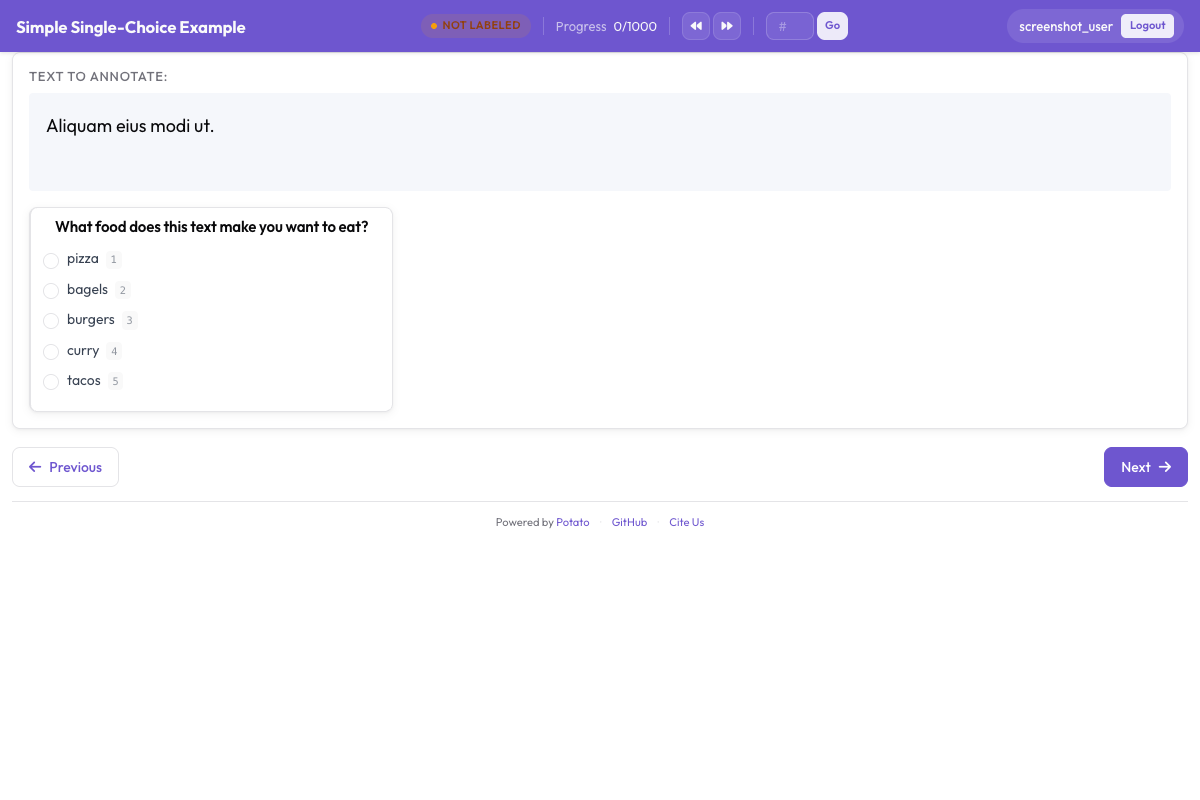 情感分類介面,顯示單選標籤、置信度量表和可選的說明欄位
理解介面
主標註區域
介面顯示:
- 待標註的文本(其中的 URL、提及和話題標籤會高亮)
- 帶工具提示的情感單選按鈕
- 置信度 Likert 量表
- 可選的說明文本框
鍵盤工作流
標註者找到節奏之後,最快的一輪迴圈是:
- 讀文本
- 按
1、2或3選情感 - 點選置信度級別(或者用滑鼠)
- 按
Enter提交
進度跟蹤
介面顯示:
- 當前進度(例如 "15 / 100")
- 預計剩餘時間
- 會話統計
輸出格式
不論 export_annotation_format 寫的是什麼,每位標註者的成果都會儲存到 <output_annotation_dir>/<user>/user_state.json。這個設定只是在旁邊額外加一份定期匯出,所以取 jsonl 時,合併後的檔案是 <output_annotation_dir>/exports/jsonl/annotations.jsonl,每位標註者對每條資料一條記錄:
{
  "instance_id": "t001",
  "user_id": "john_doe",
  "labels": {
    "sentiment": {"Positive": "true"},
    "confidence": {"5": "true"},
    "explanation": {"text_box": "Clear expression of happiness with the purchase"}
  },
  "spans": {},
  "links": {}
}
新增品質控制
注意力檢查
加入黃金標準條目來檢驗標註者是否在認真作答。這裡用到的 radio 和 likert 方案的完整選項,見源文件。
attention_checks:
  enabled: true
  frequency: 10          # Every 10th item
  items_file: data/attention_checks.json
  failure_handling:
    warn_threshold: 2
    block_threshold: 5
這些條目放在 items_file 裡,而不是直接寫進配置,每條都帶著它應得的答案:
[
  {
    "id": "chk1",
    "text": "I am extremely happy and satisfied! This is the best!",
    "expected_answer": { "sentiment": "Positive" }
  },
  {
    "id": "chk2",
    "text": "This is absolutely terrible and I hate it completely.",
    "expected_answer": { "sentiment": "Negative" }
  }
]
黃金標準條目用 gold_label 而不是 expected_answer,放在 gold_standards.items_file 中。注意這兩個塊都屬於頂層:Potato 從配置根部讀取 attention_checks,把它塞進 quality_control: 塊裡會讓它根本沒被讀到,而且不報任何錯。
標註者間一致性
研究項目可以啟用多重標註:
automatic_assignment:
  on: true
  sampling_strategy: random
  labels_per_instance: 3  # Each item annotated by 3 people
  instance_per_annotator: 50
分析結果
匯出並分析你的標註:
import json
from collections import Counter

records = []
with open('annotation_output/exports/jsonl/annotations.jsonl') as f:
    for line in f:
        records.append(json.loads(line))

def chosen(record, scheme):
    """The label picked for a single-choice scheme: the key whose value is "true"."""
    for name, value in record["labels"].get(scheme, {}).items():
        if value == "true":
            return name
    return None

sentiments = Counter(chosen(r, "sentiment") for r in records)
print(f"Sentiment distribution: {dict(sentiments)}")

# A likert stores its scale position the same way, as the label name
points = [int(p) for r in records if (p := chosen(r, "confidence"))]
print(f"Average confidence: {sum(points)/len(points):.2f}")
下一步
在我們的文件中探索更多標註類型。