Bases de la configuration
Apprenez les fondamentaux des fichiers de configuration Potato.
Potato utilise des fichiers de configuration YAML pour définir les tâches d'annotation. Ce guide couvre les options de configuration essentielles.
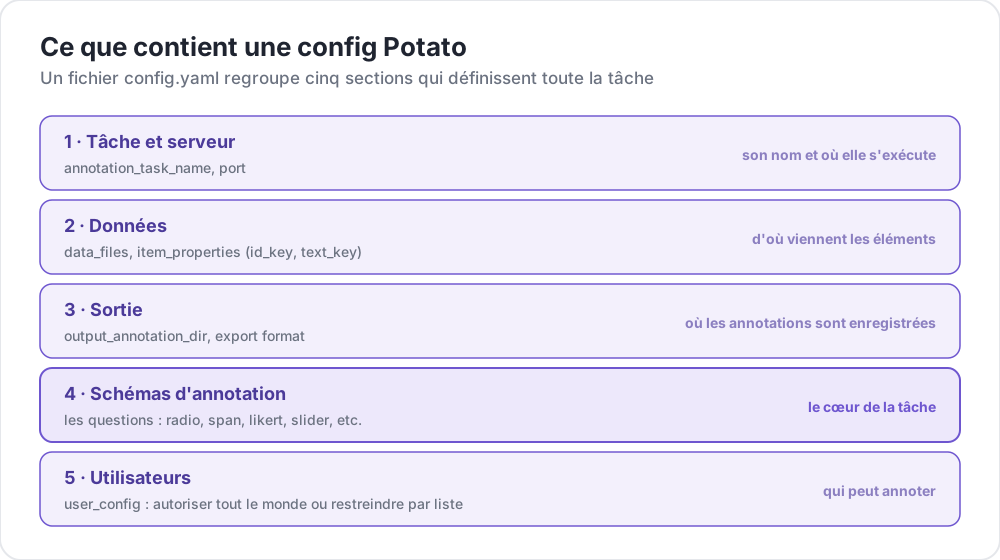 Ce que contient une config Potato
Structure du fichier de configuration
Une configuration Potato de base comprend ces sections principales :
yaml
# Task settings
annotation_task_name: "My Annotation Task"
port: 8000

# Data configuration
data_files:
  - data.json

item_properties:
  id_key: id
  text_key: text

# Output settings
output_annotation_dir: "annotation_output/"
export_annotation_format: "jsonl"

# Annotation schemes
annotation_schemes:
  - annotation_type: radio
    name: my_annotation
    description: "Pick the label that fits this item"
    labels:
      - Label 1
      - Label 2

# User settings
user_config:
  allow_all_users: true
Paramètres essentiels
Configuration de la tâche et du serveur
yaml
annotation_task_name: "My Task"  # Display name for your task
port: 8000                       # Port to run the server on
Configuration des données
yaml
data_files:
  - data.json           # Path to your data file(s)
  - more_data.json      # You can specify multiple files

item_properties:
  id_key: id            # Field containing unique ID
  text_key: text        # Field containing text to annotate
Formats de données supportés :
- JSON (
.json) - JSON Lines (
.jsonl) - CSV (
.csv) - TSV (
.tsv)
Configuration de la sortie
yaml
output_annotation_dir: "annotation_output/"   # Directory for annotation files
export_annotation_format: "jsonl"             # Formats: jsonl, csv, tsv, parquet, and the other registered exporters
Schémas d'annotation
Définissez un ou plusieurs schémas d'annotation :
yaml
annotation_schemes:
  - annotation_type: radio      # Type of annotation
    name: sentiment             # Internal name
    description: "Select the sentiment"  # Instructions
    labels:                     # Options for annotators
      - Positive
      - Negative
      - Neutral
Types d'annotation disponibles
| Type | Description |
|---|---|
radio | Sélection à choix unique |
multiselect | Sélection à choix multiples |
likert | Évaluation sur une échelle |
text | Saisie de texte libre |
number | Saisie numérique |
span | Surlignage de segments de texte |
slider | Sélection sur une plage continue |
multirate | Évaluation de plusieurs éléments |
Configuration des utilisateurs
Autoriser tous les utilisateurs
yaml
user_config:
  allow_all_users: true
Restreindre à des utilisateurs spécifiques
yaml
user_config:
  allow_all_users: false
  users:
    - user1@example.com
    - user2@example.com
Répertoire de la tâche
Le paramètre task_dir définit le répertoire racine pour les chemins relatifs :
yaml
task_dir: ./my-task/
data_files:
  - data/input.json    # Resolves to ./my-task/data/input.json
Exemple complet
Voici une configuration complète pour une tâche d'analyse de sentiment :
yaml
# config.yaml
annotation_task_name: "Sentiment Analysis"
port: 8000
task_dir: ./

# Data
data_files:
  - data/tweets.json

item_properties:
  id_key: id
  text_key: text

# Output
output_annotation_dir: "annotation_output/"
export_annotation_format: "jsonl"

# Annotation
annotation_schemes:
  - annotation_type: radio
    name: sentiment
    description: "What is the sentiment expressed in this tweet?"
    labels:
      - name: Positive
        key_value: "1"
      - name: Negative
        key_value: "2"
      - name: Neutral
        key_value: "3"
    sequential_key_binding: true

# Users
user_config:
  allow_all_users: true

# Assignment
per_annotator_quota:
  default: 100
num_annotators_per_item: 2
Prochaines étapes
- Explorez les Formats de données en détail
- Apprenez les Schémas d'annotation
- Personnalisez l'interface avec la Configuration de l'interface
- Utilisez le Preview CLI pour valider votre configuration