配置基礎
學習Potato配置檔案的基本知識。
Potato 使用 YAML 配置檔案來定義標註任務。本指南涵蓋了基本的配置選項。
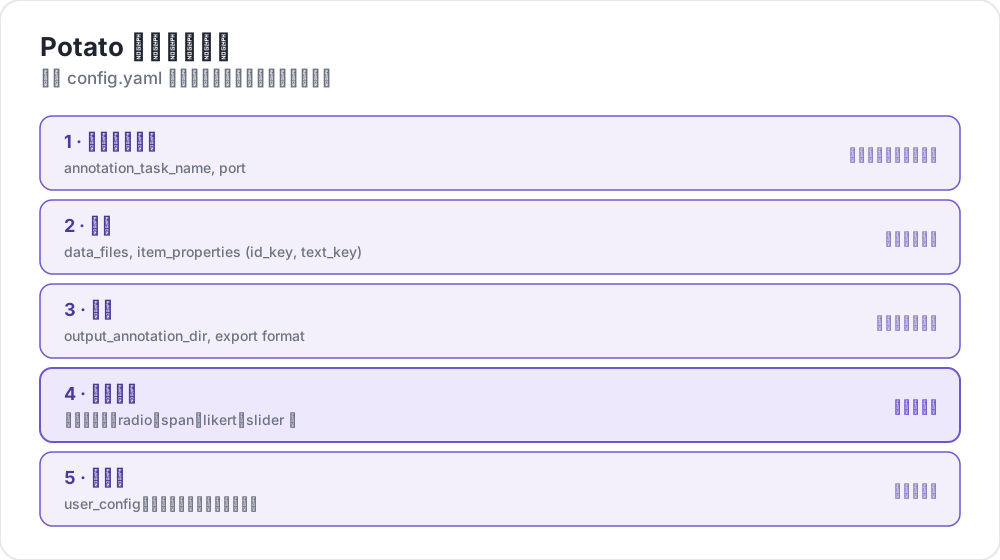 Potato 配置裡有什麼
配置檔案結構
一個基本的 Potato 配置包含以下主要部分:
yaml
# Task settings
annotation_task_name: "My Annotation Task"
port: 8000

# Data configuration
data_files:
  - data.json

item_properties:
  id_key: id
  text_key: text

# Output settings
output_annotation_dir: "annotation_output/"
export_annotation_format: "jsonl"

# Annotation schemes
annotation_schemes:
  - annotation_type: radio
    name: my_annotation
    description: "Pick the label that fits this item"
    labels:
      - Label 1
      - Label 2

# User settings
user_config:
  allow_all_users: true
基本設定
任務和伺服器配置
yaml
annotation_task_name: "My Task"  # Display name for your task
port: 8000                       # Port to run the server on
資料配置
yaml
data_files:
  - data.json           # Path to your data file(s)
  - more_data.json      # You can specify multiple files

item_properties:
  id_key: id            # Field containing unique ID
  text_key: text        # Field containing text to annotate
支援的資料格式:
- JSON (
.json) - JSON Lines (
.jsonl) - CSV (
.csv) - TSV (
.tsv)
輸出配置
yaml
output_annotation_dir: "annotation_output/"   # Directory for annotation files
export_annotation_format: "jsonl"             # Formats: jsonl, csv, tsv, parquet, and the other registered exporters
標註方案
定義一個或多個標註方案:
yaml
annotation_schemes:
  - annotation_type: radio      # Type of annotation
    name: sentiment             # Internal name
    description: "Select the sentiment"  # Instructions
    labels:                     # Options for annotators
      - Positive
      - Negative
      - Neutral
可用的標註類型
| 類型 | 描述 |
|---|---|
radio | 單選 |
multiselect | 多選 |
likert | 量表評分 |
text | 自由文本輸入 |
number | 數字輸入 |
span | 文本片段高亮 |
slider | 連續範圍選擇 |
multirate | 多項評分 |
使用者配置
允許所有使用者
yaml
user_config:
  allow_all_users: true
限制特定使用者
yaml
user_config:
  allow_all_users: false
  users:
    - user1@example.com
    - user2@example.com
任務目錄
task_dir 設定定義了相對路徑的根目錄:
yaml
task_dir: ./my-task/
data_files:
  - data/input.json    # Resolves to ./my-task/data/input.json
完整示例
以下是一個完整的情感分析任務配置:
yaml
# config.yaml
annotation_task_name: "Sentiment Analysis"
port: 8000
task_dir: ./

# Data
data_files:
  - data/tweets.json

item_properties:
  id_key: id
  text_key: text

# Output
output_annotation_dir: "annotation_output/"
export_annotation_format: "jsonl"

# Annotation
annotation_schemes:
  - annotation_type: radio
    name: sentiment
    description: "What is the sentiment expressed in this tweet?"
    labels:
      - name: Positive
        key_value: "1"
      - name: Negative
        key_value: "2"
      - name: Neutral
        key_value: "3"
    sequential_key_binding: true

# Users
user_config:
  allow_all_users: true

# Assignment
per_annotator_quota:
  default: 100
num_annotators_per_item: 2