How to Annotate Whisper Transcripts
How to take Whisper or WhisperX output and turn it into a running annotation project: which output file to keep, when you need diarization, how to assign speakers, and how to export with the timings intact.
Whisper gives you timed segments, and an annotation tool should read them as they are. Keep the .json output rather than the .txt, run WhisperX if you need speaker labels, then point Potato at the folder. No conversion script, no reformatting step. For the format-by-format detail, see Transcript Formats.
Whisper is OpenAI's open-source speech recognition model, and it has become the default first step for anyone with a pile of audio to work through. What it produces is a set of timed segments, which is most of what an annotation project needs. The gap is everything between "I have transcripts" and "annotators are labeling them."
Note: This guide starts from transcripts you already have, produced by an ASR pipeline you ran yourself. From version 2.9, Potato can instead run Whisper and speaker diarization on your own machine with potato transcripts --transcribe --diarize, described in Transcribing locally. Either way the transcription finishes before annotation starts, so the upstream choices below decide what your annotators can label.
Which Whisper output file should I keep?
Whisper writes several files and the choice matters more than it looks:
whisper interview_01.mp3 --model medium --output_format json --word_timestamps True| File | Contains | Use it? |
|---|---|---|
.json | Segments with start and end times, optionally per-word timings | Yes, this one |
.srt / .vtt | Segments with timings, no metadata | Yes, works fine |
.tsv | Start and end in milliseconds plus text | Yes |
.txt | Text only, no timings | No, nothing to sync to audio |
If the .txt is all you kept, the alignment is gone and you cannot recover it without re-running the model. That is the most common reason a transcript arrives in Potato as one undifferentiated block of text.
Does Whisper label speakers?
No. Plain Whisper transcribes; it does not tell you who is talking. Every turn arrives unassigned, which is fine for content annotation and painful for anything speaker-related.
Speaker diarization is a separate step. Three ways to handle it:
Run WhisperX, which wraps Whisper with pyannote diarization:
whisperx interview_01.mp3 --model medium --diarize --output_format jsonIts output carries a speaker field per segment (SPEAKER_00, SPEAKER_01, and so on) and Potato reads it directly.
Use a cloud API with diarization enabled. Deepgram with diarize=true, AssemblyAI with speaker_labels, AWS Transcribe, and Rev.ai all produce speaker labels, and Potato reads all four natively.
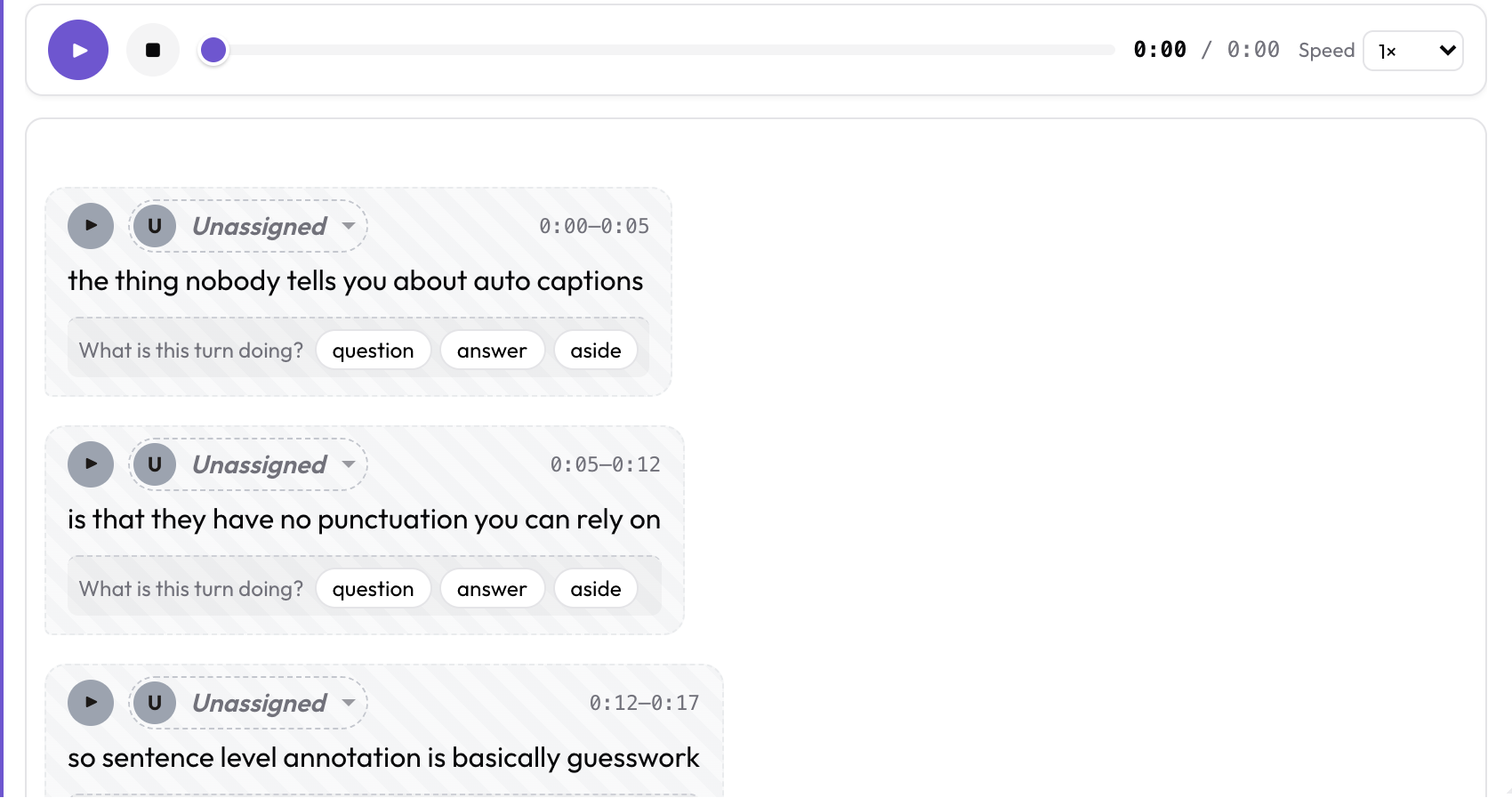 Undiarized turns render as Unassigned with a speaker picker
Let annotators do it. When turns arrive undiarized, each bubble renders as Unassigned with a picker. On messy audio, overlapping speech, or a room with background noise, a person listening is often more accurate than automatic diarization. For a small corpus this is a reasonable trade rather than a fallback.
How do I build the data file?
Point the converter at your Whisper output folder:
potato transcripts ./whisper_out --media-dir ./audio -o data/interviews.jsonTranscripts pair to media by basename, so interview_01.json finds interview_01.mp3. Item ids come from the filename, and Whisper's doubled interview_01.mp3.json extension is handled without producing an id of interview_01.mp3.
Check what it understood before you commit to it:
potato transcripts ./whisper_out --dry-runScanned 3 file(s):
interview_01.json Whisper JSON 42 turns 891.4s undiarized
interview_02.json WhisperX JSON 51 turns 1120.8s 2 speaker(s): SPEAKER_00, SPEAKER_01
interview_03.json Whisper JSON 38 turns 754.2s undiarized
3 item(s), 131 turn(s).
A file reporting plain text or zero turns is your problem file. Almost always it is a .txt that got mixed in with the .json output.
Can I skip the conversion step?
Yes. A data file can point straight at the transcript files on disk:
{"id": "int_001", "conversation": {"audio": "media/int_001.mp3",
                                   "transcript": "media/int_001.srt"}}
Potato reads the file, detects the format from its contents, and normalizes it when the instance renders. Your transcripts stay as files you can diff and re-export instead of being baked into a data blob.
What does the config look like?
The generated data file has this shape:
{
  "id": "interview_01",
  "conversation": {
    "audio": "audio/interview_01.mp3",
    "turns": [
      {"turn_id": "t0", "speaker": "SPEAKER_00", "start": 0.0, "end": 6.5,
       "text": "Welcome back."}
    ]
  }
}
And the matching config, which potato transcripts --emit-config will print for you:
annotation_task_name: "Interview Annotation"
task_dir: .
data_files:
- data/interviews.json
item_properties:
id_key: id
text_key: conversation
instance_display:
fields:
- key: conversation
type: audio_dialogue
label: "Transcript"
span_target: true
display_options:
show_timestamps: true
allow_speaker_assignment: auto
annotation_schemes:
- annotation_type: span
name: topics
description: "Highlight topic mentions"
labels:
- name: policy
- name: personal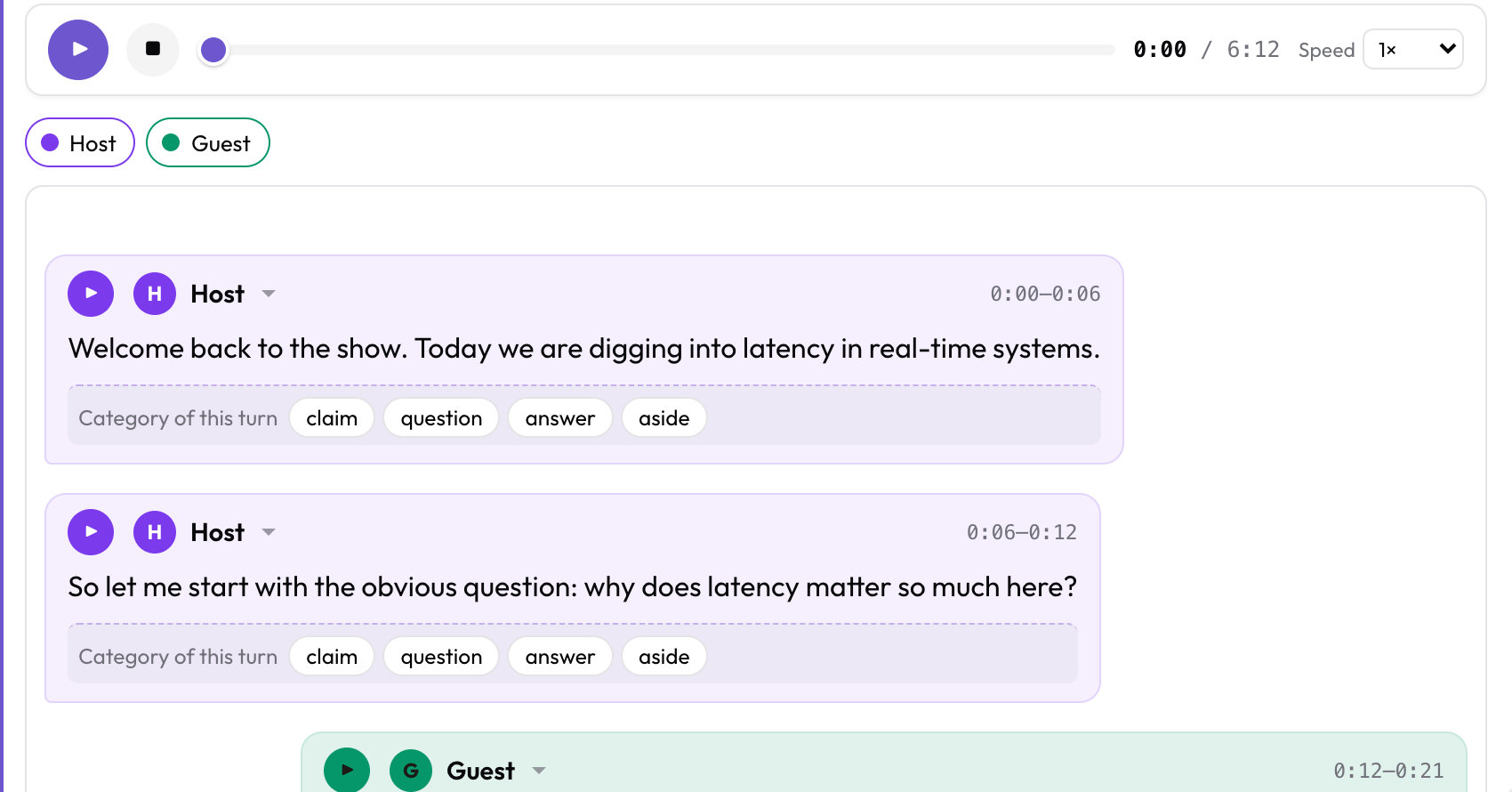 The audio_dialogue display, with a per-turn question attached to every turn
The audio_dialogue display renders turns as speaker bubbles synced to the audio, with a play button on each turn that plays only that turn. span_target: true lets spans run across turn boundaries, and the offsets stay stable when a speaker gets reassigned.
If you would rather have annotators check the transcription itself than label its content, speech_transcript gives you segment cards with error tags and a correction box. For overlap and interruption work, voice_interaction gives you a dual-track timeline. Both read the same files.
How do annotators assign speakers?
Define a roster so speakers get stable names, colors, and sides:
display_options:
  allow_speaker_assignment: auto
  speakers:
    - id: interviewer
      name: "Interviewer"
      color: "#7c3aed"
      side: left
    - id: participant
      name: "Participant"
      color: "#059669"
      side: right
auto turns the picker on when there are undiarized turns to label. Set it to true to allow reassignment even when the source did label speakers, which is what you want if you are correcting diarization errors rather than filling in blanks.
Assignments persist with the annotations, keyed to a stable turn id, so they survive a reload.
How do I get the annotations back out?
JSON, JSONL, and CSV export work as usual. When the time alignment needs to survive, export tiered annotations to ELAN EAF or Praat TextGrid:
python -m potato.export --config config.yaml --format eaf --output ./out/
python -m potato.export --config config.yaml --format textgrid --output ./out/
Both round-trip. Potato reads EAF and TextGrid as input too, so you can annotate in Potato, refine in ELAN or Praat, and read the result back in.
Further reading
- Transcript Formats, every supported format and how it is detected
- Annotating YouTube Subtitles, the caption-file version of this workflow
- Audio Annotation, for waveform work that does not start from a transcript
- Transcript Format Ingestion, a runnable showcase design with six formats side by side
- Speaker Diarization, a runnable showcase design
- Inter-Annotator Agreement, for measuring agreement on turn-level labels