标注网页浏览智能体:从 WebArena 轨迹到人工评测
如何用 Potato 的网页智能体轨迹展示来评测自主网页浏览智能体,包含逐步截图、SVG 覆盖层和逐步标注方案。
把智能体的轨迹转换成 Potato 的网页智能体格式,用 web_agent_trace 查看器展示,让每张截图都带上标明智能体点击位置的覆盖层,再用 trajectory_eval 方案给各个步骤打分。
评判一个网页浏览智能体,看的是它针对页面所采取的动作,所以评测需要每一步的两个部分:智能体看到的页面状态,以及它在这个状态上执行的动作。只有动作日志撑不起这个判断。"点击了元素 product-101"并不能告诉评审者那是不是页面上最便宜的笔记本,而一张没有标记的截图会让人只能猜测十几个链接里哪一个才是目标。
本指南为 WebArena 轨迹搭建这套评测。同一条路径也适用于 VisualWebArena、Mind2Web、Anthropic Computer Use 日志和原始浏览器录制,因为它们都由同一个转换器覆盖。完整的配置参考见源文档。
你需要什么
pip install potato-annotation你还需要轨迹本身。对 WebArena 来说,这意味着每个回合的一组截图加一份 JSON 动作日志。VisualWebArena 记录的结构相同,另外带有视觉定位信息;原始浏览器录制带的则是视口和鼠标路径数据。
原始 WebArena 轨迹里有什么
一个 WebArena 回合包含任务描述、动作序列,以及每张截图的路径:
{
  "trace_id": "wa_001",
  "task": "Find the cheapest laptop on the electronics store and add it to the cart",
  "website": "shopping",
  "steps": [
    {
      "step": 0,
      "url": "http://shop.example.com/",
      "action_type": "click",
      "action_target": "Electronics category link",
      "element_id": "nav-electronics",
      "coordinates": [245, 82],
      "screenshot": "screenshots/wa_001_step_00.png"
    },
    {
      "step": 1,
      "url": "http://shop.example.com/electronics",
      "action_type": "click",
      "action_target": "Laptops subcategory",
      "element_id": "cat-laptops",
      "coordinates": [180, 310],
      "screenshot": "screenshots/wa_001_step_01.png"
    }
  ],
  "success": true
}
转换轨迹
Potato 的查看器读取的是一种规范化的步骤格式,而不是各框架各自的格式,所以原始回合要先经过转换器:
python -m potato.trace_converter -i traces.json -f web_agent -o data/web_traces.jsonl这会为每个回合写出一个实例,每一步带有 step_index、screenshot_url、action_type、目标 element 及其边界框、coordinates、可选的 mouse_path,以及智能体自己的 thought 和 observation(前提是源日志记录了它们)。把 -f web_agent 换成 --auto-detect,转换器就会自行识别格式;当一个目录里存放着来自多个框架的轨迹时,就该用这个选项。
项目配置
这个查看器是一种展示类型,而不是标注类型,所以它放在 instance_display.fields 下面,标注方案与它分开。最值得先定下来的设置是截图尺寸:900 像素宽既能让整页桌面版页面保持可读,又不会把标注控件挤出屏幕底部。
annotation_task_name: "WebArena Agent Evaluation"
task_dir: "."

data_files:
  - "data/web_traces.jsonl"

item_properties:
  id_key: id
  text_key: task_description

output_annotation_dir: "output/"
export_annotation_format: "jsonl"

instance_display:
  layout:
    direction: vertical
    gap: 16px
  fields:
    - key: task_description
      type: text
      label: "Task"

    - key: steps
      type: web_agent_trace
      label: "Agent Browsing Trace"
      display_options:
        show_overlays: true
        show_filmstrip: true
        show_thought: true
        show_observation: true
        show_element_info: true
        screenshot_max_width: 900
        screenshot_max_height: 600
        filmstrip_size: 80

annotation_schemes:
  - annotation_type: radio
    name: task_success
    description: "Did the agent complete the task?"
    labels:
      - "Success"
      - "Partial success"
      - "Failure"
    label_requirement:
      required: true

  - annotation_type: radio
    name: task_efficiency
    description: "Was the agent's path to the goal efficient?"
    labels:
      - "Optimal path"
      - "Reasonable but not optimal"
      - "Inefficient, unnecessary steps"
      - "Completely wrong direction"
    label_requirement:
      required: true

  - annotation_type: trajectory_eval
    name: step_evaluation
    description: "Judge each action against the task"
    steps_key: steps
    step_text_key: action_type
    correctness_options:
      - correct
      - acceptable
      - incorrect
      - unnecessary
    error_types:
      - name: wrong_element_clicked
      - name: wrong_page_navigated_to
      - name: missed_better_option
      - name: incorrect_form_input
      - name: premature_completion
      - name: unnecessary_navigation
      - name: failed_to_scroll
      - name: wrong_page_section
      - name: other
    severities:
      - name: minor
        weight: -1
      - name: major
        weight: -5
      - name: critical
        weight: -10
    show_score: true
    max_score: 100

user_config:
  allow_all_users: true
一个 trajectory_eval 方案就覆盖了整个逐步评估。它把每一步渲染成一张卡片,在每张卡片上收集正确性、错误类型、严重程度和一段文字理由,再根据严重程度的权重算出轨迹级别的质量分。上面的权重让一条轨迹每出现一个 major 错误扣五分,critical 错误扣十分。这些权重要慎重设定,因为它们决定了一条有一次严重失败的轨迹与一条有四次小错的轨迹谁排在前面。
标注者看到的界面
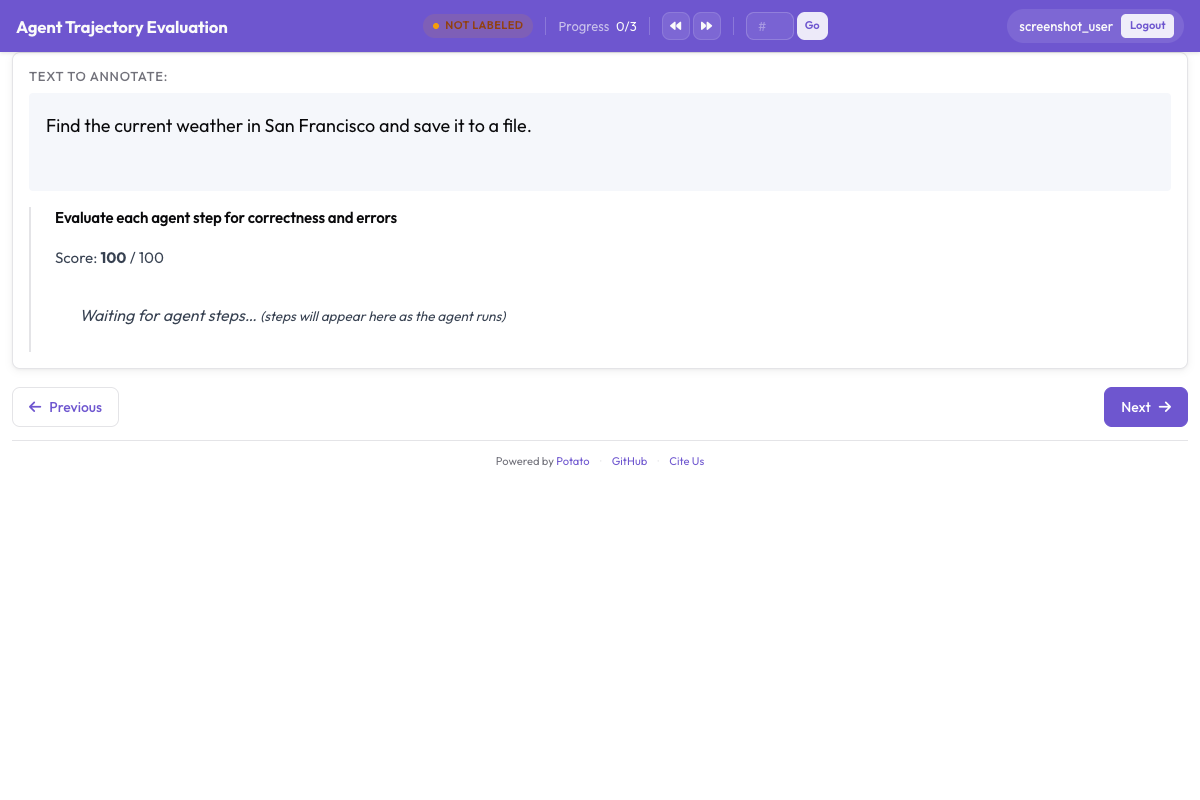
当前步骤的截图占据主面板,上面绘制着 SVG 覆盖层。每种覆盖层标出该步骤的不同部分,颜色是固定的:
| 覆盖层 | 标出的内容 |
|---|---|
| 带十字准星的红色圆圈 | 点击坐标 |
| 黄色高亮 | 智能体输入文字的那个输入框 |
| 绿色箭头 | 滚动的方向和幅度 |
| 蓝色虚线矩形 | 目标元素的边界框 |
| 橙色曲线 | 移动到目标所走的鼠标路径 |
底部有一条缩略图胶片条,点击其中一张就会跳到对应步骤。在超过十步左右的轨迹上,有没有胶片条,决定了评审者是能看清整段运行的形状,还是只能盲目地滚动。步骤详情面板里有元素信息、智能体自己的 thought,以及它记录的 observation;当源日志里这几项没有有用内容时,都可以在 display_options 中关掉。
查看器一旦获得焦点就会接管键盘,这一点值得在第一天就教给标注者:
| 按键 | 动作 |
|---|---|
Left / Right | 上一步/下一步 |
1 | 切换点击标记 |
2 | 切换边界框 |
3 | 切换鼠标路径 |
4 | 切换滚动指示 |
A / N | 显示全部覆盖层/隐藏全部覆盖层 |
在内容密集的页面上,关掉覆盖层很重要,因为点击标记可能正好压住那段能说明这次点击对不对的文字。A 和 N 键一次性切换整组覆盖层,比去琢磨五种覆盖层里是哪一种挡住了要快。
标注流程
评审者用五个动作处理一条轨迹:
- 阅读任务描述。 后面的一切判断都以它为准。
- 扫一遍胶片条。 在给任何步骤打分之前先摸清整段运行的形状,免得靠后面才出现的证据把早期的步骤判成正确。
- 逐步查看。 对每一步,读懂页面状态,看覆盖层确认智能体作用在了什么上面,然后给这个动作打分。如果动作是错的,选出错误类型和严重程度,并在理由里写明智能体本应怎么做。
- 给整条轨迹打分。 看完每一步之后,评判整体的成功度和效率。
- 提交,然后处理下一条。
这四个正确性选项按照对训练数据有意义的那条界线来划分步骤。Correct 的动作以预期的方式推进目标。Acceptable 的动作走的是更慢的路线,但仍在推进,比如一层层浏览到分类页而不是用搜索框。Incorrect 的动作是失误,比如点错元素、进了无关页面,或在表单里填错文字。Unnecessary 的动作既无帮助也无损害,比如点一下之后立刻退回;把它们与失误分开是值得的,因为一个到处乱逛的智能体和一个判断错误的智能体是两类不同的问题。
错误分类体系
错误类型能把一堆失败的轨迹变成智能体开发者可以着手处理的东西,所以这些类别应当对应可区分的成因,而不是错误的程度:
| 错误类型 | 含义 | 示例 |
|---|---|---|
| 点错元素 | 智能体作用在了错误的界面元素上 | 点了"Tablets"而不是"Laptops" |
| 导航到错误页面 | 智能体最终停在了无关的页面上 | 进了"About Us"而不是商品列表 |
| 错过更好的选项 | 当时存在更好的动作 | 搜索框就在旁边,却去一层层浏览分类 |
| 表单输入错误 | 智能体输入了错误的文字 | 搜索"labtop"而不是"laptop" |
| 过早宣告完成 | 智能体太早认定成功 | 把错的商品加进购物车就停了 |
| 多余的导航 | 该步骤对目标没有贡献 | 在两个分类页之间又去了一趟首页 |
| 未能滚动 | 目标位于视口下方 | 元素始终不可见,而智能体从未滚动页面 |
| 页面区域错误 | 页面对了,区域错了 | 点了页头而不是主体内容 |
处理棘手的轨迹
在超过十五步的轨迹上,对每一步都投入同样的深度,大部分精力会花在那些明显没问题的步骤上。先扫一遍胶片条,找出标志着问题的三种迹象,再把精力集中过去。这三种迹象是:URL 发生意外变化、智能体在某一步往回走,以及连续出现几乎相同的截图,后者通常意味着智能体陷入了循环。
在一条失败的轨迹上,第一个错误的步骤是最值得标注准确的那一个。它之后的一切都发生在智能体本不该到达的状态里,所以后面那些错误描述的是后果,而不是原因。
有些动作仅凭截图无法判断,通常是几个元素在点击位置上重叠的情况。步骤面板里的元素信息给出目标的标签、文本和边界框,一般足以确定究竟点到了什么;show_element_info 让那个面板保持可见。
VisualWebArena
VisualWebArena 的轨迹走的是同一个转换器,它通过动作步骤中的 action_type 和 element 字段识别这两种格式。这些轨迹携带的定位信息会显示为边界框覆盖层,所以一次以定位为重点的标注取决于标注者在屏幕上留下什么,而不需要改配置。按 2 让边界框保持显示,按 1 关掉点击标记,剩下的视图能说明智能体瞄准的是不是正确的元素,而不只是正确的像素。
解读结果
网页智能体的错误往往集中在轨迹中的特定位置,而按步骤位置统计的错误率是最快看出位置的办法。每条 trajectory_eval 标注都保存着一份逐步记录的列表,每条记录带有自己的 step_index 和 correctness:
import json

annotations = []
with open("output/exports/jsonl/annotations.jsonl") as f:
    for line in f:
        annotations.append(json.loads(line))

step_counts = {}
for ann in annotations:
    evaluation = ann["labels"].get("step_evaluation", {})
    for step in evaluation.get("steps", []):
        pos = step["step_index"]
        counts = step_counts.setdefault(pos, {})
        label = step.get("correctness", "unrated")
        counts[label] = counts.get(label, 0) + 1

print("Error rate by step position:")
for pos in sorted(step_counts):
    counts = step_counts[pos]
    total = sum(counts.values())
    errors = counts.get("incorrect", 0) + counts.get("unnecessary", 0)
    print(f"  Step {pos}: {errors / total:.1%} error rate ({total} observations)")
错误类型的分布回答的是另一个问题:智能体错在什么地方,而不是错在什么时候。
error_counts = {}
for ann in annotations:
    evaluation = ann["labels"].get("step_evaluation", {})
    for step in evaluation.get("steps", []):
        error = step.get("error_type")
        if error:
            error_counts[error] = error_counts.get(error, 0) + 1

for error, count in sorted(error_counts.items(), key=lambda x: -x[1]):
    print(f"  {error}: {count}")
把评测规模化
如果结果打算发表,每条轨迹一位评审者是不够的,因为逐步的判断恰好带有一致性统计量所要衡量的那种歧义。在配置的顶层设定覆盖目标和分配顺序:
num_annotators_per_item: 3
assignment_strategy: random
然后在轨迹级别的标签上比较标注者,因为在这个标签上的分歧是明确的。先导出为 Parquet,这样比较是在列上进行,而不是在解析过的 JSON 上进行:
python -m potato.export -c config.yaml -f parquet -o ./parquet_export/from sklearn.metrics import cohen_kappa_score
import pandas as pd
df = pd.read_parquet("parquet_export/annotations.parquet")
success = df[df["schema_name"] == "task_success"]
pivot = success.pivot(index="instance_id", columns="annotator", values="value")
annotators = pivot.columns.tolist()
for i in range(len(annotators)):
for j in range(i + 1, len(annotators)):
pair = pivot[[annotators[i], annotators[j]]].dropna()
kappa = cohen_kappa_score(pair[annotators[i]], pair[annotators[j]])
print(f"Kappa ({annotators[i]} vs {annotators[j]}): {kappa:.3f}")在数百条轨迹规模的评测中,Solo 模式把一个模型放到与人工评审者相同的队列上:模型提出标签,人来纠正,直到两者的一致程度足以让模型完成剩下的部分。
solo_mode:
  enabled: true
  labeling_models:
    - endpoint_type: "anthropic"
      model: "claude-sonnet-4-20250514"
      api_key: "${ANTHROPIC_API_KEY}"
  thresholds:
    end_human_annotation_agreement: 0.90
    minimum_validation_sample: 50
真正需要琢磨的设置是一致性阈值,而不是模型的选择。设为 0.90 时,人会一直标注下去,直到模型的标签有十分之九与自己的一致,而且这个比例至少要在五十次比较上测得;调低它就是拿标签质量换评审工时,而且事后很难察觉。
延伸阅读
- 智能体标注 —— 完整的转换器与展示参考
- 网页智能体标注 —— 查看器的展示选项
- 评测 AI 智能体 —— 浏览器之外的智能体评测
- Parquet 导出 —— 上面的分析所读取的那些列