图像比较与偏好任务
在 Potato 中构建图像比较任务:两张图像并排显示、一个偏好方案、随机化的呈现顺序,以及适用于更大候选池的排名设置。
本教程在 Potato 中搭建一个图像比较任务:两张生成的图像并排显示、一条五点偏好量表、针对各项标准的追问,以及当候选多于两张时使用的排名和最佳-最差缩放法两种变体。同一套构造也适用于 RLHF 偏好数据、压缩与增强效果的比较,以及设计 A/B 测试。
比较任务让标注者在两张图像之间做选择,而不是把一张图像放到某个量表上打分,这样就不需要每位标注者对"5 分里的 4 分"意味着什么都有相同的校准。代价是,一组 n 张图像要得到完整的排序需要多得多的判断次数,这正是文末排名和最佳-最差缩放法两节要解决的问题。
数据文件
每一行包含一个标识符、两张图像的路径,以及标注者判断时所需的任何上下文。Potato 从 item_properties 读取字段名,所以名字本身由你决定:
{"id": "pair_001", "prompt": "A sunset over mountains", "image_a": "/media/model_a_001.png", "image_b": "/media/model_b_001.png"}
{"id": "pair_002", "prompt": "A cat on a windowsill", "image_a": "/media/model_a_002.png", "image_b": "/media/model_b_002.png"}
让两张图像并排显示
在 Potato 中,内容和问题是分开配置的。instance_display 块规定标注者看到什么,annotation_schemes 规定问他们什么。两个 image 字段加上横向布局,就把两张图像并排放在一起;zoomable 让标注者能查看在显示尺寸下看不见的瑕疵:
instance_display:
  layout:
    direction: horizontal
    gap: 24px
  fields:
    - key: image_a
      type: image
      label: "Image A"
      display_options:
        max_height: 512
        zoomable: true
        alt_text: "First generated image"
    - key: image_b
      type: image
      label: "Image B"
      display_options:
        max_height: 512
        zoomable: true
        alt_text: "Second generated image"
展示和方案都配置好之后,标注者看到的是这样:
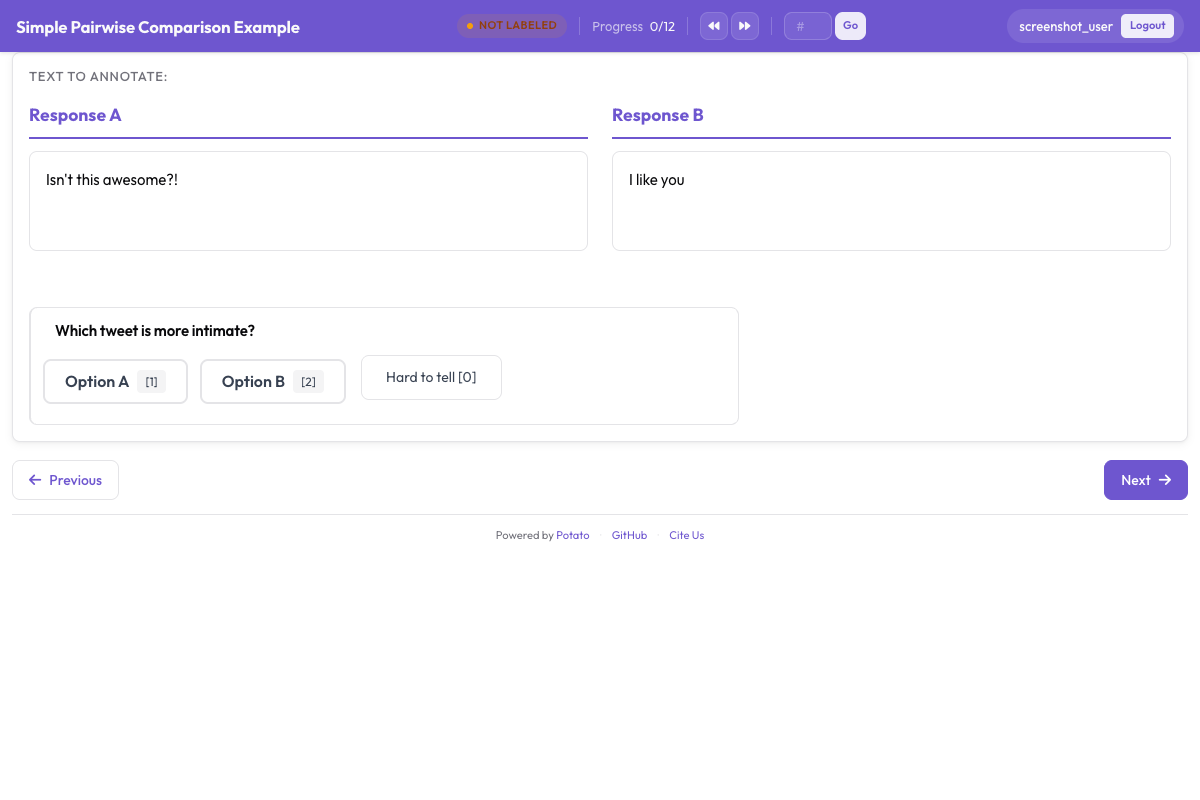 一个比较任务,两个候选项都显示出来,偏好问题在它们下方
偏好问题
五点量表能把强偏好和弱偏好区分开。当你要拿结果去训练时,这一点很重要,因为标注者意见对半分的一对,与他们都判断得很明确的一对,携带的训练信号并不相同。sequential_key_binding 把 1 到 5 这五个按键分配给五个选项,这决定了一次比较花四秒还是花十二秒。
annotation_schemes:
  - annotation_type: radio
    name: preference
    description: "Which image better matches the prompt?"
    labels:
      - name: "A is clearly better"
      - name: "A is slightly better"
      - name: "About equal"
      - name: "B is slightly better"
      - name: "B is clearly better"
    sequential_key_binding: true
    label_requirement:
      required: true
把这一段加到上面的配置里。中间那个选项要写成"About equal"而不是"No preference",因为这两者描述的是不同的判断,而标注者会把"没有偏好"这个选项当成跳过按钮来用。
位置偏差
标注者选左边选项的次数比应有的更多,所以一张图像落在哪一侧必须有变化。在构建数据文件时就做随机化:随机取一半的行交换 image_a 和 image_b,并记录每一行用的是哪种顺序,分析之前再把记录下来的判断翻转回去。Potato 的展示字段按你列出的顺序渲染,所以配置本身没法替你做这件事。
文本比较则不同。pairwise 方案从条目数据的同一个字段中取出两个候选项,所以 randomize_order 可以对它们做置换,而且 Potato 会记录每位标注者实际看到的顺序。随机种子由标注者、条目和方案共同导出,正是这一点让一个人对第一个位置的偏好在不同条目上落到不同的候选项上,而不是整项研究都偏向同一侧。如果要比较的是文本,见成对比较文档。
针对具体标准提问
整体偏好只告诉你哪张图像胜出,不说明原因。在下面加上两三个更窄的问题,能让分歧变得可读,因为在整体判断上分裂的标注者,往往在提示词契合度上意见一致,分歧出在美感上。
  - annotation_type: radio
    name: prompt_adherence
    description: "Which image better matches the prompt?"
    labels:
      - name: A
      - name: Tie
      - name: B

  - annotation_type: multiselect
    name: issues_a
    description: "Problems in Image A (select all that apply)"
    labels:
      - name: "Distorted faces or hands"
      - name: "Text rendering errors"
      - name: "Unnatural lighting"
      - name: "Missing elements from the prompt"
      - name: "Blurry or low quality"
      - name: "None"
把这些方案加到上面那一段里。标准的列表要短。每多一个问题,都会乘以整项研究的规模:2,000 对样本上的五项标准表单就是 10,000 次判断,而每一项都需要在说明里有自己的定义。
前后对比
增强、修复和编辑类任务用的是同样的双图构造,只是两侧要具名而不是随机化,因为哪一侧是原图本身就是问题的一部分:
instance_display:
  layout:
    direction: horizontal
    gap: 24px
  fields:
    - key: original
      type: image
      label: "Original"
      display_options:
        max_height: 512
        zoomable: true
    - key: enhanced
      type: image
      label: "Enhanced"
      display_options:
        max_height: 512
        zoomable: true

annotation_schemes:
  - annotation_type: radio
    name: enhancement_quality
    description: "How did the edit change the image?"
    labels:
      - name: "Clearly improved"
      - name: "Slightly improved"
      - name: "No noticeable change"
      - name: "Made worse"
    label_requirement:
      required: true

  - annotation_type: multiselect
    name: problems_introduced
    description: "Problems the edit introduced (select all that apply)"
    labels:
      - name: "Over-sharpening or halos"
      - name: "Color shift"
      - name: "Loss of detail"
      - name: "New artifacts"
      - name: "None"
把"编辑引入了哪些问题"和整体质量分开来问。一次把主体锐化、同时在它周围加出光晕的编辑,在单一量表上会被读成一次改进,而光晕恰恰是你需要知道的东西。
超过两张图像
当每个条目有三到八个候选项时,用 gallery 字段展示它们,并用 ranking 方案收集完整的排序。图库从一个字段里取一份图像路径列表,所以数据文件里存的是一个数组,而不是两个独立的键:
item_properties:
  id_key: id
  text_key: prompt

instance_display:
  fields:
    - key: prompt
      type: text
      label: "Prompt"
    - key: images
      type: gallery
      display_options:
        layout: grid
        columns: 2
        thumbnail_size: 320
        zoomable: true

annotation_schemes:
  - annotation_type: ranking
    name: preference_rank
    description: "Drag the image numbers to rank them from best at the top to worst at the bottom."
    labels:
      - "Image 1"
      - "Image 2"
      - "Image 3"
      - "Image 4"
    allow_ties: false
    label_requirement:
      required: true
labels 给图库中的各个位置命名,所以列表里每张图像要有一个条目,而且每个条目都需要有相同数量的候选项。排名适合小集合,因为标注者要一次性把每个候选项与其他所有候选项作比较。超过八个候选项左右,每个条目上的投入增长得比换回的信息量更快。
更大的候选池
当候选池大到无法在一屏里排完序时,就该用最佳-最差缩放法。标注者看到一个条目元组,通常是四个,只挑出其中最好和最差的,分数则在许多相互重叠的元组上计算得出:
  - annotation_type: bws
    name: quality
    description: "Select the BEST and the WORST image in this set."
    tuple_size: 4
    best_description: "Best"
    worst_description: "Worst"
把这个方案加到上面的配置里。计分在收集完成之后进行,可以从管理后台的 BWS 标签页或命令行运行,结果写入输出目录下的 bws_scores.tsv:
python -m potato.bws_scoring --config config.yaml --method bradley_terrycounting 方法不需要额外依赖,是那条透明的基线。bradley_terry 会在隐含的成对比较上拟合模型,需要 pip install choix。plackett_luce 直接对每一次最好和最差的选择建模,除了 Potato 本身不需要别的依赖。最佳-最差缩放法文档讲的是在这一切之前必须先做的元组生成。
说明与注意力检测
在说明里讲清楚"更好"在这个任务里指什么,否则标注者会自己补上定义,而你要到算一致性的时候才发现。annotation_instructions 会把这段文字放到每一个标注页面上:
annotation_instructions: |
  Judge each pair on how well it matches the prompt first, then on visual
  quality, then on how appealing it looks. Zoom in before deciding: hands,
  text, and fine texture are where generation failures show up. Mark "About
  equal" only when you have looked at both and cannot separate them.
比较任务的注意力检测就是那些胜负一目了然的图像对,它们从各自单独的文件混入队列,因此不会进入你的数据集:
attention_checks:
  enabled: true
  items_file: "data/attention_checks.json"
  frequency: 20
  min_response_time: 3.0
  failure_handling:
    warn_threshold: 2
block_threshold: 5把这两段都加到上面的配置里。min_response_time 能抓住比较任务最容易出现的那种失效方式:标注者点击的速度快到根本来不及看第二张图像。
完整配置
这份配置运行的是一次 RLHF 偏好数据收集:每个条目两份模型输出、一条五点偏好量表、一个标准问题和一项置信度评分。每一对由三位标注者查看,这足以报告一致性并取多数标签。
annotation_task_name: "Generative Model Comparison"
task_description: "Compare two generated images against the prompt that produced them."

data_files:
  - data/model_outputs.json

item_properties:
  id_key: id
  text_key: prompt

instance_display:
  layout:
    direction: horizontal
    gap: 24px
  fields:
    - key: image_a
      type: image
      label: "Image A"
      display_options:
        max_height: 512
        zoomable: true
        alt_text: "First generated image"
    - key: image_b
      type: image
      label: "Image B"
      display_options:
        max_height: 512
        zoomable: true
        alt_text: "Second generated image"

annotation_instructions: |
  Judge each pair on prompt match first, then visual quality, then appeal.
  Zoom in before deciding. Mark "About equal" only when you cannot separate them.

annotation_schemes:
  - annotation_type: radio
    name: preference
    description: "Which image better represents the prompt?"
    labels:
      - name: "A is clearly better"
      - name: "A is slightly better"
      - name: "About equal"
      - name: "B is slightly better"
      - name: "B is clearly better"
    sequential_key_binding: true
    label_requirement:
      required: true

  - annotation_type: radio
    name: prompt_adherence
    description: "Which image matches the prompt more closely?"
    labels:
      - name: A
      - name: Tie
      - name: B

  - annotation_type: likert
    name: confidence
    description: "How confident are you in this judgment?"
    size: 5
    min_label: "Guessing"
    max_label: "Certain"

attention_checks:
  enabled: true
  items_file: "data/attention_checks.json"
  frequency: 20
  min_response_time: 3.0
  failure_handling:
    warn_threshold: 2
    block_threshold: 5

num_annotators_per_item: 3
output_annotation_dir: annotation_output/image-comparison/
export_annotation_format: jsonl
用 potato start config.yaml -p 8000 启动,在浏览器里打开这个端口并登录,先确认图像对的渲染符合你的预期,再把链接发给别人。自己也标几个条目,因为在配置里读起来很清楚的方案,往往到了第三对真实数据上就显得含混。
输出里有什么
Potato 会在 output_annotation_dir 下为每位标注者写一份文件,export_annotation_format 则额外在 <output_annotation_dir>/exports/<format>/ 下定期导出。每条导出记录都写明实例、标注者,以及每个方案所选的标签:
{"instance_id": "pair_001", "user_id": "rater_01", "labels": {"preference": {"A is slightly better": "A is slightly better"}, "confidence": {"4": "4"}}, "spans": {}, "links": {}}按 instance_id 把它与你的数据文件连接起来,还原出哪一侧是哪个模型产出的,并在做任何聚合之前撤销你构建文件时施加的左右交换。把这一步放到最后做,而不是放进标注配置里,才能保留每位标注者实际看到了什么的原始记录。
下一步
- 用 Prolific 大规模收集偏好数据
- 在结果上计算标注者间一致性
- 文本比较请读成对比较文档,方案参考见 Potato 源文档