감성 분석 작업 만들기
라디오 버튼, 툴팁, 키보드 단축키를 갖춘 완전한 감성 분류 작업을 구축하여 효율적으로 레이블을 지정합니다.
감성 분석은 가장 흔한 NLP 작업 중 하나이며, Potato에서 이를 위한 깔끔한 레이블을 수집하는 일은 간단합니다. 이 튜토리얼에서는 실제로 어노테이터 앞에 내놓을 수 있는 감성 어노테이션 인터페이스를 만듭니다. 레이블 작업을 더 빠르게 해 주는 키보드 단축키와 품질 검사도 함께 다룹니다.
프로젝트 개요
소셜 미디어 게시물을 어노테이션합니다. 인터페이스는 다음을 포함합니다.
- 3분류 감성 분류(Positive, Negative, Neutral)
- 각 어노테이션에 대한 신뢰도 평가
- 선택적 텍스트 설명
- 속도를 위한 키보드 단축키
- 품질 관리 조치
전체 구성
다음은 전체 config.yaml입니다.
annotation_task_name: "Social Media Sentiment Analysis"

# Data configuration
data_files:
  - "data/tweets.json"

item_properties:
  id_key: id
  text_key: text

# Annotation interface
annotation_schemes:
  # Primary sentiment label
  - annotation_type: radio
    name: sentiment
    description: "What is the overall sentiment of this post?"
    labels:
      - name: Positive
        tooltip: "Expresses happiness, satisfaction, or approval"
        key_value: "1"
      - name: Negative
        tooltip: "Expresses sadness, frustration, or disapproval"
        key_value: "2"
      - name: Neutral
        tooltip: "Factual, objective, or lacks emotional content"
        key_value: "3"
    label_requirement:
      required: true

  # Confidence rating
  - annotation_type: likert
    name: confidence
    description: "How confident are you in your sentiment label?"
    size: 5
    min_label: "Not confident"
    max_label: "Very confident"
    label_requirement:
      required: true

  # Optional explanation
  - annotation_type: text
    name: explanation
    description: "Why did you choose this label? (Optional)"
    rows: 4
    label_requirement:
      required: false
    placeholder: "Explain your reasoning..."

# Guidelines
annotation_instructions: |
  ## Sentiment Annotation Guidelines

  ### Your Task
  Classify the sentiment expressed in each social media post.

  ### Labels

  **Positive**: The author expresses positive emotions or opinions
  - Happiness, excitement, gratitude
  - Praise, recommendations, approval
  - Examples: "Love this!", "Best day ever!", "Highly recommend"

  **Negative**: The author expresses negative emotions or opinions
  - Anger, frustration, sadness
  - Complaints, criticism, disapproval
  - Examples: "Terrible service", "So disappointed", "Worst experience"

  **Neutral**: Factual or lacking clear sentiment
  - News, announcements, questions
  - Mixed or balanced opinions
  - Examples: "The store opens at 9am", "Has anyone tried this?"

  ### Tips
  - Focus on the author's sentiment, not the topic
  - Sarcasm should be labeled based on intended meaning
  - When unsure, lower your confidence rating

# User management
automatic_assignment:
  on: true
  sampling_strategy: random
  labels_per_instance: 1
  instance_per_annotator: 100
샘플 데이터 형식
data/tweets.json을 만듭니다.
{"id": "t001", "text": "Just got my new laptop and I'm absolutely loving it! Best purchase of the year! #happy"}
{"id": "t002", "text": "Waited 2 hours for customer service and they still couldn't help me. Never shopping here again."}
{"id": "t003", "text": "The new coffee shop on Main Street opens tomorrow at 7am."}
{"id": "t004", "text": "This movie was okay I guess. Some good parts, some boring parts."}
{"id": "t005", "text": "Can't believe how beautiful the sunset was tonight! Nature is amazing."}
작업 실행하기
어노테이션 서버를 시작합니다.
potato start config.yamlhttp://localhost:8000으로 이동하여 로그인한 뒤 어노테이션을 시작합니다.
서버가 가동되면 어노테이터에게는 다음과 같은 화면이 보입니다.
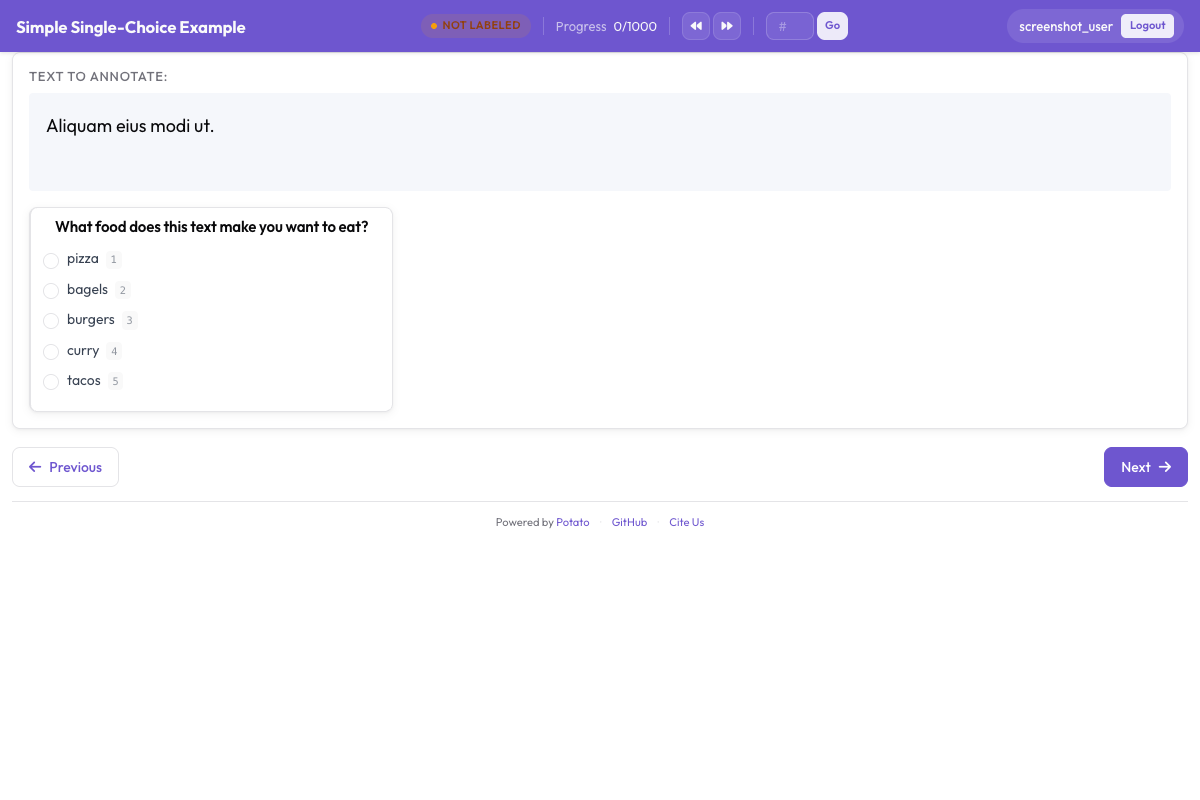 라디오 버튼 레이블, 신뢰도 척도, 선택적 설명 필드를 보여 주는 감성 분류 인터페이스
인터페이스 이해하기
주요 어노테이션 영역
인터페이스는 다음을 표시합니다.
- 어노테이션할 텍스트(URL, 멘션, 해시태그가 강조 표시됨)
- 툴팁이 있는 감성 라디오 버튼
- 신뢰도 Likert 척도
- 선택적 설명 텍스트 상자
키보드 작업 흐름
어노테이터가 리듬을 타게 되면 가장 빠른 작업 흐름은 다음과 같습니다.
- 텍스트를 읽습니다
- 감성에 대해
1,2또는3을 누릅니다 - 신뢰도 수준을 클릭합니다(또는 마우스를 사용합니다)
Enter를 눌러 제출합니다
진행 상황 추적
인터페이스는 다음을 표시합니다.
- 현재 진행 상황(예: "15 / 100")
- 예상 남은 시간
- 세션 통계
출력 형식
각 어노테이터의 작업은 export_annotation_format 설정과 관계없이 <output_annotation_dir>/<user>/user_state.json에 저장됩니다. 이 설정은 그 옆에 주기적인 내보내기를 추가하므로, jsonl을 지정하면 통합 파일은 <output_annotation_dir>/exports/jsonl/annotations.jsonl이 되고 어노테이터별, 인스턴스별로 레코드가 하나씩 기록됩니다.
{
  "instance_id": "t001",
  "user_id": "john_doe",
  "labels": {
    "sentiment": {"Positive": "true"},
    "confidence": {"5": "true"},
    "explanation": {"text_box": "Clear expression of happiness with the purchase"}
  },
  "spans": {},
  "links": {}
}
품질 관리 추가하기
주의 집중 검사
어노테이터의 주의 집중을 확인하기 위해 골드 스탠더드 항목을 추가합니다. 여기에서 사용한 radio 및 likert 스킴의 전체 옵션 모음은 원본 문서를 참조하십시오.
attention_checks:
  enabled: true
  frequency: 10          # Every 10th item
  items_file: data/attention_checks.json
  failure_handling:
    warn_threshold: 2
    block_threshold: 5
항목은 구성 파일 안에 직접 쓰지 않고 items_file에 두며, 각 항목에는 받아야 할 정답이 들어 있습니다.
[
  {
    "id": "chk1",
    "text": "I am extremely happy and satisfied! This is the best!",
    "expected_answer": { "sentiment": "Positive" }
  },
  {
    "id": "chk2",
    "text": "This is absolutely terrible and I hate it completely.",
    "expected_answer": { "sentiment": "Negative" }
  }
]
골드 스탠더드 항목은 expected_answer 대신 gold_label을 사용하고 gold_standards.items_file에 둡니다. 두 블록 모두 최상위 수준에 있어야 한다는 점에 유의하십시오. Potato는 attention_checks를 구성의 루트에서 읽으므로, 이를 quality_control: 블록 안에 넣으면 읽히지 않고 오류도 보고되지 않습니다.
어노테이터 간 일치도
연구 프로젝트의 경우 여러 어노테이션을 활성화합니다.
automatic_assignment:
  on: true
  sampling_strategy: random
  labels_per_instance: 3  # Each item annotated by 3 people
  instance_per_annotator: 50
결과 분석하기
어노테이션을 내보내고 분석합니다.
import json
from collections import Counter

records = []
with open('annotation_output/exports/jsonl/annotations.jsonl') as f:
    for line in f:
        records.append(json.loads(line))

def chosen(record, scheme):
    """The label picked for a single-choice scheme: the key whose value is "true"."""
    for name, value in record["labels"].get(scheme, {}).items():
        if value == "true":
            return name
    return None

sentiments = Counter(chosen(r, "sentiment") for r in records)
print(f"Sentiment distribution: {dict(sentiments)}")

# A likert stores its scale position the same way, as the label name
points = [int(p) for r in records if (p := chosen(r, "confidence"))]
print(f"Average confidence: {sum(points)/len(points):.2f}")
다음 단계
더 많은 어노테이션 유형을 문서에서 살펴보십시오.