음성에서 감정 분류하기
인터랙티브 파형 표시, 재생 속도 조절, 리커트 척도, 구성 가능한 감정 라벨 세트를 갖춘 오디오 감정 분류 작업을 Potato에서 만듭니다.
음성 감정 인식(SER)은 가상 비서, 정신 건강 도구, 콜센터 분석 등에 등장하며, 이 모든 것은 학습에 사용할 라벨링된 오디오를 필요로 합니다. 이 튜토리얼은 범주형 감정, 차원 평가, 그리고 둘 이상의 감정이 함께 나타나는 클립을 위한 어노테이션 인터페이스를 살펴봅니다. 기반이 되는 오디오 옵션은 오디오 어노테이션 문서를 참고하십시오.
감정 어노테이션 접근법
음성 감정을 라벨링하는 몇 가지 일반적인 방법이 있습니다. 행복, 슬픔, 분노 같은 이산 범주를 사용할 수 있습니다. 정서가(valence), 각성도(arousal), 지배성(dominance) 같은 연속 차원을 평가할 수 있습니다. 어노테이터가 강도 평가와 함께 여러 감정을 한 번에 표시하도록 할 수도 있습니다. 또는 더 긴 클립의 경우 서로 다른 시간 지점에서 서로 다른 감정을 태그할 수도 있습니다.
범주형 감정 분류
기본 설정
annotation_task_name: "Speech Emotion Recognition"

data_files:
  - data/utterances.json

item_properties:
  id_key: id
  text_key: transcript  # Optional transcript

instance_display:
  fields:
    - key: audio_path
      type: audio
      label: "Utterance"
      display_options:
        controls: true
        show_waveform: true
        preload: metadata

annotation_schemes:
  - annotation_type: radio
    name: emotion
    description: "What emotion is expressed in this speech?"
    labels:
      - name: Happy
        description: "Joy, excitement, amusement"
        key_value: "h"
      - name: Sad
        description: "Sorrow, disappointment, grief"
        key_value: "s"
      - name: Angry
        description: "Frustration, irritation, rage"
        key_value: "a"
      - name: Fearful
        description: "Anxiety, worry, terror"
        key_value: "f"
      - name: Surprised
        description: "Astonishment, shock"
        key_value: "u"
      - name: Disgusted
        description: "Revulsion, distaste"
        key_value: "d"
      - name: Neutral
        description: "No clear emotion"
        key_value: "n"
    label_requirement:
      required: true
Potato는 어노테이션 라벨과 함께 재생 컨트롤이 있는 인터랙티브 파형을 렌더링합니다:
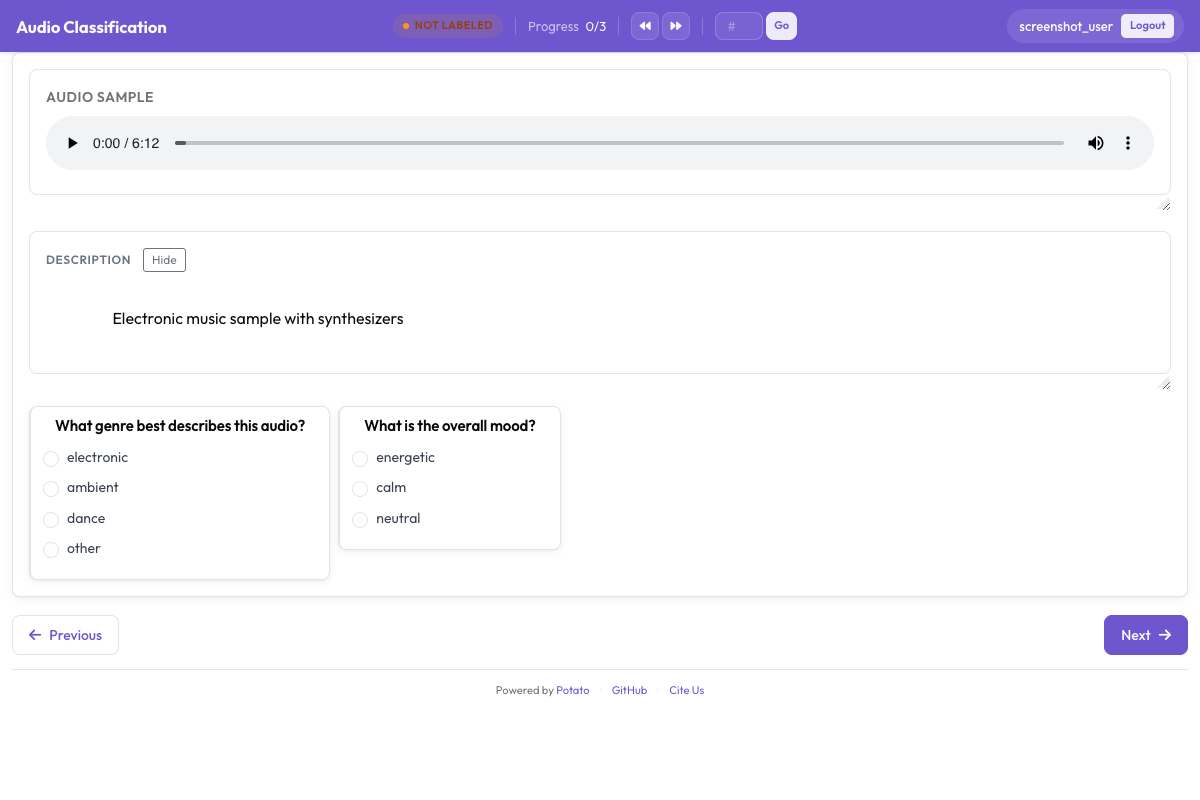 재생 컨트롤과 범주형 감정 라벨이 있는 인터랙티브 파형을 보여주는 오디오 어노테이션 인터페이스
강도 추가하기
annotation_schemes:
  - annotation_type: radio
    name: emotion
    description: "What emotion does the speaker express?"
    labels: [Happy, Sad, Angry, Fearful, Surprised, Disgusted, Neutral]
    label_requirement:
      required: true

  - annotation_type: likert
    name: intensity
    description: "How intense is this emotion?"
    size: 5
    min_label: "Very weak"
    max_label: "Very strong"
차원 감정 어노테이션
VAD(정서가-각성도-지배성) 모델은 각 클립을 하나의 범주로 강제하는 대신 세 개의 연속 척도로 평가합니다:
annotation_task_name: "Dimensional Emotion Rating"

annotation_schemes:
  # Valence: negative to positive
  - annotation_type: likert
    name: valence
    description: "Valence: How positive or negative?"
    size: 7
    min_label: "Very negative"
    max_label: "Very positive"

  # Arousal: calm to excited
  - annotation_type: likert
    name: arousal
    description: "Arousal: How calm or excited?"
    size: 7
    min_label: "Very calm"
    max_label: "Very excited"

  # Dominance: submissive to dominant
  - annotation_type: likert
    name: dominance
    description: "Dominance: How submissive or dominant?"
    size: 7
    min_label: "Very submissive"
    max_label: "Very dominant"
시각적 척도 (SAM)
Self-Assessment Manikin 스타일:
annotation_schemes:
  - annotation_type: likert
    min_label: "Very negative"
    max_label: "Very positive"
    name: valence
    description: "Select the figure that matches the emotional valence"
    size: 9
혼합 감정 탐지
여러 감정이 포함된 음성의 경우:
annotation_schemes:
  - annotation_type: multiselect
    name: emotions_present
    description: "Select ALL emotions you detect (can be multiple)"
    labels:
      - Happy
      - Sad
      - Angry
      - Fearful
      - Surprised
      - Disgusted
      - Contempt

  - annotation_type: radio
    name: primary_emotion
    description: "Which emotion is MOST prominent?"
    labels:
      - Happy
      - Sad
      - Angry
      - Fearful
      - Surprised
      - Disgusted
      - Contempt
      - Mixed (no dominant)
전체 감정 어노테이션
annotation_task_name: "Comprehensive Speech Emotion Annotation"

data_files:
  - data/speech_samples.json

item_properties:
  id_key: id
  text_key: transcript

instance_display:
  fields:
    - key: audio_url
      type: audio
      label: "Speech sample"
      display_options:
        controls: true
        show_waveform: true
        preload: metadata
        autoplay: false

    # Show the transcript alongside the audio
    - key: transcript
      type: text
      label: "Transcript (for reference)"

annotation_schemes:
  # Primary categorical emotion
  - annotation_type: radio
    name: primary_emotion
    description: "Primary emotion expressed"
    labels:
      - name: Happiness
        color: "#FCD34D"
        key_value: "1"
      - name: Sadness
        color: "#60A5FA"
        key_value: "2"
      - name: Anger
        color: "#F87171"
        key_value: "3"
      - name: Fear
        color: "#A78BFA"
        key_value: "4"
      - name: Surprise
        color: "#34D399"
        key_value: "5"
      - name: Disgust
        color: "#FB923C"
        key_value: "6"
      - name: Neutral
        color: "#9CA3AF"
        key_value: "7"
    label_requirement:
      required: true

  # Emotional intensity
  - annotation_type: likert
    name: intensity
    description: "Emotional intensity"
    size: 5
    min_label: "Very mild"
    max_label: "Very intense"
    label_requirement:
      required: true

  # Dimensional ratings
  - annotation_type: likert
    name: valence
    description: "Valence (negative to positive)"
    size: 7
    min_label: "Negative"
    max_label: "Positive"

  - annotation_type: likert
    name: arousal
    description: "Arousal (calm to excited)"
    size: 7
    min_label: "Calm"
    max_label: "Excited"

  # Voice quality
  - annotation_type: multiselect
    name: voice_qualities
    description: "Voice characteristics (select all that apply)"
    labels:
      - Trembling voice
      - Raised pitch
      - Lowered pitch
      - Loud/shouting
      - Soft/whisper
      - Fast speech rate
      - Slow speech rate
      - Breathy
      - Tense/strained
      - Crying
      - Laughing

  # Genuineness
  - annotation_type: radio
    name: authenticity
    description: "Does the emotion seem genuine?"
    labels:
      - Clearly genuine
      - Likely genuine
      - Uncertain
      - Likely acted/fake
      - Clearly acted/fake

  # Confidence
  - annotation_type: likert
    name: confidence
    description: "How confident are you in your annotation?"
    size: 5
    min_label: "Guessing"
    max_label: "Certain"

annotation_instructions: |
  ## Emotion Annotation Guidelines

  ### Listening Instructions
  1. Listen to the entire clip before annotating
  2. You may replay as many times as needed
  3. Focus on the VOICE, not just the words

  ### Emotion Categories
  - **Happiness**: Joy, amusement, contentment
  - **Sadness**: Sorrow, disappointment, melancholy
  - **Anger**: Frustration, irritation, rage
  - **Fear**: Anxiety, nervousness, terror
  - **Surprise**: Astonishment, startle
  - **Disgust**: Revulsion, contempt
  - **Neutral**: Calm, matter-of-fact

  ### Tips
  - Consider tone, pitch, speaking rate
  - The transcript may not match the emotion
  - When unsure between two emotions, choose the stronger one
  - Use the intensity scale for unclear cases

output_annotation_dir: annotations/
export_annotation_format: jsonl
출력 형식
{
  "instance_id": "utt_001",
  "user_id": "rater_01",
  "labels": {
    "primary_emotion": {"Surprise": "true"},
    "voice_qualities": {"Raised pitch": "true", "Fast speech rate": "true"},
    "authenticity": {"Clearly genuine": "true"},
    "confidence": {"4": "true"}
  },
  "spans": {},
  "links": {}
}
세그먼트 단위 감정
감정이 변하는 더 긴 오디오의 경우:
annotation_schemes:
  - annotation_type: audio_annotation
    name: emotion_segments
    description: "Mark time segments with different emotions"
    labels:
      - name: Happy
        color: "#FCD34D"
      - name: Sad
        color: "#60A5FA"
      - name: Angry
        color: "#F87171"
      - name: Neutral
        color: "#9CA3AF"
품질 관리
라벨이 알려져 있고 모호하지 않은 클립은 제대로 듣지 않고 클릭만 하는 어노테이터를 잡아냅니다. 두 블록 모두 설정의 최상위에 위치하며, 두 블록 모두 항목을 설정 안에 직접 적지 않고 파일에서 가져옵니다:
attention_checks:
  enabled: true
  frequency: 20
  items_file: data/attention_checks.json
  min_response_time: 3.0

gold_standards:
  enabled: true
  items_file: data/gold_standards.json
  mode: mixed
  frequency: 20
  accuracy:
    min_threshold: 0.7
    evaluation_count: 10
골드 항목은 여러분의 데이터 항목 중 하나에 gold_label을 추가한 형태이므로, 다른 모든 항목과 같은 방식으로 렌더링됩니다:
[
  {
    "id": "gold_001",
    "audio_path": "/audio/gold/clearly_happy.wav",
    "gold_label": { "primary_emotion": "Happiness" },
    "explanation": "Laughter and rising pitch throughout, with no ambiguity.",
    "difficulty": "easy"
  }
]
주의 확인 항목은 gold_label 대신 expected_answer를 사용합니다. 오디오에서 유용한 제어 항목은 min_response_time입니다. 3초의 하한을 두면 끝까지 들었을 리 없는 클립에 라벨을 붙이는 사람을 잡아낼 수 있습니다.
이 블록들을 quality_control: 블록 아래에 중첩하는 것은 흔한 실수이며, 아무런 경고 없이 실패합니다. Potato는 attention_checks와 gold_standards를 최상위에서 읽고, quality_control에서 읽는 키는 geometry_iou_tolerance 하나뿐입니다. 따라서 중첩된 블록은 오류 없이 검증을 통과하지만 한 번도 실행되지 않습니다.
감정 어노테이션 팁
결정하기 전에 클립 전체를 끝까지 들으십시오. 그리고 단어 자체보다 그것이 어떻게 말해지는지에 주의를 기울이십시오. 표현 규범은 문화마다 다르다는 점을 염두에 두십시오. 한 문화에서 분노로 읽히는 것이 다른 문화에서는 강조로 읽힐 수 있습니다. 감정 어노테이션은 지치는 작업이므로 휴식을 권장하고, 팀이 정기적으로 의견 불일치를 논의하여 보정 상태를 유지하도록 하십시오.
다음 단계
- 다중 화자 감정 추적을 위해 화자 분리를 추가하십시오
- 대규모 수집을 위해 크라우드소싱을 설정하십시오
- 감정 작업에 대한 어노테이터 간 일치도를 계산하십시오
문서는 오디오 어노테이션에 있습니다.