ステップ単位のエラー局所化:トラジェクトリ評価でエージェントの失敗箇所を突き止める
Potatoの trajectory_eval スキーマを使い、階層的なエラー分類体系、重大度スコアリング、実行中スコアの追跡によって、エージェントトレースのステップ単位でエラーを局所化する方法を解説します。
問題:エージェントが失敗したと分かるだけでは足りない
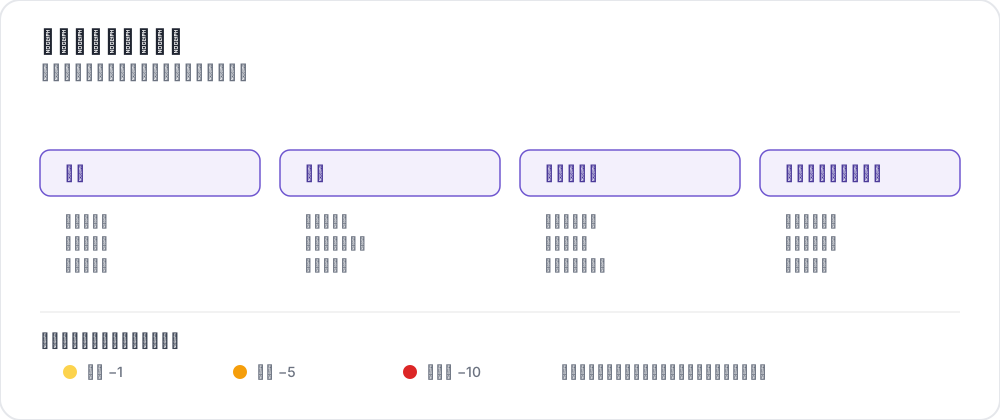 A trajectory error taxonomy
ベンチマークでエージェントを走らせたところ、タスク完了率は63%でした。ここからどうしますか。
合否だけの数値から分かるのは、37%のタスクで失敗したという事実だけです。トレースのどこでおかしくなったのか、どの種類のエラーだったのか、どれくらい深刻だったのかは何も分かりません。ステップ2で一度だけ致命的なミスをしたのか、それとも軽微な推論エラーが15ステップ積み重なったのか。ツールの使い方を誤ったのか、そもそも前提が間違っていたのか。
ステップ単位でエラーを局所化しないと、失敗モードの診断も、何から直すかの判断も、プロセス報酬モデル用の訓練データの構築もできません。手探りでハイパーパラメータを調整することになります。
Potatoのtrajectory_evalアノテーションスキーマはこれを解消します。アノテーターはトレースの各ステップを順に見ていき、次を記録します。
- 正確性:このステップは正しいか、誤っているか
- エラータイプ:自分で定義した階層的な分類体系から選択
- 重大度レベル:minor、major、criticalの3段階。スコアの重みは設定可能
- 根拠:エラーについての自由記述の説明(任意)
- 実行中スコア:重大度に応じて減点される累積スコア。トレースごとの品質カーブが得られます
このガイドでは、エラー分類体系の定義からアノテーションの実施、収集したデータの分析まで一通り扱います。スキーマの設定リファレンスはソースドキュメントを参照してください。
トラジェクトリ評価スキーマの概要
trajectory_evalスキーマは、マルチステップのエージェントトレースを順に評価するためのものです。全体の品質評価を1つ付ける代わりに、すべてのステップについて構造化されたエラーアノテーションを生成するので、エージェントがどこでなぜ失敗したかの詳細な地図が手に入ります。
各ステップでアノテーションインターフェースが行うことは次のとおりです。
- アノテーターが現在のステップの内容(思考、アクション、オブザベーション、コードなど)を見る
- そのステップをcorrectかincorrectかでマークする
- incorrectの場合、階層的な分類体系からエラータイプを選択する
- 重大度レベル(minor、major、critical)を割り当てる
- 必要に応じてエラーの根拠を記述する
- インターフェース上部の実行中スコアが自動的に更新される
アノテーターは1ステップずつトレースを進み、完全なエラープロファイルを組み上げていきます。
トラジェクトリ評価のインターフェースは、各ステップをスコアとともに表示します。
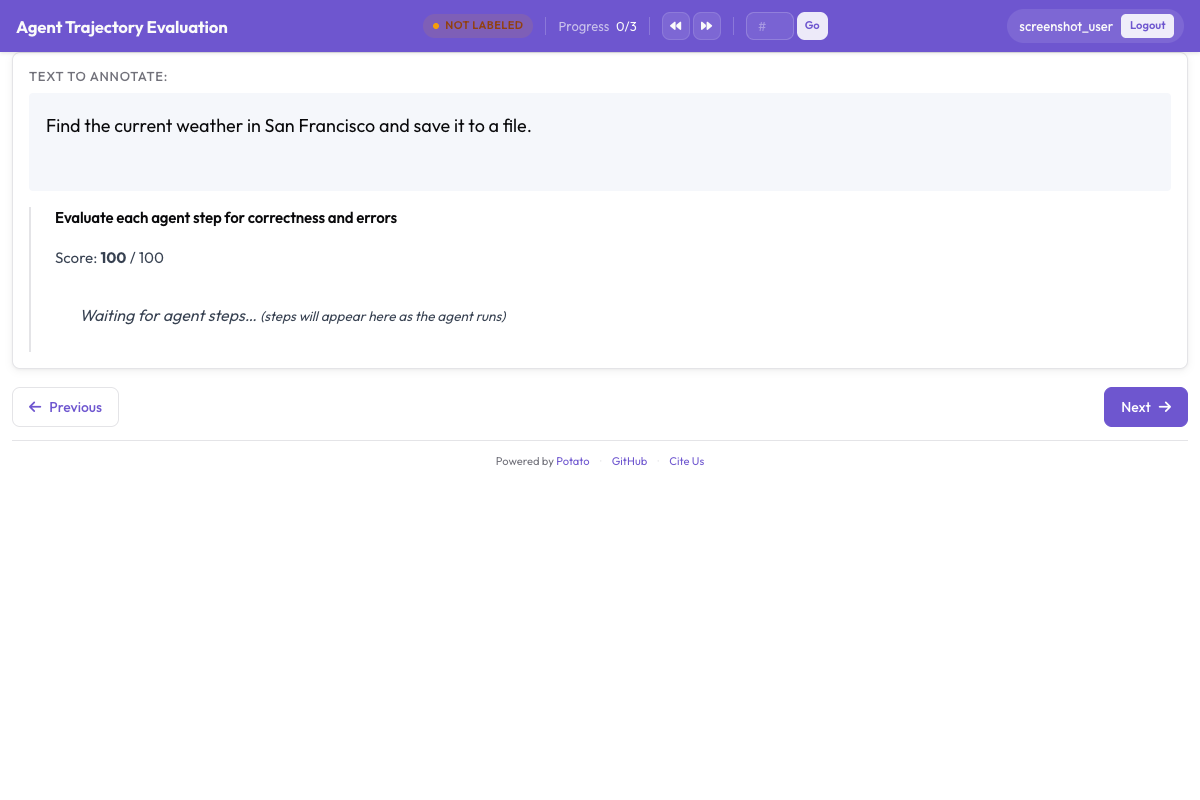 Each step gets a correctness rating, error type, and severity level with a running score that decrements based on severity
階層的なエラー分類体系を設計する
トラジェクトリ評価の価値を決めるのは分類体系です。うまく作ればトレースをまたいでエラーを集計し、体系的な失敗パターンを見つけられます。外すとラベルは何にもつながりません。私であれば、以下の4つのトップレベルカテゴリからなる分類体系を出発点にします。
推論エラー
見たものややったことに問題がなくても、エージェントの推論そのものが崩れている場合に起きます。
| エラータイプ | 説明 | 例 |
|---|---|---|
logical_error | 論理的推論が妥当でない | 「AならばB、Bは真、したがってAは真」(後件肯定の誤謬) |
incorrect_assumption | 証拠に裏付けられていないことを前提にする | 確認せずにファイルが存在すると仮定する |
over_generalization | 限られた証拠から広すぎる結論を導く | 「この関数が一度失敗したので、API全体が壊れている」 |
circular_reasoning | 結論を前提として使う | 「Xが正しいので答えはXである」 |
incorrect_calculation | 数学的・論理的な計算の誤り | ループ境界の推論でのオフバイワンエラー |
知覚エラー
オブザベーションの内容を読み違える、誤って解釈する、見落とす場合に起きます。
| エラータイプ | 説明 | 例 |
|---|---|---|
missed_element | 関連する情報に気づかない | ターミナル出力のエラーメッセージを見落とす |
misidentified_element | 見えているものを誤解する | 404エラーを成功レスポンスとして読む |
hallucinated_element | 存在しないものに言及する | 実在しない関数の引数を参照する |
outdated_reference | 前のステップの古い情報を使う | 上書き済みの変数の値を使う |
アクションエラー
誤ったアクションを取る、あるいは正しいアクションを誤ったやり方で取る場合に起きます。
| エラータイプ | 説明 | 例 |
|---|---|---|
wrong_tool | そのタスクに適さないツールを選ぶ | findが必要な場面でgrepを使う |
wrong_arguments | ツールは正しいがパラメータが誤っている | 編集コマンドに誤ったファイルパスを渡す |
premature_termination | タスクが完了する前に停止する | 部分的な情報を見つけた時点で回答を返す |
unnecessary_action | 何の価値も生まないアクションを取る | 読んだばかりのファイルを読み直す |
destructive_action | 害をもたらすアクションを取る | バックアップを取らずにファイルを削除する |
コミュニケーションエラー
ユーザーへの応答や、自分の作業の説明の仕方に表れるエラーです。
| エラータイプ | 説明 | 例 |
|---|---|---|
unclear_explanation | 説明が分かりにくい、または曖昧 | 何が壊れていたかを言わずに修正内容だけ述べる |
missing_context | 応答から重要な文脈が抜けている | 注意点に触れずに成功したとだけ報告する |
incorrect_summary | 要約が実際のアクションと一致しない | 2ファイルしか変更していないのに3ファイル編集したと主張する |
overconfident_claim | 不確かなことを断定する | 未検証の変更について「これで確実に直ります」と言う |
重大度レベルとスコアの重み
各エラーには重大度レベルが付きます。デフォルトの重みは次のとおりです。
| 重大度 | 重み | 説明 |
|---|---|---|
minor | -1 | トレース全体を破綻させない小さな問題(不要なアクション、不明瞭な説明など) |
major | -5 | 労力を無駄にする、または部分的に誤った結果を生む重大なエラー(ツールの誤選択、誤った前提など) |
critical | -10 | トレースを根本的に破綻させるエラー(破壊的アクション、誤答での早期終了など) |
実行中スコアは100から始まり、エラーごとに重大度の重みだけ下がります。85で終わったトレースには軽微な問題がいくつかあり、40で終わったトレースには重大な失敗が複数あったということです。
これらの重みは設定で変更できます。
severities:
  - name: minor
    weight: -1
  - name: major
    weight: -5
  - name: critical
    weight: -10
YAML設定の全体像
分類体系をすべて含めた、トラジェクトリ評価用の完全なconfig.yamlです。
annotation_task_name: "Agent Trajectory Error Localization"
task_dir: "."

data_files:
  - "data/traces.jsonl"

item_properties:
  id_key: "trace_id"
  text_key: "task"

instance_display:
  fields:
    - key: "task"
      type: text
      label: "Task"
    - key: "trace"
      type: agent_trace
      label: "Agent trace"
      display_options:
        show_step_numbers: true
        show_timestamps: false
        step_type_colors:
          thought: "#E8F0FE"
          action: "#FFF3E0"
          observation: "#F1F8E9"
          code: "#F3E5F5"

annotation_instructions: |
  Walk the trace one step at a time. Mark a step incorrect only when it is
  wrong on the information available at that step, not with hindsight. When
  several categories apply, choose the most specific one.

annotation_schemes:
  - annotation_type: trajectory_eval
    name: step_errors
    description: "Mark each step and classify any error"
    steps_key: trace
    step_text_key: content
    correctness_options:
      - correct
      - incorrect
      - partially_correct
    error_types:
      - name: reasoning
        subtypes:
          - logical_error
          - incorrect_assumption
          - over_generalization
          - circular_reasoning
          - incorrect_calculation
      - name: perception
        subtypes:
          - missed_element
          - misidentified_element
          - hallucinated_element
          - outdated_reference
      - name: action
        subtypes:
          - wrong_tool
          - wrong_arguments
          - premature_termination
          - unnecessary_action
          - destructive_action
      - name: communication
        subtypes:
          - unclear_explanation
          - missing_context
          - incorrect_summary
          - overconfident_claim
    severities:
      - name: minor
        weight: -1
      - name: major
        weight: -5
      - name: critical
        weight: -10
    show_score: true
    max_score: 100

  - annotation_type: radio
    name: overall_success
    description: "Did the run succeed overall?"
    labels:
      - success
      - partial
      - failure
    sequential_key_binding: true

output_annotation_dir: "annotation_output/"
export_annotation_format: jsonl

user_config:
  allow_all_users: true
セットアップ手順
1. エージェントトレースを用意する
トレースデータはJSONL形式で、1行に1トレースを入れます。各トレースにはID、タスクの説明、ステップのリストが必要です。
{
  "trace_id": "trace_042",
  "task": "Find the bug in the calculate_discount function and fix it",
  "trace": [
    {
      "type": "thought",
      "content": "I need to look at the calculate_discount function to find the bug. Let me search for it."
    },
    {
      "type": "action",
      "content": "search",
      "action_input": "def calculate_discount"
    },
    {
      "type": "observation",
      "content": "Found in pricing.py line 45:\ndef calculate_discount(price, discount_pct):\n    return price * discount_pct / 100"
    },
    {
      "type": "thought",
      "content": "The function calculates the discount amount but doesn't subtract it from the price. It should return price - (price * discount_pct / 100)."
    },
    {
      "type": "action",
      "content": "edit_file",
      "action_input": "pricing.py:45: return price - (price * discount_pct / 100)"
    },
    {
      "type": "observation",
      "content": "File edited successfully."
    },
    {
      "type": "action",
      "content": "finish",
      "action_input": "Fixed the calculate_discount function. It was returning the discount amount instead of the discounted price."
    }
  ]
}
トレースが別の形式(OpenAIのmessages、LangChainのrun、Claudeの会話ログなど)の場合は、Potatoのトレースコンバーターを使ってください。
python -m potato.trace_converter \
  --input raw_traces/ \
  --output data/traces.jsonl \
  --input-format react
2. 分類体系を設定する
まずは上の分類体系をそのまま使い、対象のエージェントに合わせて削るか足していきます。たとえばコーディングエージェントなら、code_qualityカテゴリを追加するとよいでしょう。
error_types:
  - name: code_quality
    subtypes:
      - syntax_error
      - runtime_error
      - logic_bug
      - style_violation
コーディングエージェントのトレースでは、スコアリングと並べて差分やターミナル出力が描画されます。
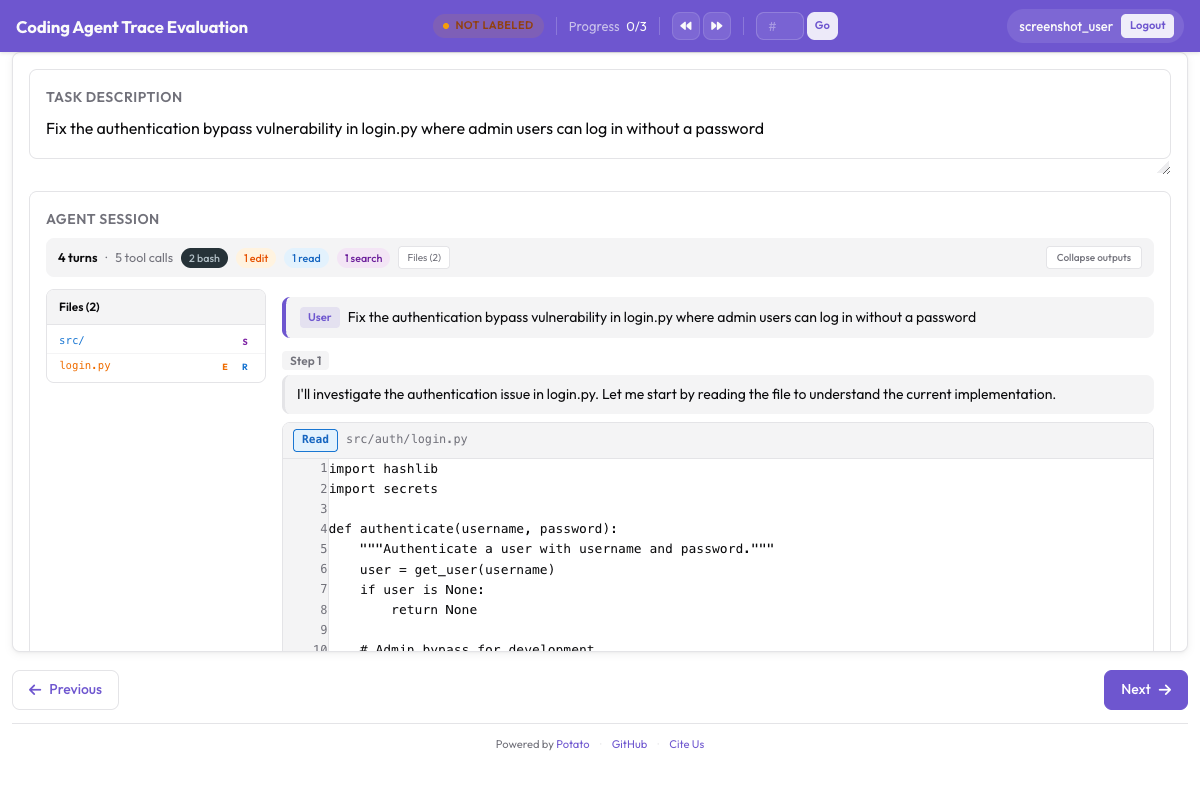 CodingTraceDisplay renders diffs, terminal blocks, and file reads alongside trajectory evaluation controls
3. アノテーションサーバーを起動する
potato start config.yaml -p 8000ブラウザでhttp://localhost:8000を開くと、最初のトレースがステップごとの表示で現れます。
4. アノテーションガイドラインを書く
アノテーターに明確な指示を渡してください。最低限、次の点を文書化します。
- どこからをincorrectとし、どこまでを「正しいが最適ではない」とするか
- 複数のエラーカテゴリが当てはまる場合の選び方(最も具体的なものを選ぶ)
- 各重大度レベルを割り当てる基準と、その具体例
- そのステップの時点で得られる情報だけで評価するのか、後知恵も含めて評価するのか
アノテーションの流れ
アノテーターがトレースを開くと、上部にタスクの説明が、その下に最初のステップが表示されます。右上の実行中スコアは100から始まります。
各ステップでアノテーターは次を行います。
- 前のステップの文脈を踏まえてステップの内容を読む
- 「Correct」か「Incorrect」をクリックして正確性をマークする
- incorrectの場合、エラーカテゴリ(例:「Reasoning Error」)を選び、続いて具体的なタイプ(例:「Incorrect Assumption」)を選ぶ
- 重大度を割り当てる:minor、major、critical
- (有効にしている場合)根拠を書く:「検索結果はsrc/utils/にあると示していたのに、エージェントは確認せずにカレントディレクトリにあると仮定している」
- 「Next Step」をクリックするか右矢印キーを押して次のステップへ進む
実行中スコアはエラーごとに更新されます。ステップ3をmajor(-5)とすればスコアは100から95に下がり、ステップ7をcritical(-10)とすれば85まで落ちます。
トレースの最後で、アノテーターは全体の成功/部分的成功/失敗の評価を付けて送信します。
結果を分析する
アノテーションデータの読み込み
import json
import pandas as pd
from collections import Counter
from pathlib import Path

# Load all annotation files
annotations = []
output_dir = Path("output/")
for f in output_dir.glob("*.jsonl"):
    with open(f) as fh:
        for line in fh:
            annotations.append(json.loads(line))

print(f"Loaded {len(annotations)} annotated traces")
エラー分布の分析
# Extract all errors across all traces
errors = []
for ann in annotations:
    for step_ann in ann.get("error_localization", []):
        if step_ann["correctness"] == "incorrect":
            errors.append({
                "trace_id": ann["trace_id"],
                "step_index": step_ann["step_index"],
                "category": step_ann["error_category"],
                "error_type": step_ann["error_type"],
                "severity": step_ann["severity"],
                "rationale": step_ann.get("rationale", ""),
            })

error_df = pd.DataFrame(errors)
print(f"Total errors found: {len(error_df)}")
print()

# Error distribution by category
print("Errors by category:")
print(error_df["category"].value_counts())
print()

# Most common specific error types
print("Top 10 error types:")
print(error_df["error_type"].value_counts().head(10))
print()

# Severity distribution
print("Severity distribution:")
print(error_df["severity"].value_counts())
エラー位置の分析
トレースのどこにエラーが集まりやすいかを見ると、体系的なパターンが浮かび上がることがよくあります。
import matplotlib.pyplot as plt
import numpy as np

# Normalize step positions to [0, 1] range
for ann in annotations:
    trace_length = len(ann.get("error_localization", []))
    for step_ann in ann["error_localization"]:
        if step_ann["correctness"] == "incorrect":
            step_ann["normalized_position"] = step_ann["step_index"] / max(trace_length - 1, 1)

# Collect normalized positions
positions = [
    step_ann["normalized_position"]
    for ann in annotations
    for step_ann in ann.get("error_localization", [])
    if step_ann["correctness"] == "incorrect"
    and "normalized_position" in step_ann
]

plt.figure(figsize=(10, 4))
plt.hist(positions, bins=20, edgecolor="black", alpha=0.7)
plt.xlabel("Normalized Position in Trace (0 = start, 1 = end)")
plt.ylabel("Error Count")
plt.title("Where Do Agent Errors Occur?")
plt.tight_layout()
plt.savefig("error_position_distribution.png", dpi=150)
print("Saved error_position_distribution.png")
実行中スコアの分布
# Extract final running scores
final_scores = []
for ann in annotations:
    score = 100
    severity_weights = {"minor": -1, "major": -5, "critical": -10}
    for step_ann in ann.get("error_localization", []):
        if step_ann["correctness"] == "incorrect":
            score += severity_weights.get(step_ann["severity"], 0)
    score = max(score, 0)
    final_scores.append({
        "trace_id": ann["trace_id"],
        "final_score": score,
        "overall_success": ann.get("overall_success", "unknown"),
    })

score_df = pd.DataFrame(final_scores)

print("Score statistics:")
print(score_df["final_score"].describe())
print()

# Score distribution by overall success
for label in ["success", "partial", "failure"]:
    subset = score_df[score_df["overall_success"] == label]
    if len(subset) > 0:
        print(f"{label}: mean={subset['final_score'].mean():.1f}, "
              f"median={subset['final_score'].median():.1f}, "
              f"n={len(subset)}")
よくある失敗モード
# Group errors by category + type for a failure mode analysis
failure_modes = (
    error_df.groupby(["category", "error_type"])
    .agg(
        count=("severity", "size"),
        avg_severity_weight=("severity", lambda x: x.map(
            {"minor": 1, "major": 5, "critical": 10}
        ).mean()),
    )
    .sort_values("count", ascending=False)
)

print("Top failure modes (by frequency):")
print(failure_modes.head(15).to_string())
print()

# Impact-weighted failure modes (frequency x average severity)
failure_modes["impact"] = failure_modes["count"] * failure_modes["avg_severity_weight"]
print("Top failure modes (by impact):")
print(failure_modes.sort_values("impact", ascending=False).head(10).to_string())
研究上の位置づけ
ステップ単位のエラー局所化は、エージェント評価の近年のいくつかの流れと重なります。
TRAIL(Patronus AI、2025年)は、GAIA と SWE-bench Lite から取った148本のエージェントトレースを、20種類を超える誤りタイプの分類体系で注釈し、合計841件の誤りを記録しました。注目すべきなのは、位置の特定がどれほど難しかったかです。彼らが試した最良の長文脈推論モデルでも、誤りのカテゴリと位置を合わせた精度は11%にとどまりました。それが trajectory_eval が人間のアノテーターに委ねる仕事であり、そのラベルに費用をかける理由でもあります。
AgentRewardBench(McGill NLP、2025年)は、代わりに判定者そのものを調べました。5つのベンチマークにまたがる1,302本のウェブエージェント軌跡を集め、各軌跡を専門家が成功・副作用・繰り返しの観点でレビューし、そのレビューを基準に12個のLLM判定者を採点します。すべてのベンチマークで首位に立つ判定者はなく、ベンチマークに同梱されたルールベースの評価はエージェントの成功回数を実際より少なく報告していました。この分類体系の一部をモデルで自動化するつもりなら、必要になるのはこの形の検証です。
trajectory_eval から得られるステップ単位の正誤ラベルと重大度ラベルは、プロセス報酬モデルの学習にもそのまま使えます。注釈された各ステップが、正解の品質シグナル付きの学習事例になります。
Anthropic の Demystifying evals for AI agents は、同じ主張の実務版を示しています。結果だけでなくトランスクリプトを採点すること、そしてエージェントがどうツールを呼び、どうユーザーと話したかについては明示的なルーブリックを持つモデルベースの採点者を使うこと。同時に、あらかじめ決めた手順の並びに照らして採点することへの警告もあります。エージェントは評価の設計者が想定しなかった正しい経路をしばしば見つけるからです。この分類体系を使うときはそれを忘れないでください。あるステップが誤りなのは、それが間違っていたからであって、想定外だったからではありません。
重大度で重み付けした実行中スコアは、RLHFで使われる報酬シグナルにも対応します。20ステップのトレースのステップ5でスコアカーブが急落していれば、どこを直すべきかがはっきり分かります。トレース末尾の報酬値ひとつよりも、はるかに手を打ちやすい情報です。
まとめ
trajectory_evalスキーマは、エージェント評価を合否判定から診断へと変えます。階層的な分類体系、重大度スコアリング、実行中スコアを組み合わせることで、どのステップが誤っていたか、どんな種類のエラーだったか、どれくらい深刻だったか、そしてトレース全体のどこにエラーが集中しやすいかが見えてきます。ステップレベルのラベルは、プロセス報酬モデルの訓練データとしてもそのまま使えます。
まずはこのガイドの分類体系から始め、自分のエージェントと実際に観測されるエラーパターンに合わせて磨いてください。良い分類体系とは、実際に打てる手を指し示してくれるものです。