Triage
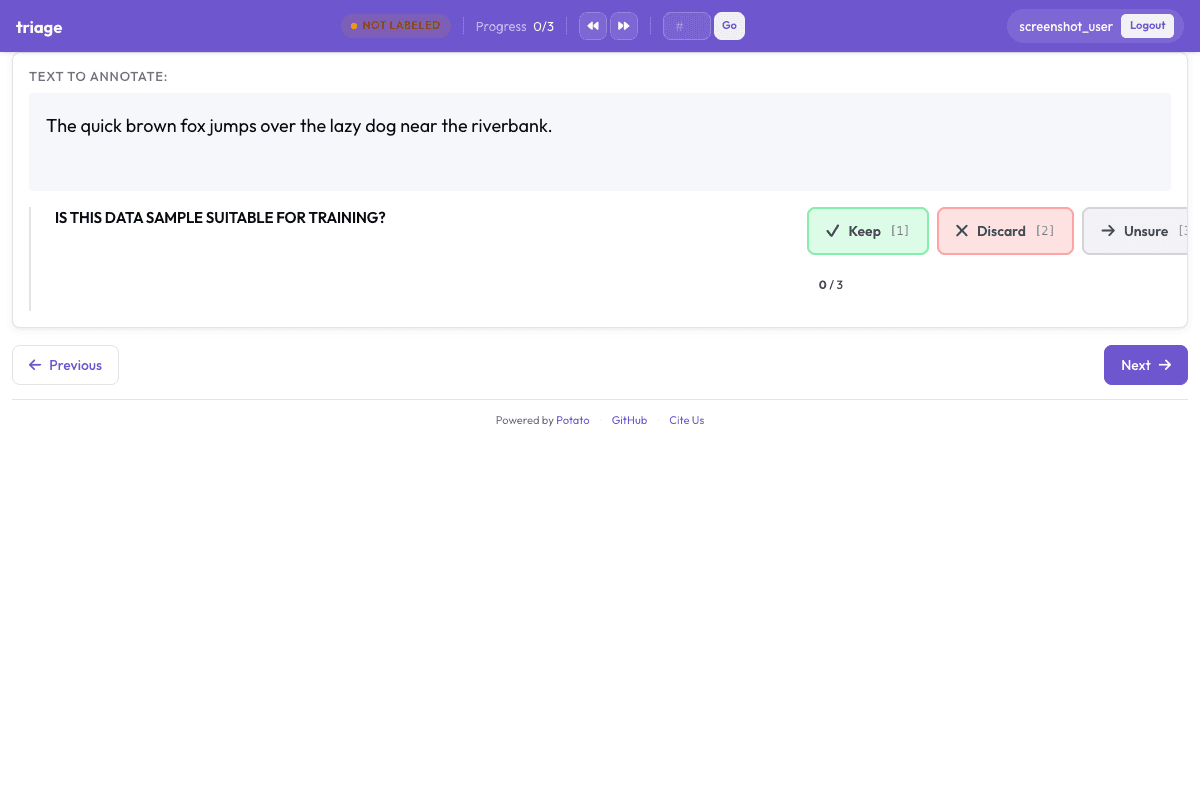
Rapid accept/reject/skip screening interface for high-throughput data quality filtering. Auto-advances to the next item after each decision.
Configuration Fileconfig.yaml
# Triage Configuration
# Rapid accept/reject/skip interface for data quality screening

annotation_task_name: Simple Triage Example
task_dir: .
output_annotation_dir: annotation_output
export_annotation_format: jsonl

data_files:
  - data.json

item_properties:
  id_key: id
  text_key: text

user_config:
  allow_all_users: true
  users: []

# Time alert disabled for rapid triage
alert_time_each_instance: 0
instance_display:
  fields:
    - key: text
      type: text
      label: "Report"
    - key: context
      type: text
      label: "Context"

annotation_schemes:
  # Triage annotation - accept, reject, or skip each item
  - annotation_type: triage
    name: data_quality
    description: Is this data sample suitable for training?
    # Auto-advance to next item after selection (default: true)
    auto_advance: true
    # Show progress bar (default: true)
    show_progress: true
    # Default keyboard shortcuts: 1=Keep, 2=Discard, 3=Unsure
    # (adjacent keys for fast one-hand operation)
Sample Datasample-data.json
[
  {
    "id": "triage_1",
    "text": "The quick brown fox jumps over the lazy dog near the riverbank.",
    "context": "Standard English sentence"
  },
  {
    "id": "triage_2",
    "text": "asdf jkl; qwerty uiop zxcvbnm 12345 random gibberish text here",
    "context": "Possibly noise/gibberish"
  }
]

// ... and 1 more items
Get This Design
This design is available in our showcase. Copy the configuration below to get started.
Quick start:
# Create your project folder
mkdir triage
cd triage
# Copy config.yaml from above
potato start config.yaml
Details
Annotation Types
Domain
Use Cases
Tags
Related Designs
CoNLL-2003 NER with Triage
Named entity recognition with a triage pre-annotation step, based on the CoNLL-2003 Shared Task (Tjong Kim Sang & De Meulder, CoNLL 2003). Annotators first flag whether a sentence contains entities worth annotating, then mark spans for Person, Organization, Location, and Miscellaneous entities.
Triage Quick Annotation Template
A reusable template for quick triage annotation. Annotators flag whether each item needs detailed annotation and assign a priority level. Designed to be copied and customized for any text annotation workflow that benefits from a triage pre-filtering step.
#HashtagWars - Learning a Sense of Humor
Humor ranking of tweets submitted to Comedy Central's @midnight #HashtagWars, classifying comedic quality. Based on SemEval-2017 Task 6.