Named Entity Recognition
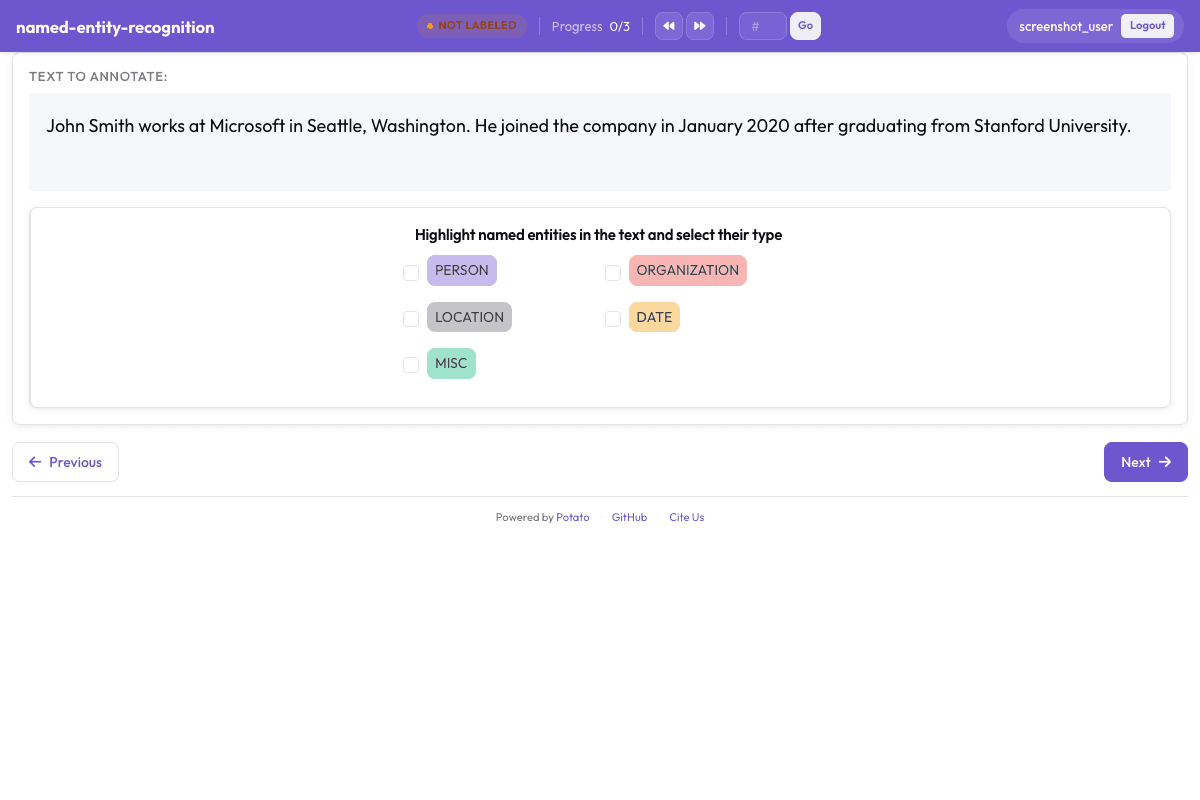
Span-based annotation for identifying entities like persons, organizations, locations, and dates in text.
Configuration Fileconfig.yaml
# Named Entity Recognition Configuration
# Generated by Potato Annotation Showcase

port: 8000
annotation_task_name: "Named Entity Recognition"
task_dir: "."

# Data configuration
data_files:
  - "data.json"

item_properties:
  id_key: id
  text_key: text

# Output
output_annotation_dir: "annotation_output/"
export_annotation_format: "jsonl"
instance_display:
  fields:
    - key: text
      type: text
      label: "Text"

# Annotation scheme
annotation_schemes:
  - annotation_type: span
    name: entities
    description: "Highlight named entities in the text and select their type"
    labels:
      - name: PERSON
        color: "#3b82f6"
        tooltip: "Names of people (e.g., 'John Smith', 'Dr. Johnson')"
      - name: ORGANIZATION
        color: "#10b981"
        tooltip: "Companies, institutions, agencies (e.g., 'Google', 'United Nations')"
      - name: LOCATION
        color: "#f59e0b"
        tooltip: "Places, cities, countries (e.g., 'New York', 'France')"
      - name: DATE
        color: "#8b5cf6"
        tooltip: "Dates and time expressions (e.g., 'January 2024', 'next Monday')"
      - name: MISC
        color: "#6b7280"
        tooltip: "Other named entities that don't fit the above categories"

# User configuration
require_password: false

# Task assignment
Sample Datasample-data.json
[
  {
    "id": "named_entity_recognition_1",
    "text": "Apple announced new products in Cupertino on Tuesday."
  },
  {
    "id": "named_entity_recognition_2",
    "text": "Dr. Sandra Okoye joined the World Health Organization in Geneva."
  }
]

// ... and 3 more items
Try it live — no install
Boot the real Potato server in your browser (WebAssembly) and annotate with this exact config. Nothing leaves your machine.
▶ Run live in your browserGet This Design
This design is available in our showcase. Copy the configuration below to get started.
Quick start:
# Create your project folder
mkdir named-entity-recognition
cd named-entity-recognition
# Copy config.yaml from above
potato start config.yaml
Details
Annotation Types
Domain
Use Cases
Tags
Related Designs
Aspect-Based Sentiment Analysis
Identification of aspect terms in review text with sentiment polarity classification for each aspect. Based on SemEval-2016 Task 5 (ABSA).
BioNLP 2011 - Gene Regulation Event Extraction
Biomedical event extraction for gene regulation, based on the BioNLP 2011 Shared Task (Kim et al., ACL Workshop 2011). Annotators identify biological entities and mark regulatory events such as gene expression, transcription, and protein catabolism in scientific abstracts.
Causal Medical Claim Identification and PIO Frame Extraction
Identify causal medical claim spans in Reddit health posts (Subtask 1: Claim, Experience, Experience-based claim, Question) and extract PIO frames — Population, Intervention, Outcome (Subtask 2). Based on SemEval-2023 Task 8 (Khetan et al.).