Escalas Likert
Configure escalas Likert no Potato para medir atitudes, opiniões e avaliações de qualidade em escalas de 5, 7 ou pontos personalizados, com extremos rotulados e validação obrigatória.
As escalas Likert permitem que os anotadores avaliem itens em uma escala numérica, comumente usadas para intensidade de sentimento, níveis de concordância e avaliações de qualidade.
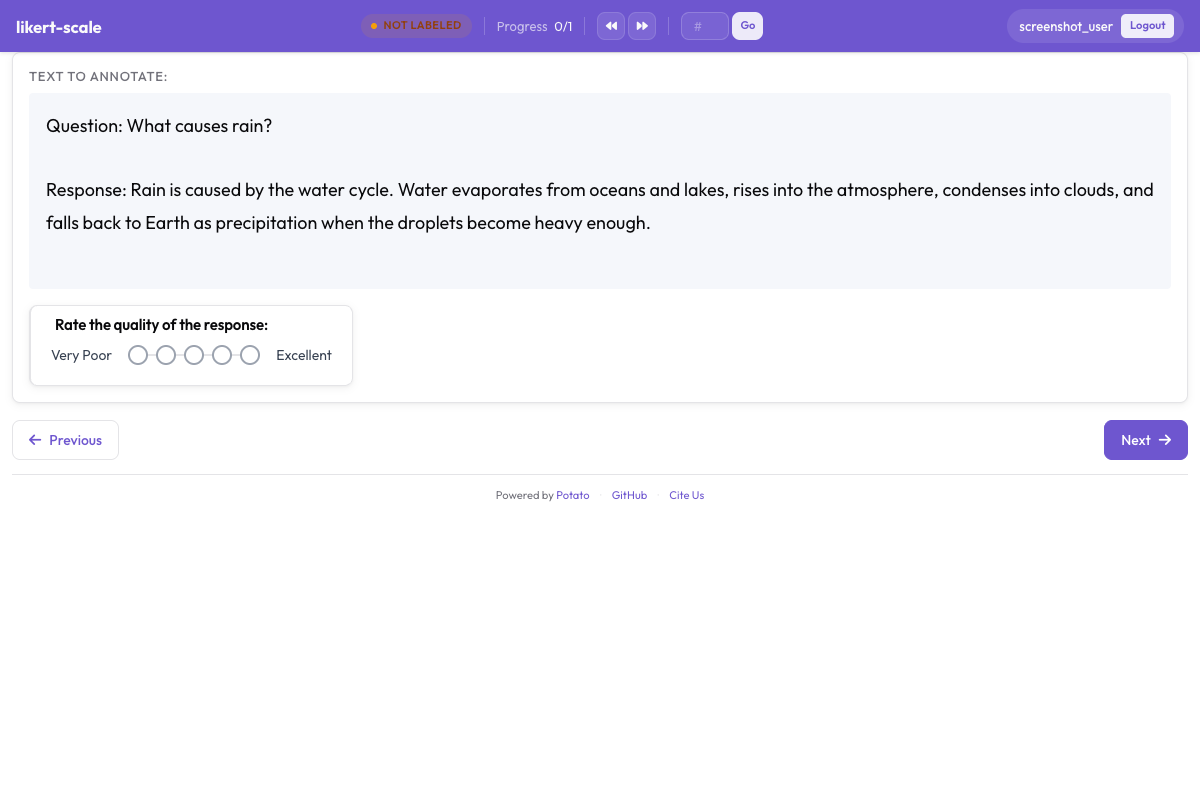 Likert scale with labeled endpoints for rating tasks in Potato
Configuração Básica
annotation_schemes:
  - annotation_type: likert
    name: agreement
    description: "How much do you agree with this statement?"
    size: 5
    min_label: "Strongly Disagree"
    max_label: "Strongly Agree"
Opções de Configuração
Tamanho da Escala
Defina o número de pontos:
size: 5  # 5-point scale (1-5)
size: 7  # 7-point scale (1-7)
size: 10 # 10-point scale (1-10)
Rótulos dos Extremos
Rotule os extremos da escala:
min_label: "Not at all"
max_label: "Extremely"
Rótulo Central
Para escalas com número ímpar de pontos, rotule o ponto médio:
size: 5
min_label: "Strongly Disagree"
max_label: "Strongly Agree"
mid_label: "Neutral"  # Shown at position 3
Todos os Rótulos
Rotule cada ponto da escala:
size: 5
labels:
  1: "Strongly Disagree"
  2: "Disagree"
  3: "Neutral"
  4: "Agree"
  5: "Strongly Agree"
Tipos Comuns de Escala
Escala de Concordância (5 pontos)
- annotation_type: likert
  name: agreement
  size: 5
  min_label: "Strongly Disagree"
  max_label: "Strongly Agree"
Escala de Frequência
- annotation_type: likert
  name: frequency
  size: 5
  labels:
    1: "Never"
    2: "Rarely"
    3: "Sometimes"
    4: "Often"
    5: "Always"
Escala de Qualidade
- annotation_type: likert
  name: quality
  size: 5
  min_label: "Very Poor"
  max_label: "Excellent"
Escala de Importância
- annotation_type: likert
  name: importance
  size: 5
  min_label: "Not Important"
  max_label: "Extremely Important"
Escala de Satisfação
- annotation_type: likert
  name: satisfaction
  size: 5
  min_label: "Very Dissatisfied"
  max_label: "Very Satisfied"
Atalhos de Teclado
Habilite os atalhos das teclas numéricas:
- annotation_type: likert
  name: rating
  size: 5
Opções de Exibição
Layout Horizontal (Padrão)
- annotation_type: likert
  name: rating
  size: 5
Mostrar Números
Exiba os valores numéricos:
- annotation_type: likert
  name: rating
  size: 5
Múltiplas Escalas Likert
Avalie vários aspectos:
annotation_schemes:
  - annotation_type: likert
    name: clarity
    description: "How clear is this text?"
    size: 5
    min_label: "Very Unclear"
    max_label: "Very Clear"

  - annotation_type: likert
    name: relevance
    description: "How relevant is this text?"
    size: 5
    min_label: "Not Relevant"
    max_label: "Highly Relevant"

  - annotation_type: likert
    name: quality
    description: "Overall quality rating"
    size: 5
    min_label: "Poor"
    max_label: "Excellent"
Multirate (Avaliação em Matriz)
Para avaliar vários itens na mesma escala:
- annotation_type: multirate
  name: aspect_ratings
  description: "Rate each aspect"
Isso é exibido como uma matriz em que cada linha é um item e as colunas são os pontos da escala.
Diferencial Semântico
Avalie entre dois conceitos opostos:
- annotation_type: likert
  name: tone
  size: 7
  min_label: "Formal"
  max_label: "Informal"

- annotation_type: likert
  name: sentiment
  size: 7
  min_label: "Negative"
  max_label: "Positive"
Obrigatório vs. Opcional
Torne a avaliação obrigatória:
- annotation_type: likert
  name: rating
  size: 5
  label_requirement:
    required: true
Valor Padrão
Defina um valor pré-selecionado:
- annotation_type: likert
  name: rating
  size: 5
Exemplo Completo: Tarefa de Pesquisa
annotation_task_name: "Content Quality Survey"

annotation_schemes:
  - annotation_type: likert
    name: clarity
    description: "How clear and understandable is this content?"
    size: 5
    min_label: "Very Unclear"
    max_label: "Very Clear"

  - annotation_type: likert
    name: accuracy
    description: "How accurate is the information?"
    size: 5
    min_label: "Very Inaccurate"
    max_label: "Very Accurate"

  - annotation_type: likert
    name: usefulness
    description: "How useful would this be for the target audience?"
    size: 5
    min_label: "Not Useful"
    max_label: "Very Useful"

  - annotation_type: text
    name: feedback
    description: "Any additional feedback? (Optional)"
    label_requirement:
      required: false
Boas Práticas
- Use números ímpares para escalas com um ponto médio neutro
- Use números pares para forçar uma direção (sem opção neutra)
- 5 ou 7 pontos funcionam melhor para a maioria das aplicações
- Rotule claramente os extremos para ancorar a escala
- Seja consistente em todo o projeto quanto à direção da escala
- Considere os atalhos de teclado para anotar mais rápido