Creare un task di analisi del sentiment
Come costruire un task completo di classificazione del sentiment, con pulsanti radio, tooltip e scorciatoie da tastiera per etichettare in fretta.
L'analisi del sentiment è uno dei task di NLP più diffusi, e raccogliere etichette pulite in Potato è semplice. Questo tutorial costruisce un'interfaccia di annotazione del sentiment che puoi davvero mettere davanti agli annotatori, con le scorciatoie da tastiera e i controlli di qualità che rendono più rapido l'etichettamento.
Il progetto in breve
Annotiamo post dai social. L'interfaccia comprende:
- Classificazione del sentiment su tre valori (Positive, Negative, Neutral)
- Un giudizio di confidenza per ogni annotazione
- Spiegazioni testuali facoltative
- Scorciatoie da tastiera per andare più veloci
- Misure di controllo qualità
Configurazione completa
Ecco il config.yaml per intero:
annotation_task_name: "Social Media Sentiment Analysis"

# Data configuration
data_files:
  - "data/tweets.json"

item_properties:
  id_key: id
  text_key: text

# Annotation interface
annotation_schemes:
  # Primary sentiment label
  - annotation_type: radio
    name: sentiment
    description: "What is the overall sentiment of this post?"
    labels:
      - name: Positive
        tooltip: "Expresses happiness, satisfaction, or approval"
        key_value: "1"
      - name: Negative
        tooltip: "Expresses sadness, frustration, or disapproval"
        key_value: "2"
      - name: Neutral
        tooltip: "Factual, objective, or lacks emotional content"
        key_value: "3"
    label_requirement:
      required: true

  # Confidence rating
  - annotation_type: likert
    name: confidence
    description: "How confident are you in your sentiment label?"
    size: 5
    min_label: "Not confident"
    max_label: "Very confident"
    label_requirement:
      required: true

  # Optional explanation
  - annotation_type: text
    name: explanation
    description: "Why did you choose this label? (Optional)"
    rows: 4
    label_requirement:
      required: false
    placeholder: "Explain your reasoning..."

# Guidelines
annotation_instructions: |
  ## Sentiment Annotation Guidelines

  ### Your Task
  Classify the sentiment expressed in each social media post.

  ### Labels

  **Positive**: The author expresses positive emotions or opinions
  - Happiness, excitement, gratitude
  - Praise, recommendations, approval
  - Examples: "Love this!", "Best day ever!", "Highly recommend"

  **Negative**: The author expresses negative emotions or opinions
  - Anger, frustration, sadness
  - Complaints, criticism, disapproval
  - Examples: "Terrible service", "So disappointed", "Worst experience"

  **Neutral**: Factual or lacking clear sentiment
  - News, announcements, questions
  - Mixed or balanced opinions
  - Examples: "The store opens at 9am", "Has anyone tried this?"

  ### Tips
  - Focus on the author's sentiment, not the topic
  - Sarcasm should be labeled based on intended meaning
  - When unsure, lower your confidence rating

# User management
automatic_assignment:
  on: true
  sampling_strategy: random
  labels_per_instance: 1
  instance_per_annotator: 100
Formato dei dati di esempio
Crea data/tweets.json:
{"id": "t001", "text": "Just got my new laptop and I'm absolutely loving it! Best purchase of the year! #happy"}
{"id": "t002", "text": "Waited 2 hours for customer service and they still couldn't help me. Never shopping here again."}
{"id": "t003", "text": "The new coffee shop on Main Street opens tomorrow at 7am."}
{"id": "t004", "text": "This movie was okay I guess. Some good parts, some boring parts."}
{"id": "t005", "text": "Can't believe how beautiful the sunset was tonight! Nature is amazing."}
Avviare il task
Fai partire il server di annotazione:
potato start config.yamlVai su http://localhost:8000 e accedi per iniziare ad annotare.
Ecco che cosa vedono gli annotatori una volta acceso il server:
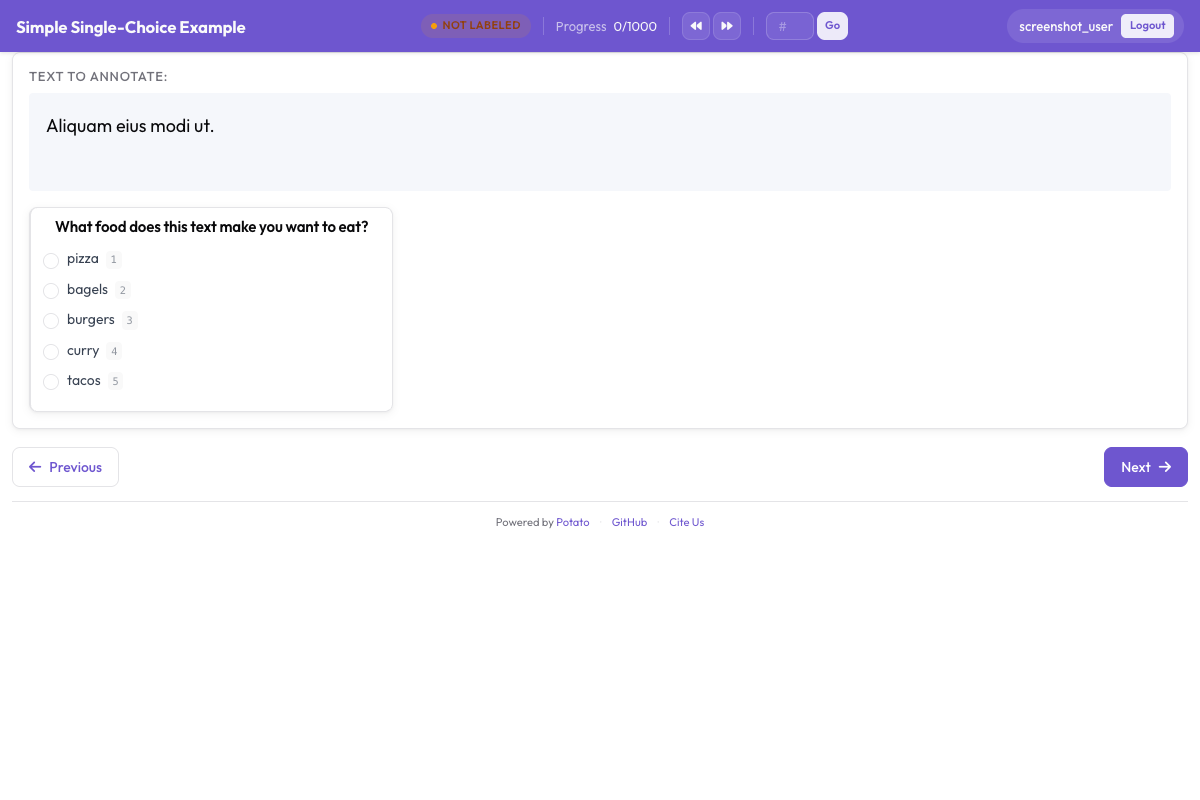 L'interfaccia di classificazione del sentiment, con le etichette a pulsanti radio, la scala di confidenza e il campo facoltativo per la spiegazione
Capire l'interfaccia
L'area di annotazione
L'interfaccia mostra:
- Il testo da annotare (con URL, menzioni e hashtag evidenziati)
- I pulsanti radio del sentiment, con i tooltip
- La scala Likert della confidenza
- Il campo di testo facoltativo per la spiegazione
Il flusso da tastiera
Quando gli annotatori prendono il ritmo, il giro più veloce è questo:
- Leggi il testo
- Premi
1,2o3per il sentiment - Clicca il livello di confidenza (o usa il mouse)
- Premi
Enterper inviare
Avanzamento
L'interfaccia mostra:
- L'avanzamento attuale (ad esempio «15 / 100»)
- Il tempo stimato che manca
- Le statistiche della sessione
Formato di output
Il lavoro di ciascun annotatore viene salvato in <output_annotation_dir>/<user>/user_state.json, qualunque cosa indichi export_annotation_format. Quell'impostazione aggiunge un'esportazione periodica accanto, quindi con jsonl il file combinato è <output_annotation_dir>/exports/jsonl/annotations.jsonl, con un record per annotatore per istanza:
{
  "instance_id": "t001",
  "user_id": "john_doe",
  "labels": {
    "sentiment": {"Positive": "true"},
    "confidence": {"5": "true"},
    "explanation": {"text_box": "Clear expression of happiness with the purchase"}
  },
  "spans": {},
  "links": {}
}
Aggiungere il controllo qualità
Verifiche di attenzione
Aggiungi elementi gold standard per verificare che gli annotatori stiano attenti. Per tutte le opzioni degli schemi radio e likert usati qui, vedi la documentazione di riferimento.
attention_checks:
  enabled: true
  frequency: 10          # Every 10th item
  items_file: data/attention_checks.json
  failure_handling:
    warn_threshold: 2
    block_threshold: 5
Gli elementi stanno in items_file invece che direttamente nella configurazione, e ognuno porta con sé la risposta che dovrebbe ricevere:
[
  {
    "id": "chk1",
    "text": "I am extremely happy and satisfied! This is the best!",
    "expected_answer": { "sentiment": "Positive" }
  },
  {
    "id": "chk2",
    "text": "This is absolutely terrible and I hate it completely.",
    "expected_answer": { "sentiment": "Negative" }
  }
]
Gli elementi gold standard usano gold_label al posto di expected_answer e vanno in gold_standards.items_file. Nota che entrambi i blocchi vanno al livello superiore. Potato legge attention_checks dalla radice della configurazione, quindi se lo metti dentro un blocco quality_control: resta non letto e non viene segnalato alcun errore.
Accordo tra annotatori
Nei progetti di ricerca, attiva le annotazioni multiple:
automatic_assignment:
  on: true
  sampling_strategy: random
  labels_per_instance: 3  # Each item annotated by 3 people
  instance_per_annotator: 50
Analizzare i risultati
Esporta le annotazioni e analizzale:
import json
from collections import Counter

records = []
with open('annotation_output/exports/jsonl/annotations.jsonl') as f:
    for line in f:
        records.append(json.loads(line))

def chosen(record, scheme):
    """The label picked for a single-choice scheme: the key whose value is "true"."""
    for name, value in record["labels"].get(scheme, {}).items():
        if value == "true":
            return name
    return None

sentiments = Counter(chosen(r, "sentiment") for r in records)
print(f"Sentiment distribution: {dict(sentiments)}")

# A likert stores its scale position the same way, as the label name
points = [int(p) for r in records if (p := chosen(r, "confidence"))]
print(f"Average confidence: {sum(points)/len(points):.2f}")
Prossimi passi
- Configura il crowdsourcing per annotare su larga scala
- Aggiungi i suggerimenti dell'AI per etichettare più in fretta
- Usa l'active learning per dare la precedenza ai casi difficili
Trovi gli altri tipi di annotazione nella documentazione.