إنشاء مهمة تحليل المشاعر
ابنِ مهمة كاملة لتصنيف المشاعر بأزرار اختيار وتلميحات واختصارات لوحة مفاتيح لتوسيم فعّال.
تحليل المشاعر من أكثر مهام معالجة اللغات الطبيعية شيوعاً، وجمع تسميات نظيفة له في Potato أمر مباشر. يبني هذا الدرس واجهة توصيف مشاعر يمكنك وضعها فعلاً أمام المُوصِّفين، مع اختصارات لوحة المفاتيح وفحوصات الجودة التي تُسرّع التوسيم.
نظرة عامة على المشروع
نحن نوصّف منشورات من وسائل التواصل الاجتماعي. تشمل الواجهة:
- تصنيف ثلاثي للمشاعر (Positive وNegative وNeutral)
- تقييمات ثقة لكل توصيف
- تفسيرات نصية اختيارية
- اختصارات لوحة مفاتيح للسرعة
- إجراءات لمراقبة الجودة
الإعداد الكامل
إليك ملف config.yaml كاملاً:
annotation_task_name: "Social Media Sentiment Analysis"

# Data configuration
data_files:
  - "data/tweets.json"

item_properties:
  id_key: id
  text_key: text

# Annotation interface
annotation_schemes:
  # Primary sentiment label
  - annotation_type: radio
    name: sentiment
    description: "What is the overall sentiment of this post?"
    labels:
      - name: Positive
        tooltip: "Expresses happiness, satisfaction, or approval"
        key_value: "1"
      - name: Negative
        tooltip: "Expresses sadness, frustration, or disapproval"
        key_value: "2"
      - name: Neutral
        tooltip: "Factual, objective, or lacks emotional content"
        key_value: "3"
    label_requirement:
      required: true

  # Confidence rating
  - annotation_type: likert
    name: confidence
    description: "How confident are you in your sentiment label?"
    size: 5
    min_label: "Not confident"
    max_label: "Very confident"
    label_requirement:
      required: true

  # Optional explanation
  - annotation_type: text
    name: explanation
    description: "Why did you choose this label? (Optional)"
    rows: 4
    label_requirement:
      required: false
    placeholder: "Explain your reasoning..."

# Guidelines
annotation_instructions: |
  ## Sentiment Annotation Guidelines

  ### Your Task
  Classify the sentiment expressed in each social media post.

  ### Labels

  **Positive**: The author expresses positive emotions or opinions
  - Happiness, excitement, gratitude
  - Praise, recommendations, approval
  - Examples: "Love this!", "Best day ever!", "Highly recommend"

  **Negative**: The author expresses negative emotions or opinions
  - Anger, frustration, sadness
  - Complaints, criticism, disapproval
  - Examples: "Terrible service", "So disappointed", "Worst experience"

  **Neutral**: Factual or lacking clear sentiment
  - News, announcements, questions
  - Mixed or balanced opinions
  - Examples: "The store opens at 9am", "Has anyone tried this?"

  ### Tips
  - Focus on the author's sentiment, not the topic
  - Sarcasm should be labeled based on intended meaning
  - When unsure, lower your confidence rating

# User management
automatic_assignment:
  on: true
  sampling_strategy: random
  labels_per_instance: 1
  instance_per_annotator: 100
تنسيق بيانات العيّنة
أنشئ data/tweets.json:
{"id": "t001", "text": "Just got my new laptop and I'm absolutely loving it! Best purchase of the year! #happy"}
{"id": "t002", "text": "Waited 2 hours for customer service and they still couldn't help me. Never shopping here again."}
{"id": "t003", "text": "The new coffee shop on Main Street opens tomorrow at 7am."}
{"id": "t004", "text": "This movie was okay I guess. Some good parts, some boring parts."}
{"id": "t005", "text": "Can't believe how beautiful the sunset was tonight! Nature is amazing."}
تشغيل المهمة
شغّل خادم التوصيف:
potato start config.yamlانتقل إلى http://localhost:8000 وسجّل الدخول لبدء التوصيف.
هذا ما يراه المُوصِّفون بعد تشغيل الخادم:
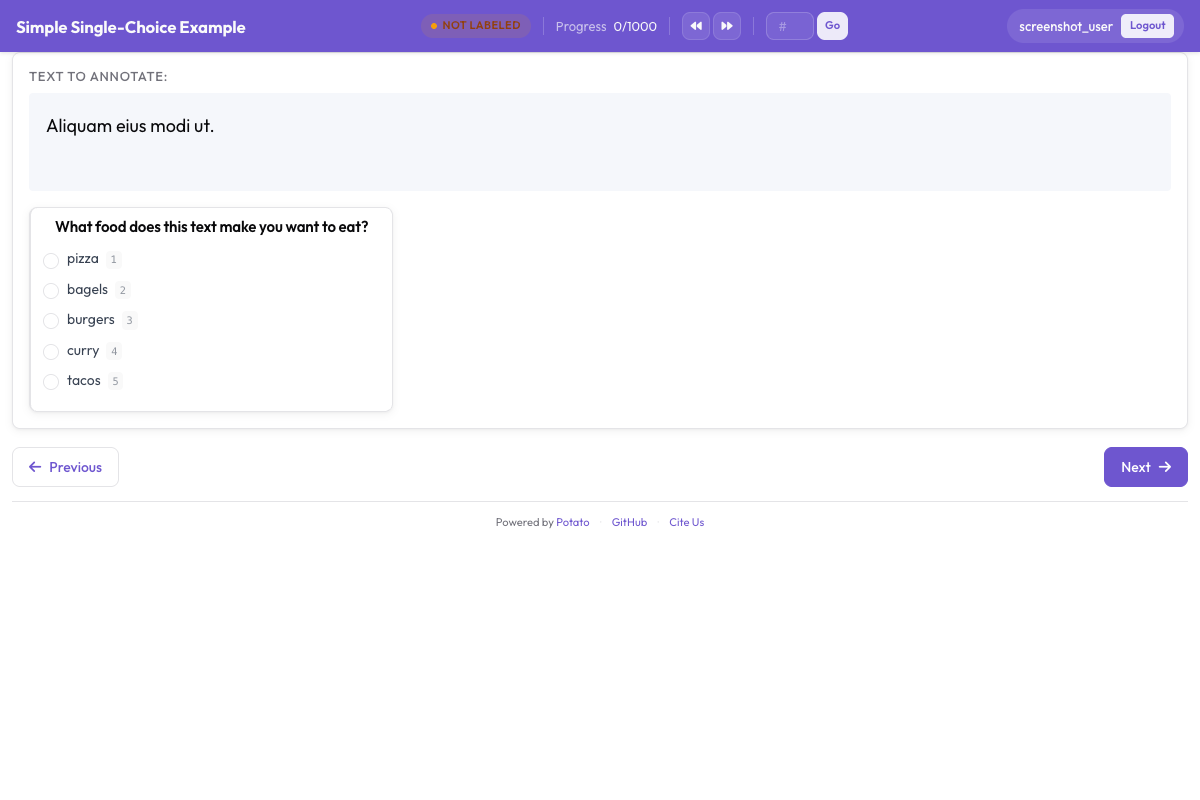 واجهة تصنيف المشاعر تعرض تسميات أزرار الاختيار ومقياس الثقة وحقل التفسير الاختياري
فهم الواجهة
منطقة التوصيف الرئيسية
تعرض الواجهة:
- النص المطلوب توصيفه (مع تمييز الروابط والإشارات والوسوم)
- أزرار اختيار المشاعر مع تلميحات
- مقياس Likert للثقة
- مربع نص اختياري للتفسير
سير العمل بلوحة المفاتيح
حين يعتاد المُوصِّفون الإيقاع، تكون أسرع دورة كالتالي:
- اقرأ النص
- اضغط
1أو2أو3لتحديد المشاعر - انقر على مستوى الثقة (أو استخدم الفأرة)
- اضغط
Enterللإرسال
تتبع التقدم
تعرض الواجهة:
- التقدم الحالي (مثل "15 / 100")
- الوقت المتبقي المقدّر
- إحصائيات الجلسة
تنسيق المخرجات
يُحفظ عمل كل مُوصِّف في <output_annotation_dir>/<user>/user_state.json أياً كانت قيمة export_annotation_format. يضيف هذا الإعداد تصديراً دورياً إلى جانبه، فمع jsonl يكون الملف المجمّع هو <output_annotation_dir>/exports/jsonl/annotations.jsonl، بسجل واحد لكل مُوصِّف عن كل عنصر:
{
  "instance_id": "t001",
  "user_id": "john_doe",
  "labels": {
    "sentiment": {"Positive": "true"},
    "confidence": {"5": "true"},
    "explanation": {"text_box": "Clear expression of happiness with the purchase"}
  },
  "spans": {},
  "links": {}
}
إضافة مراقبة الجودة
فحوصات الانتباه
أضف عناصر معيارية ذهبية للتحقق من انتباه المُوصِّفين. للاطلاع على الخيارات الكاملة لمخططَي radio وlikert المستخدمين هنا، راجع التوثيق المصدري.
attention_checks:
  enabled: true
  frequency: 10          # Every 10th item
  items_file: data/attention_checks.json
  failure_handling:
    warn_threshold: 2
    block_threshold: 5
توضع العناصر في items_file بدلاً من كتابتها مباشرة داخل الإعداد، ويحمل كل عنصر الإجابة التي ينبغي أن يحصل عليها:
[
  {
    "id": "chk1",
    "text": "I am extremely happy and satisfied! This is the best!",
    "expected_answer": { "sentiment": "Positive" }
  },
  {
    "id": "chk2",
    "text": "This is absolutely terrible and I hate it completely.",
    "expected_answer": { "sentiment": "Negative" }
  }
]
تستخدم العناصر المعيارية الذهبية gold_label بدلاً من expected_answer، وتوضع في gold_standards.items_file. لاحظ أن الكتلتين كلتيهما تنتميان إلى المستوى الأعلى. يقرأ Potato الكتلة attention_checks من جذر الإعداد، لذا فإن وضعها داخل كتلة quality_control: يتركها دون قراءة ولا يُبلغ عن أي خطأ.
اتفاق المُوصِّفين
للمشاريع البحثية، فعّل التوصيفات المتعددة:
automatic_assignment:
  on: true
  sampling_strategy: random
  labels_per_instance: 3  # Each item annotated by 3 people
  instance_per_annotator: 50
تحليل النتائج
صدّر توصيفاتك وحلّلها:
import json
from collections import Counter

records = []
with open('annotation_output/exports/jsonl/annotations.jsonl') as f:
    for line in f:
        records.append(json.loads(line))

def chosen(record, scheme):
    """The label picked for a single-choice scheme: the key whose value is "true"."""
    for name, value in record["labels"].get(scheme, {}).items():
        if value == "true":
            return name
    return None

sentiments = Counter(chosen(r, "sentiment") for r in records)
print(f"Sentiment distribution: {dict(sentiments)}")

# A likert stores its scale position the same way, as the label name
points = [int(p) for r in records if (p := chosen(r, "confidence"))]
print(f"Average confidence: {sum(points)/len(points):.2f}")
الخطوات التالية
- أعدّ التعهيد الجماعي للتوصيف واسع النطاق
- أضف اقتراحات الذكاء الاصطناعي لتسريع التوسيم
- طبّق التعلم النشط لإعطاء الأولوية للحالات الصعبة
استكشف المزيد من أنواع التوصيف في التوثيق.