Image Comparison and Preference Tasks
Build an image comparison task in Potato with two images side by side, a preference scheme, randomized presentation order, and a ranking setup for larger pools.
This tutorial builds an image comparison task in Potato with two generated images side by side, a five-point preference scale, per-criterion follow-up questions, and the ranking and Best-Worst Scaling variants for pools larger than two. The same construction covers RLHF preference data, compression and enhancement comparisons, and design A/B tests.
A comparison asks the annotator to choose between two images rather than to place one image on a scale, which removes the need for every annotator to share a calibration for what a 4 out of 5 means. The cost is that a pool of n images needs many more judgments to produce a full ordering, which is what the ranking and Best-Worst Scaling sections at the end address.
The data file
Each row carries an identifier, the two image paths, and whatever context the annotator needs to judge them. Potato reads the field names from item_properties, so the names themselves are yours to choose:
{"id": "pair_001", "prompt": "A sunset over mountains", "image_a": "/media/model_a_001.png", "image_b": "/media/model_b_001.png"}
{"id": "pair_002", "prompt": "A cat on a windowsill", "image_a": "/media/model_a_002.png", "image_b": "/media/model_b_002.png"}
Showing two images side by side
Content and questions are configured separately in Potato. The instance_display block says what the annotator looks at, and annotation_schemes says what they are asked. Two image fields with a horizontal layout put the images next to each other, and zoomable lets the annotator inspect artifacts that are invisible at display size:
instance_display:
  layout:
    direction: horizontal
    gap: 24px
  fields:
    - key: image_a
      type: image
      label: "Image A"
      display_options:
        max_height: 512
        zoomable: true
        alt_text: "First generated image"
    - key: image_b
      type: image
      label: "Image B"
      display_options:
        max_height: 512
        zoomable: true
        alt_text: "Second generated image"
Here is what the annotator sees once the display and the scheme are both configured:
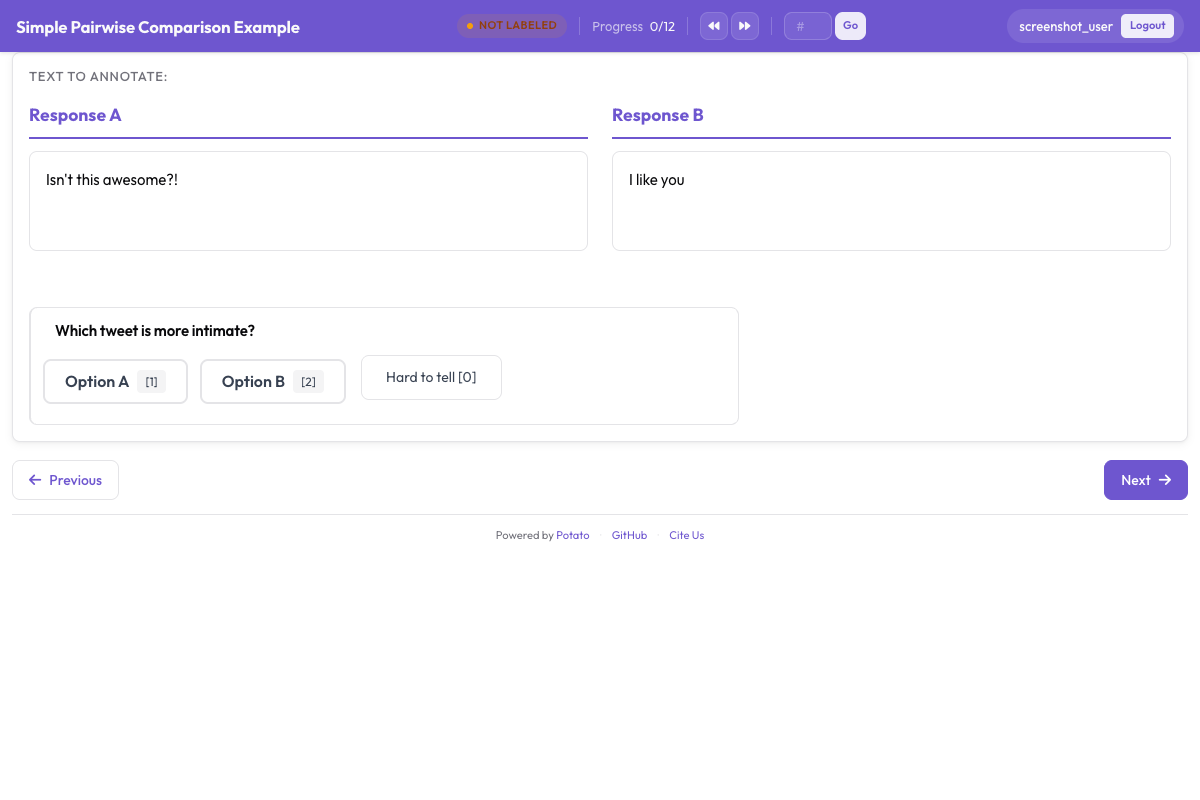 A comparison task showing both candidates with the preference question below them
The preference question
A five-point scale separates a strong preference from a weak one, which matters when you train on the result, because a pair the annotators split evenly carries a different training signal from one they all called clearly. sequential_key_binding gives the five options the keys 1 through 5, which is the difference between a comparison that takes four seconds and one that takes twelve.
annotation_schemes:
  - annotation_type: radio
    name: preference
    description: "Which image better matches the prompt?"
    labels:
      - name: "A is clearly better"
      - name: "A is slightly better"
      - name: "About equal"
      - name: "B is slightly better"
      - name: "B is clearly better"
    sequential_key_binding: true
    label_requirement:
      required: true
Add this block to the config above. Make the middle option say "About equal" rather than "No preference", since the two describe different judgments and annotators use a "no preference" option as a skip button.
Position bias
Annotators pick the left option more often than they should, so the side an image lands on has to vary. Randomize it when you build the data file, by swapping image_a and image_b for a random half of the rows and recording which way round each row went, then flip the recorded judgments back before you analyze them. Potato's display fields render in the order you list them, so the config cannot do this for you.
Text comparisons are different. The pairwise schema draws its two candidates from one field of the item data, so randomize_order can permute them, and Potato records the order each annotator actually saw. The seed is derived from the annotator, the item, and the scheme together, which is what makes a person's first-position preference land on different candidates across items instead of correlating with one side for the whole study. See the pairwise comparison documentation when the things being compared are text.
Asking about specific criteria
An overall preference tells you which image won and nothing about why. Adding two or three narrow questions underneath makes the disagreements readable, since annotators who split on the overall judgment often agree about prompt adherence and disagree about aesthetics.
  - annotation_type: radio
    name: prompt_adherence
    description: "Which image better matches the prompt?"
    labels:
      - name: A
      - name: Tie
      - name: B

  - annotation_type: multiselect
    name: issues_a
    description: "Problems in Image A (select all that apply)"
    labels:
      - name: "Distorted faces or hands"
      - name: "Text rendering errors"
      - name: "Unnatural lighting"
      - name: "Missing elements from the prompt"
      - name: "Blurry or low quality"
      - name: "None"
Add these schemes to the block above. Keep the list of criteria short. Every extra question multiplies through the whole study, and a five-criterion form on 2,000 pairs is 10,000 judgments that each need their own definition in the instructions.
Before-and-after comparison
Enhancement, restoration, and editing tasks use the same two-image construction with the sides named rather than randomized, because which side is the original is part of the question:
instance_display:
  layout:
    direction: horizontal
    gap: 24px
  fields:
    - key: original
      type: image
      label: "Original"
      display_options:
        max_height: 512
        zoomable: true
    - key: enhanced
      type: image
      label: "Enhanced"
      display_options:
        max_height: 512
        zoomable: true

annotation_schemes:
  - annotation_type: radio
    name: enhancement_quality
    description: "How did the edit change the image?"
    labels:
      - name: "Clearly improved"
      - name: "Slightly improved"
      - name: "No noticeable change"
      - name: "Made worse"
    label_requirement:
      required: true

  - annotation_type: multiselect
    name: problems_introduced
    description: "Problems the edit introduced (select all that apply)"
    labels:
      - name: "Over-sharpening or halos"
      - name: "Color shift"
      - name: "Loss of detail"
      - name: "New artifacts"
      - name: "None"
Ask about problems introduced separately from overall quality. An edit that sharpens the subject and adds halos around it reads as an improvement on a single scale, and the halos are what you need to know about.
More than two images
For three to eight candidates per item, show them in a gallery field and collect a complete ordering with the ranking schema. The gallery takes a list of image paths from one field, so the data file holds an array rather than two separate keys:
item_properties:
  id_key: id
  text_key: prompt

instance_display:
  fields:
    - key: prompt
      type: text
      label: "Prompt"
    - key: images
      type: gallery
      display_options:
        layout: grid
        columns: 2
        thumbnail_size: 320
        zoomable: true

annotation_schemes:
  - annotation_type: ranking
    name: preference_rank
    description: "Drag the image numbers to rank them from best at the top to worst at the bottom."
    labels:
      - "Image 1"
      - "Image 2"
      - "Image 3"
      - "Image 4"
    allow_ties: false
    label_requirement:
      required: true
The labels name the positions in the gallery, so the list has to carry one entry per image and every item needs the same number of candidates. Ranking suits small sets, since the annotator compares every candidate against every other one at once. Above about eight candidates the effort per item grows faster than the information you get back.
Larger pools
Best-Worst Scaling is the option when the pool is too large to rank in one screen. Annotators see a tuple of items, usually four, and pick only the best and the worst, and the scores are computed across many overlapping tuples:
  - annotation_type: bws
    name: quality
    description: "Select the BEST and the WORST image in this set."
    tuple_size: 4
    best_description: "Best"
    worst_description: "Worst"
Add this scheme to the config above. Scoring runs after collection, from the admin dashboard's BWS tab or from the command line, and writes bws_scores.tsv to the output directory:
python -m potato.bws_scoring --config config.yaml --method bradley_terryThe counting method needs no extra dependencies and is the transparent baseline. bradley_terry fits a model over the implied pairwise comparisons and needs pip install choix. plackett_luce models each best and worst choice directly and needs nothing beyond Potato itself. The Best-Worst Scaling documentation covers the tuple generation that has to happen before any of this.
Instructions and attention checks
Say what "better" means for this task in the instructions, because annotators otherwise supply their own definition and you find out at the agreement stage. annotation_instructions puts the text on every annotation page:
annotation_instructions: |
  Judge each pair on how well it matches the prompt first, then on visual
  quality, then on how appealing it looks. Zoom in before deciding: hands,
  text, and fine texture are where generation failures show up. Mark "About
  equal" only when you have looked at both and cannot separate them.
Attention checks for a comparison task are pairs with an obvious winner, mixed into the queue from their own file so they stay out of your dataset:
attention_checks:
  enabled: true
  items_file: "data/attention_checks.json"
  frequency: 20
  min_response_time: 3.0
  failure_handling:
    warn_threshold: 2
    block_threshold: 5
Add both blocks to the config above. min_response_time catches the failure mode a comparison task is most exposed to, which is an annotator clicking through at a rate that leaves no time to have looked at the second image.
The complete configuration
This config runs an RLHF preference collection with two model outputs per item, a five-point preference, one criterion question, and a confidence rating. Three annotators see each pair, which is enough to report agreement and to take a majority label.
annotation_task_name: "Generative Model Comparison"
task_description: "Compare two generated images against the prompt that produced them."

data_files:
  - data/model_outputs.json

item_properties:
  id_key: id
  text_key: prompt

instance_display:
  layout:
    direction: horizontal
    gap: 24px
  fields:
    - key: image_a
      type: image
      label: "Image A"
      display_options:
        max_height: 512
        zoomable: true
        alt_text: "First generated image"
    - key: image_b
      type: image
      label: "Image B"
      display_options:
        max_height: 512
        zoomable: true
        alt_text: "Second generated image"

annotation_instructions: |
  Judge each pair on prompt match first, then visual quality, then appeal.
  Zoom in before deciding. Mark "About equal" only when you cannot separate them.

annotation_schemes:
  - annotation_type: radio
    name: preference
    description: "Which image better represents the prompt?"
    labels:
      - name: "A is clearly better"
      - name: "A is slightly better"
      - name: "About equal"
      - name: "B is slightly better"
      - name: "B is clearly better"
    sequential_key_binding: true
    label_requirement:
      required: true

  - annotation_type: radio
    name: prompt_adherence
    description: "Which image matches the prompt more closely?"
    labels:
      - name: A
      - name: Tie
      - name: B

  - annotation_type: likert
    name: confidence
    description: "How confident are you in this judgment?"
    size: 5
    min_label: "Guessing"
    max_label: "Certain"

attention_checks:
  enabled: true
  items_file: "data/attention_checks.json"
  frequency: 20
  min_response_time: 3.0
  failure_handling:
    warn_threshold: 2
    block_threshold: 5

num_annotators_per_item: 3
output_annotation_dir: annotation_output/image-comparison/
export_annotation_format: jsonl
Start it with potato start config.yaml -p 8000, open the port in a browser, and log in to check the pair renders the way you expect before you send the link anywhere. Annotate a few items yourself as well, because a scheme that reads clearly in the config often turns out to be ambiguous on the third real pair.
What the output contains
Potato writes per-annotator files under output_annotation_dir, and export_annotation_format adds a periodic export under <output_annotation_dir>/exports/<format>/. Each exported record names the instance, the annotator, and the label chosen for each scheme:
{"instance_id": "pair_001", "user_id": "rater_01", "labels": {"preference": {"A is slightly better": "A is slightly better"}, "confidence": {"4": "4"}}, "spans": {}, "links": {}}Join that back to your data file on instance_id to recover which model produced which side, and undo the left-right swap you applied when building the file before you aggregate anything. Doing that step last, rather than in the annotation config, is what keeps the raw record of what each annotator actually saw.
Next steps
- Collect preference data at scale with Prolific
- Measure inter-annotator agreement on the result
- Read the pairwise comparison documentation for text comparisons, and the Potato source documentation for the schema reference