Coding Agent Annotation: Evaluating Claude Code, Aider, and SWE-Agent Traces
Potato renders coding agent traces as diffs and terminal blocks, with process reward and code review schemas and converters for Claude Code, Aider, SWE-Agent.
Potato now annotates coding agent sessions directly. A trace renders as unified diffs, dark terminal blocks, line-numbered file reads, and a file tree of everything the agent touched, with three converters for coding agent formats (claude_code, aider, and swe_agent_trajectory) alongside the twelve other trace formats Potato already reads, and two annotation schemas built for this data: process_reward for step-level correctness and code_review for GitHub-style review of the diffs.
A coding agent run is a long trajectory of file reads, edits, terminal commands, and reasoning. A plain text annotation interface flattens all of it into a wall of characters, which is why teams evaluating agents have tended to write their own review UI and end up with datasets nobody else can use. For the full reference, see the coding agent annotation docs and the agent evaluation guide.
Two things to check before planning a study
Claude Code transcripts do not contain the model's thinking text. The files keep the thinking block and its signature and drop the content, measured at 6,393 blocks across 40 local sessions with no text in any of them. The converted trace reports the count so the gap is visible rather than silent. If annotators need the reasoning in order to judge the steps, capture it live with claude -p --output-format stream-json or the Agent SDK instead of reading it back off disk.
Transcripts also carry absolute paths, branch names, environment details, and whatever source the session read. Redact before sharing a dataset, and get consent from whoever's sessions they are.
The trace display
Coding traces render through the coding_trace display type, declared in instance_display alongside whatever else the annotator should see. Potato separates what is displayed from what is asked, so the same trace display works under any annotation schema:
instance_display:
  layout:
    direction: vertical
    gap: 16px
  fields:
    - key: task_description
      type: text
      label: "Task"
    - key: structured_turns
      type: coding_trace
      label: "Agent Session"
      display_options:
        show_file_tree: true
        diff_view: unified
        collapse_long_outputs: true
        max_output_lines: 50
        terminal_theme: dark
        show_step_numbers: true
        show_reasoning: true
Each tool call is rendered according to what the tool did, so the annotator reads a diff as a diff rather than as escaped text:
| Tool | Rendering |
|---|---|
Read | Code block with line numbers |
Edit, Replace | Unified diff with red and green lines |
Write, Create | New-file code block, all green |
Bash, Terminal, Shell | Dark terminal block with a $ prompt |
Grep, Glob, Search, Find | Code block of search results |
| Anything else | JSON-formatted input and output |
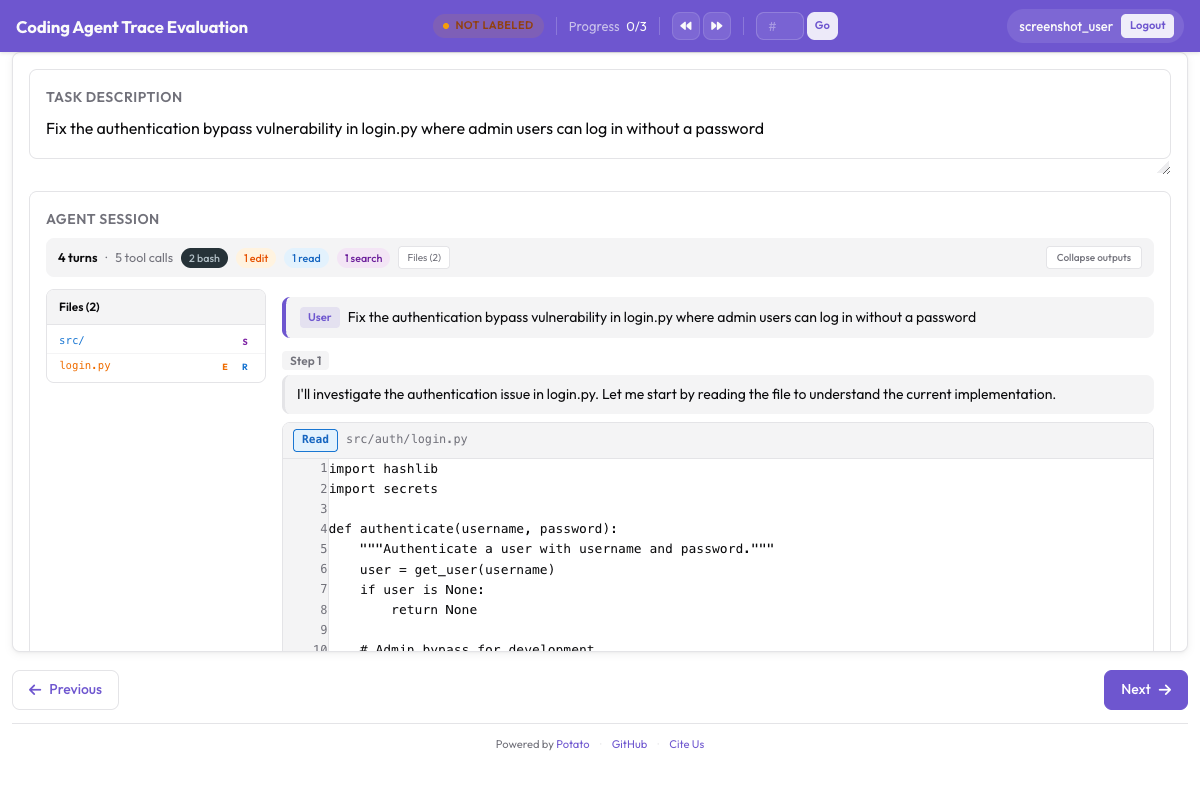 A coding trace with unified diffs, terminal output, and the file tree sidebar
collapse_long_outputs with max_output_lines: 50 is the setting that decides whether a trace is readable. A single pytest run can print several hundred lines, and an annotator who has to scroll past that on every step stops reading the steps.
The data format
The structured_turns format keeps the tool call structure that the display needs. Each turn carries a role, the text content, and a list of tool calls:
{
  "id": "session_001",
  "task_description": "Fix the authentication bypass in login.py",
  "model": "claude-sonnet-4-20250514",
  "structured_turns": [
    {
      "role": "assistant",
      "content": "I'll investigate the auth issue.",
      "tool_calls": [
        {
          "tool": "Read",
          "input": {"file_path": "src/auth/login.py"},
          "output": "def login(user, password):\n    if user.role == 'admin':\n        return True",
          "output_type": "code",
          "language": "python"
        },
        {
          "tool": "Bash",
          "input": {"command": "pytest tests/test_auth.py -v"},
          "output": "4 passed",
          "output_type": "terminal"
        }
      ]
    }
  ]
}
output_type takes code, diff, terminal, or generic, and Potato infers it from the tool and the file extension when you leave it out. Set it explicitly when a tool's output is not what its name suggests.
Converting traces you already have
The converter reads one format and writes the JSONL Potato loads. Three of its formats are coding agents:
# Claude Code, or any Anthropic Messages API transcript
python -m potato.trace_converter -i traces.json -f claude_code -o data/traces.jsonl

# Aider chat history with SEARCH/REPLACE blocks
python -m potato.trace_converter -i chat.md -f aider -o data/traces.jsonl

# SWE-Agent trajectories
python -m potato.trace_converter -i trajectory.json -f swe_agent_trajectory -o data/traces.jsonl

# Mixed directory, format detected per file
python -m potato.trace_converter -i traces.json --auto-detect -o data/traces.jsonl
The claude_code converter reads Claude Code's own session transcripts as well as the raw Messages API shape. Claude Code writes one JSONL file per session under ~/.claude/projects/<slugified-working-directory>/<session-id>.jsonl, and the converter turns one session into one trace rather than one per line:
python -m potato.trace_converter \
  -i ~/.claude/projects/-home-me-myrepo/3c853f0f-....jsonl \
  --auto-detect -o data/session.jsonl
It follows the parentUuid chain and keeps only the surviving path, so rewound attempts are dropped and counted rather than annotated as if they had happened. Sidechain messages go into sidechain_runs, out of the main turns. Slash commands are dropped, since those are the CLI talking to itself. The on-disk shape belongs to the CLI rather than to a published API, so treat the reader as best-effort across upgrades. It ignores record types it does not know, and raises rather than handing back an empty trace when a file stops parsing.
Process reward annotation
A process reward model assigns credit step by step instead of scoring only the final outcome, and process_reward collects the labels it trains on. Two modes trade speed against detail.
In first_error mode, the default, the annotator clicks the first step where the agent went wrong. Every step before it is marked correct, and that step and everything after it are marked incorrect. One click labels the whole trajectory, which is why it is the mode to use when you need volume.
annotation_schemes:
  - annotation_type: process_reward
    name: step_rewards
    description: "Click the first step where the agent makes a mistake."
    steps_key: structured_turns
    mode: first_error
In per_step mode every step is judged on its own. This costs more annotator time and produces the signal that first_error cannot, because a cascade assumes an error is unrecoverable and real agents recover. Turn on allow_neutral with it and the labels follow the PRM800K convention of +1, 0, and -1, where a genuinely benign step is recorded as neutral rather than forced to a pole:
  - annotation_type: process_reward
    name: step_rewards
    description: "Label each step as correct, neutral, or incorrect."
    steps_key: structured_turns
    step_text_key: content
    mode: per_step
    allow_neutral: true
Add either scheme to the config above. With allow_neutral on, an unmarked step stays null, so the export separates a deliberate neutral judgment from a step the annotator never reached. allow_neutral applies only to per_step, and is forced off in first_error, which has no place for a neutral judgment.
Code review annotation
The code_review schema brings pull request review to agent output. Annotators click a diff line to attach a categorized comment, rate each file, and give a verdict:
  - annotation_type: code_review
    name: review
    description: "Review the agent's code changes."
    comment_categories: [bug, style, suggestion, security]
    verdict_options: [approve, request_changes, comment_only]
    file_rating_dimensions: [correctness, quality]
Add this scheme to the config above. The file rating dimensions are scored 1 to 5 each. The defaults are sensible for general review work, so override them when your taxonomy is the point of the study, such as a security review where bug and security need to be separate categories with separate definitions in the instructions.
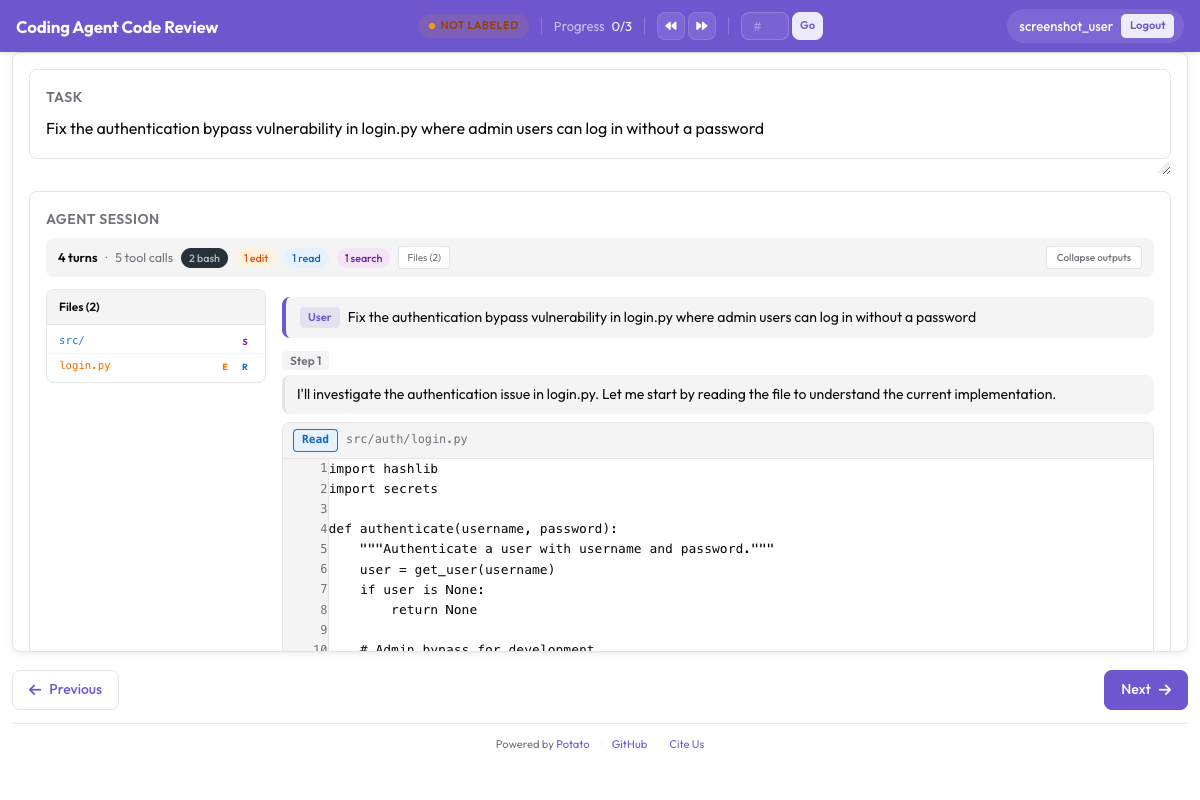 Inline diff comments, per-file ratings, and the overall verdict
The code review tutorial walks through a full review study, including how the comment categories shape what annotators notice. Run that study on a handful of traces before scaling it, because a category list that looked complete in the config usually acquires one more entry after the first twenty reviews.
A complete configuration
This config renders traces, collects a task-level verdict, first-error process rewards, and a code review, with three annotators on each trace so agreement can be measured:
annotation_task_name: "Coding Agent Trace Evaluation"
task_description: "Judge whether the agent completed the task and review its changes."

data_files:
  - data/traces.jsonl

item_properties:
  id_key: id
  text_key: task_description

port: 8000
output_annotation_dir: annotation_output/coding-agent-eval/
export_annotation_format: jsonl

instance_display:
  layout:
    direction: vertical
    gap: 16px
  fields:
    - key: task_description
      type: text
      label: "Task"
    - key: structured_turns
      type: coding_trace
      label: "Agent Session"
      display_options:
        show_file_tree: true
        diff_view: unified
        collapse_long_outputs: true
        max_output_lines: 50
        terminal_theme: dark
        show_step_numbers: true

annotation_schemes:
  - annotation_type: radio
    name: task_success
    description: "Did the agent complete the task?"
    labels:
      - name: success
        tooltip: "Completed correctly with no issues"
      - name: partial
        tooltip: "Completed with minor issues"
      - name: failure
        tooltip: "Not completed, or completed incorrectly"
    sequential_key_binding: true

  - annotation_type: process_reward
    name: step_rewards
    description: "Click the first step where the agent makes a mistake."
    steps_key: structured_turns
    mode: first_error

  - annotation_type: code_review
    name: review
    description: "Review the agent's code changes."
    comment_categories: [bug, style, suggestion, security]
    verdict_options: [approve, request_changes, comment_only]
    file_rating_dimensions: [correctness, quality]

  - annotation_type: text
    name: notes
    description: "Anything else worth recording about this trace"
    placeholder: "Optional"

num_annotators_per_item: 3

user_config:
  allow_all_users: false
  users:
    - annotator1
    - annotator2
Install Potato, convert your traces, and start the server:
pip install potato-annotation
python -m potato.trace_converter -i ./my_traces.json --auto-detect -o data/traces.jsonl
potato start config.yaml -p 8000
The repository ships a working version of this project at examples/agent-traces/coding-agent-evaluation/, which is the faster way to see the display before you convert anything of your own. Start that config, read one trace as an annotator would, and you will know within a few minutes whether the step granularity you are planning to label is the granularity the display shows.
Exporting for training
Annotations leave through the coding evaluation exporter, which writes one file per output type:
python -m potato.export -c config.yaml -f coding_eval -o exports/ \
--option types=prm,preference,swebench,code_review| Type | File | What it feeds |
|---|---|---|
prm | prm_training_data.jsonl | Process reward model training |
preference | preference_pairs.jsonl | DPO or RLHF, from pairwise annotations |
swebench | swebench_results.jsonl | SWE-bench compatible evaluation |
code_review | code_reviews.jsonl | Structured review data |
The preference type needs pairwise annotations to build from, so a study that only collects process rewards produces the other three. Decide which of the four you want before you design the schemes, since adding a pairwise comparison after the fact means annotating every trace a second time against a partner.
Watching an agent work
Recorded traces are one half of the picture. live_coding_agent runs an agent inside the annotation page, where annotators watch it work, intervene, roll back, and replay with different instructions, against an Ollama, Anthropic, or Claude SDK backend in a sandboxed working directory. The live coding agent documentation covers the backends and the sandbox modes.
If your team is evaluating coding agents and hits something this setup does not cover, open an issue on the GitHub repository. A new converter is roughly one file in potato/trace_converter/converters/, so a format Potato does not read yet is a contribution rather than a blocker.